Ingredients
You can manage FeedComp ingredients on the Ingredients page. The page lists all ingredients in use at your dairy in a card format.
You can find this feature under the Menu OptionsMenu Options.
Each ingredient card on the page shows the color-coded ingredient type, current amount available, cost per ton, recipes using the ingredient, and locations containing the ingredient. Warning indicators also are displayed when inventory is running low. If there are too many ingredients to fit on one page, use the page links at the bottom right of the page to view more ingredient cards.
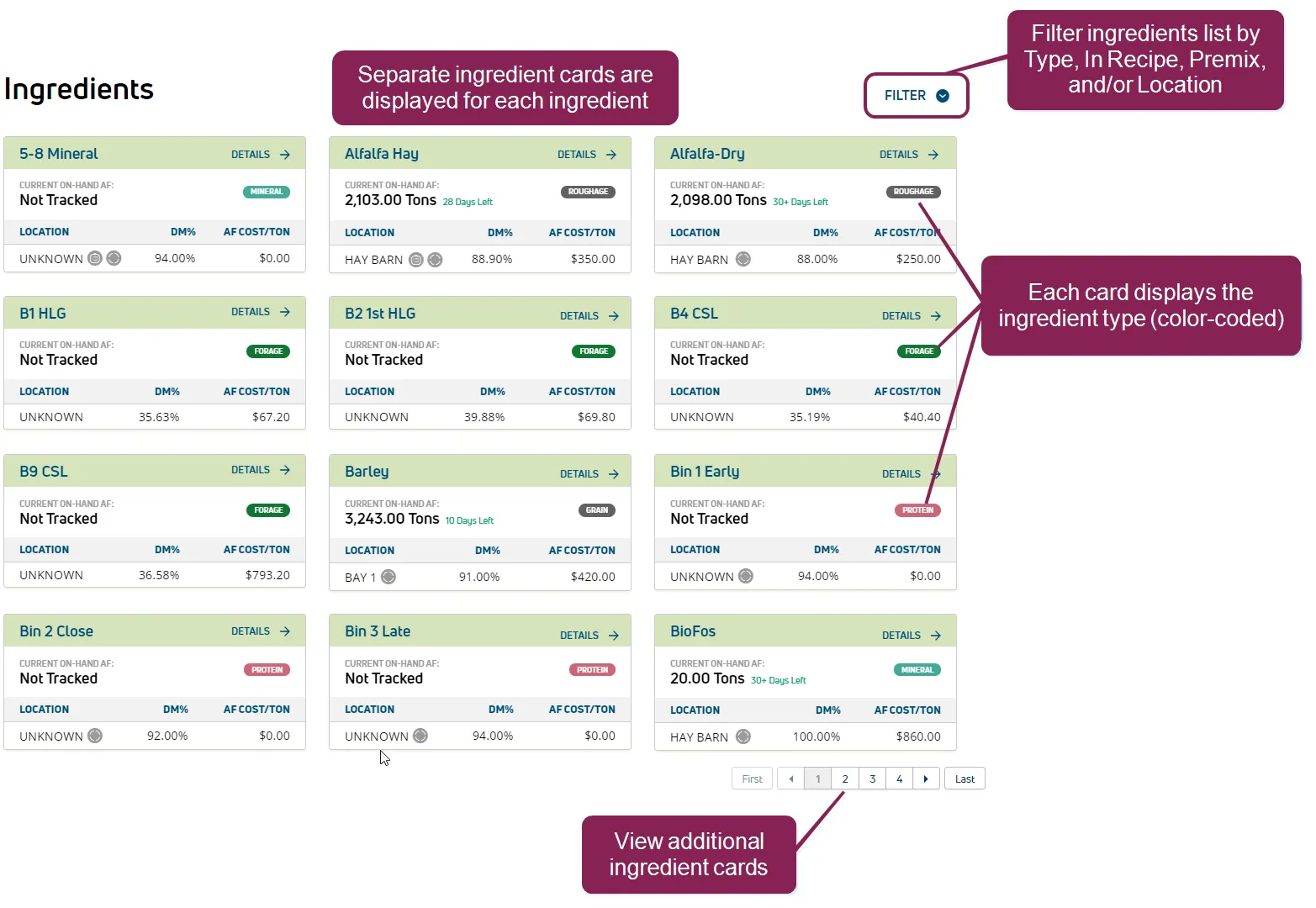
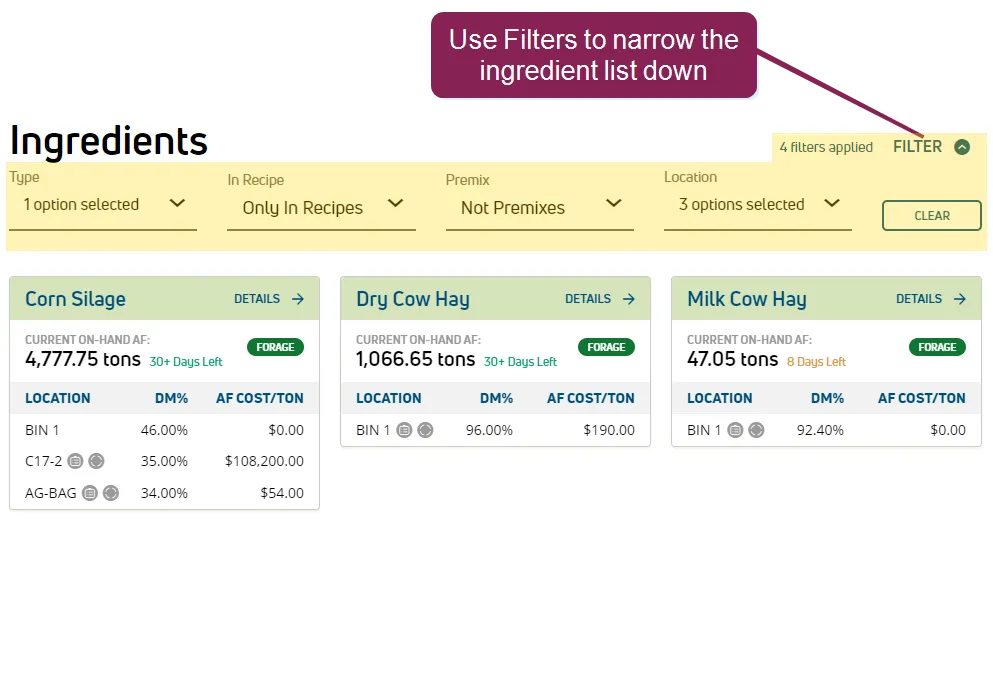
You can use the Filter option at the top right of the screen to narrow down the list of ingredients by Type, Recipe, Premix, and/or Location.
Follow the guidelines below when viewing the ingredient cards:
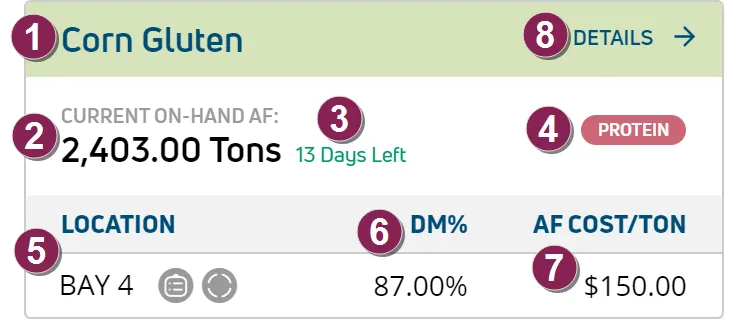
Ingredient Name: Ingredient name as defined in FeedWatch (on-premise).
Current On‑Hand AF: Amount that is currently available on‑hand as‑fed (AF).
Estimated Days Remaining: Estimated days remaining before the ingredient runs out.
This information is based on the amount available and the amount planned for use per day. It is displayed only for ingredients that are being tracked inFeedWatch (on-premise). The colors indicate:
-
Red: 0 to 5 days left.
-
Yellow: 6 to 10 days left.
-
Green: 11 or more days left.
Ingredient Type: The ingredient type is shown in a color‑coded label. The predefined types are Forage, Protein, Concentrate, Additive, Mineral, and Premix. Any type that does not belong to one of these categories is displayed with the color‑coded label for Other ingredient types (for example, Grain, Hi-Fiber, Fat, etc.).
Location: Location(s) where the ingredient is stored, including indicators that show whether the ingredient is being tracked  and/or is used in a recipe
  .
.
DM%: Dry Matter (DM) percentage. If the ingredient is stored in multiple locations, values are displayed for each separate location.
AF Cost/Ton: As‑fed cost per ton. If the ingredient is stored in multiple locations, values are displayed for each separate location.
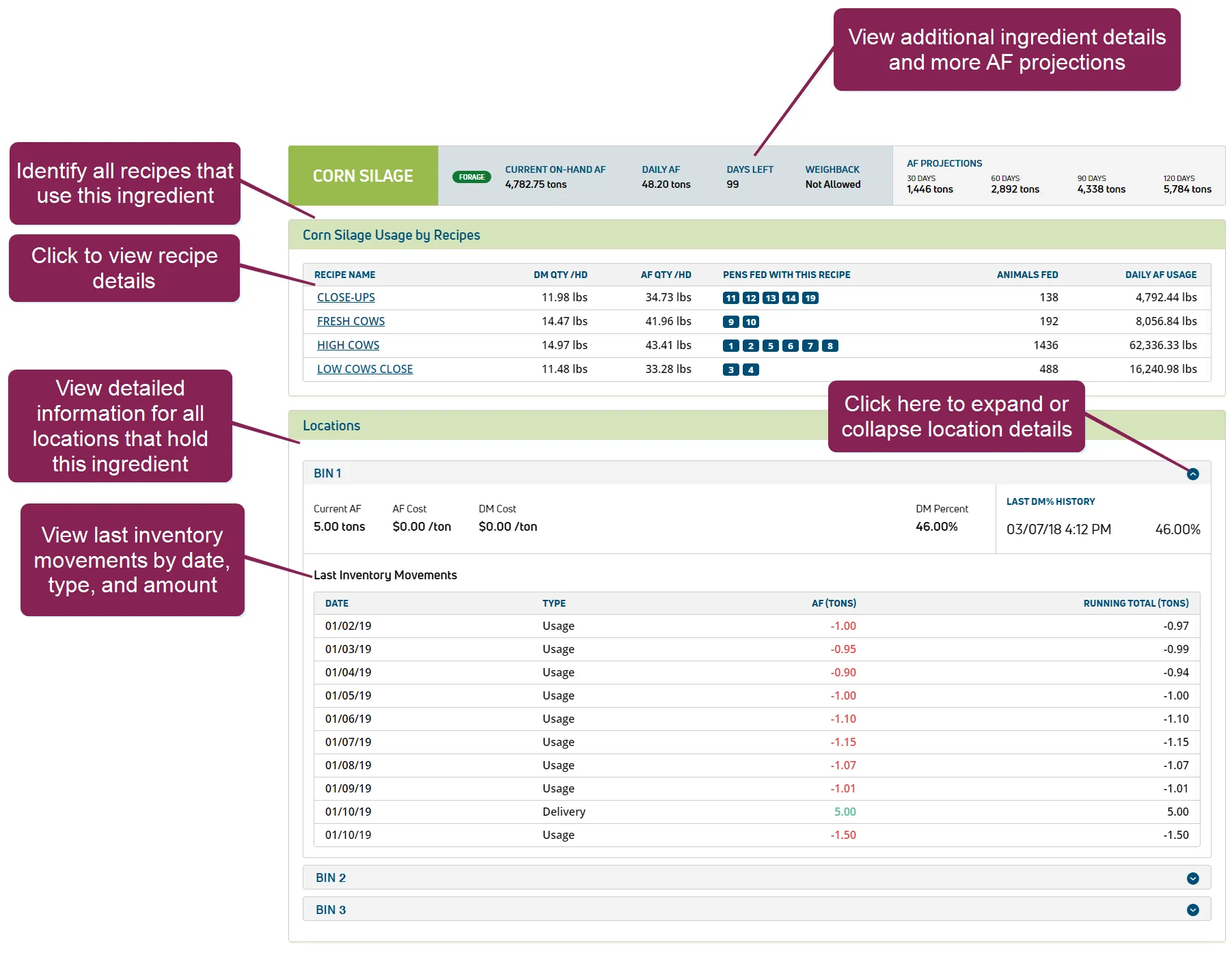
Details: Click the Details link at the top right of an ingredient card to view more ingredient details, including:
- AF projections for 30, 60, 90, and 120 days.
- Recipes in which the ingredient is used, as well as recipe details such as the DM and AF quantity of the ingredient, the pens fed, number of animals fed by each related recipe, and the daily AF usage of the ingredient, which shows the real AF amount used to feed all pens that use the related recipe.
- Details for each location that holds this ingredient.
- Last Inventory Movements list, which shows the dates, types, amounts, and the running total each time this ingredient was last moved. The list displays the 10 most recent results.