Common Terms and Commands
Question: Do you have a summary of terms and commands that are commonly used in DairyComp?
Answer: Absolutely! Expand the topics below to learn more about the terms, commands, etc., that you will commonly use in DairyComp:
Term | Definition |
|---|---|
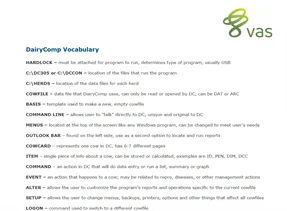
Hardlock | Must be attached for program to run, determines type of program, usually USB. |
C:\DairyComp , C:\DCCON, C:\DCCCLIENT, or C:\DC | The location of the files that run the program. See Install DC305 on a New ComputerInstall DairyComp on a New Computer to learn more. |
C:\HERDS | The location of the data files for each herd. See Backup DC305 Data Backup DairyComp Data to learn more. |
COWFILE | A data file used by DairyComp. Can only be read or opened by DairyComp. Can be DAT format (current data) or ARC format (past/historical data). |
Basis or Basis File | A template used to make a new, empty cowfile |
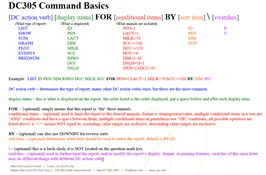
Command Line | Area located near the top of the DairyComp window that allows users to look up data, enter information, and edit settings. This feature is unique and original to DairyComp. See Command LineCommand Line to learn more. |
Menus | Sets of options located at the top of the DairyComp screen that allow the user to find information or execute functions. |
Outlook Bar | Located at the left of the DairyComp window and used as a second option to locate and run reports. |
CowCard | The record of an animal in DairyComp. See CowCardsCowCards to learn more. |
Item | A single piece of information about an animal. Can be stored or calculated. Examples include, ID, PEN, DIM, and DCC. See Items TabsItems Tabs to learn more. |
Command | An action in DairyComp to perform data entry or run a list, summary, or graph. See Command LineCommand Line to learn more. |
Event | An action that happens to an animal. An event can be related to reproduction, diseases, or management actions. See Events TabEvents Tab to learn more. |
ALTER | A command that allows you to customize the application's reports and operations specific to the current cowfile. See ALTER OverviewALTER Overview to learn more. |
SETUP | A command that allows you to change menus, backups, printers, options, and other factors that affect all cowfiles. See SETUP CommandSETUP Command to learn more. |
LOGON | A command used to switch to a different cowfile. |
CREATE | A command used to generate a new, empty cowfile. |
ABSORB | A command used to pull the item and event from one cowfile into another cowfile. |
See the table below for the most commonly used items in DairyComp:
AGE | Age in Months | MILK | Current testday milk |
|---|---|---|---|
BDAT | Birth date | PCTF | Percent fat at last test |
CDAT | Conception date | PCTP | Percent protein at last test |
DCC | Days carry calf if pregnant | PEN | Pen or string number |
DDAT | Dry date | RC | Repro code (numeric 0-8) |
DIM | Days in milk | RPRO | Repro code in English |
DSLH | Days since last heat | SCC | Somatic cell count |
DUE | Date due to freshen | SID | Sire identification |
FDAT | Fresh date | SIRC | Sire of conception |
HDAT | Heat date | TBRD | |
ID | Animal identification number | TDAT | Most recent test date |
LACT | Lactation number | VDAT | Date of last vet check |
NOTE: To view a complete list of the items configured for your DairyComp system, use the ALTER\2 command to open the Item definitions window. From there you can add, change, or delete items.
0 = VIRGIN HEIFER
1 = DO NOT BREED (DNB)
2 = FRESH
3 = OK/OPEN
4 = BRED
5 = PREG
6 = DRY
7 = SOLD/DIED
8 = BULL CALF (MALE)
See Reproductive CodesReproductive Codes to learn more.
&#xNAN;ALTER | Configuration module or all customizations of items, commands, pens, events, and so on. |
|---|---|
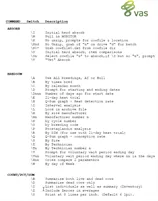
BREDSUM | Used to examine the effectiveness of a breeding program. Switches include the following:\T = By Technician\O = By Breeding Code\B = By Number of Times Bred\I = Interval Analysis\N = By Cycle Number\E = 21 Day Heat Trial\Y = Include Heifers\V# = Voluntary Waiting Period\U = Bullpen Preg Rates\UR = Bullpen by 21 Days\A = Assume All Breedings\D or \D# = Select Date Range\X = Cross Measure 2 Variables |
&#xNAN;CHKFILE | Utility to search for animal IDs, show available ID numbers, or fix corrupted animal records. |
&#xNAN;COWVAL | Estimate an animal's value within the herd relative to an average fresh heifer. Also calculates the animal's pregnancy value. |
&#xNAN;ECON | Utility used to calculate economic factors. Switches include the following:\E = Lists of animals with certain events within a certain time frame\I or \IR (\R with cull rate) = Calf summary table for last 365 days by month\ID = Table of all events for last 365 days by month\S = Table of all events for last 365 days by DIM |
EGRAPH | Graph of data from events. Can be done by calendar date, DIM for animals, or AGE for heifers. Can also graph remarks of the event instead of count of events. |
&#xNAN;EPLOT | Used to graph body scores, height and weight measurements. |
EVENTS | Used to view a list or table of events for different time periods and parameters. Switches include the following:\2SI = Lists of animals with certain events within a certain time frame\3 = Calf summary table for last 365 days by month\5 = Table of all events for last 365 days by month\6 = Table of all events for last 365 days by DIM\7 = Table of all events for last 365 days by month of fresh |
&#xNAN;FILEOUT | Used to export data items to CSV or TXT files. |
GRAPH | Used to graph one item by itself (histogram) or multiple against each other (scatter graph). |
LIST /SHOW | Used to create a listing of animals with certain items and conditions, within a specified sorting order. |
&#xNAN;MONITOR | Procedure that lets you define, calculate, and report a group of herd management statistics. Typically run at the beginning of the month. |
&#xNAN;PCT | Percent command is used to calculate the number of animals in the first condition that meet the conditions for the second list. |
&#xNAN;PLOT | Used to graph test day information by test date or by DIM. |
SIRES | Used to look at or generate reports on the latest sire NAAB production and type proofs. |
SUM | Used to get averages for certain items or number of animals within certain groups. |