Process TODO Lists
1 min
To-Do Lists include animals that may need to be checked, moved, or treated. After the required task is completed, the animal is marked as DONE. Use these actionable lists to help manage your work on farm and keep track of completed activities electronically.
Follow the steps below to continue:
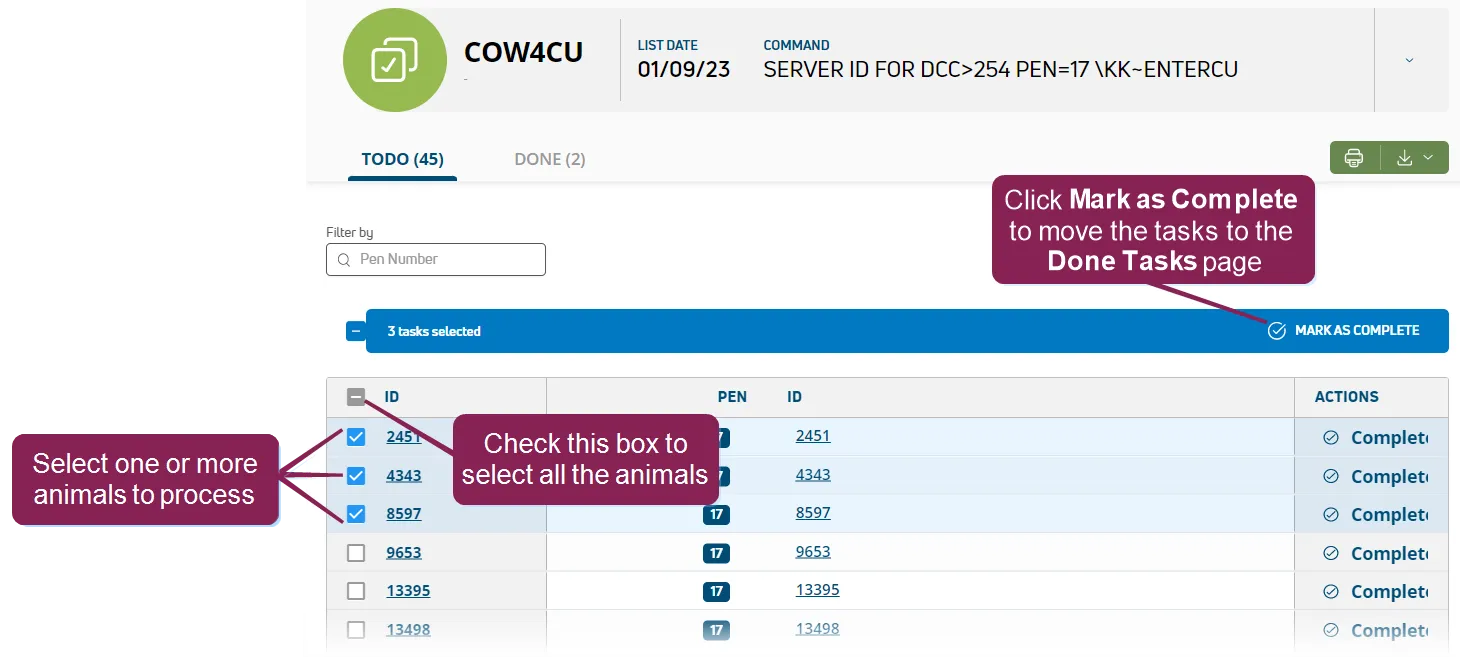
- On the TODO page of this worklist, you can process a single animal or multiple animals. Simply select the animals you want to process (or select all animals in the upper left corner), then click Mark as Complete in the upper right corner. The system will then move the selected animals to the DONE page and change the animals' status to RECEIVED.
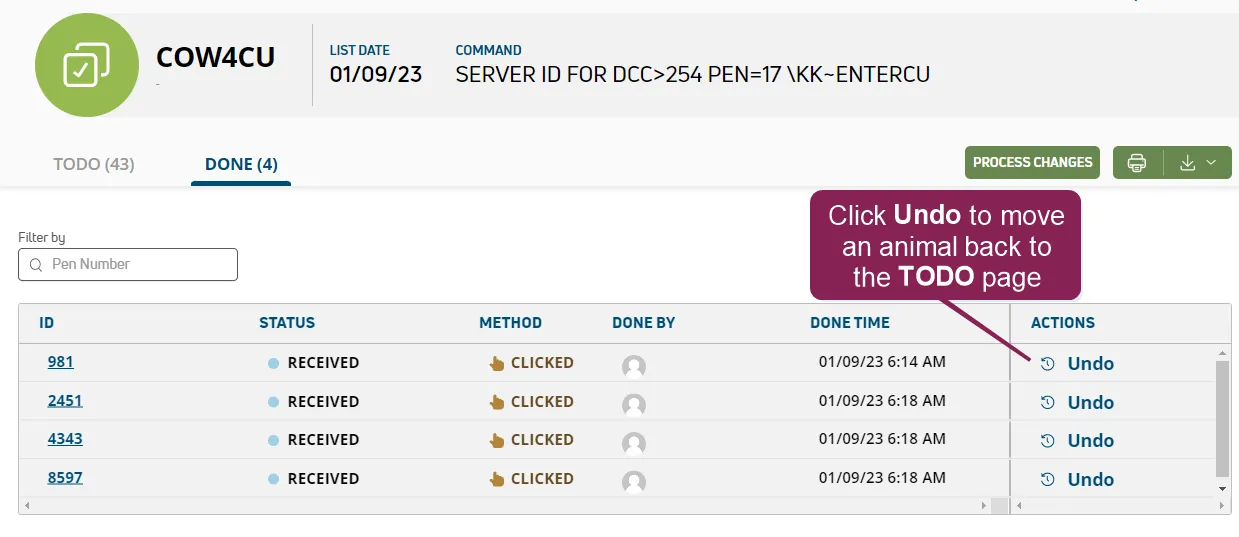
- If an animal on the DONE page is not fully processed and its status is still RECEIVED, you can move the animal back to the TODO page. To move the animal back, click the UNDO button.