Create Shortcuts for Hospital Form Entry
Question: How do I create shortcuts so I can quickly fill out hospital forms in Pocket CowCard?
Answer: Pocket CowCard Android has customizable shortcut options so you can quickly add events or expert batch commands when using hospital forms. Enable and configure this feature in your Pocket CowCard settings in DairyComp, then use the feature in Pocket CowCard:. Follow the steps below to continue:
In DairyComp, enter SERVER\3 to open the Server Configuration screen.
In the Pocket CowCard Entry tab, navigate to the Select Event or Expert Batch for Quick Pick on Hospital Forms columns at the bottom left side of the screen.
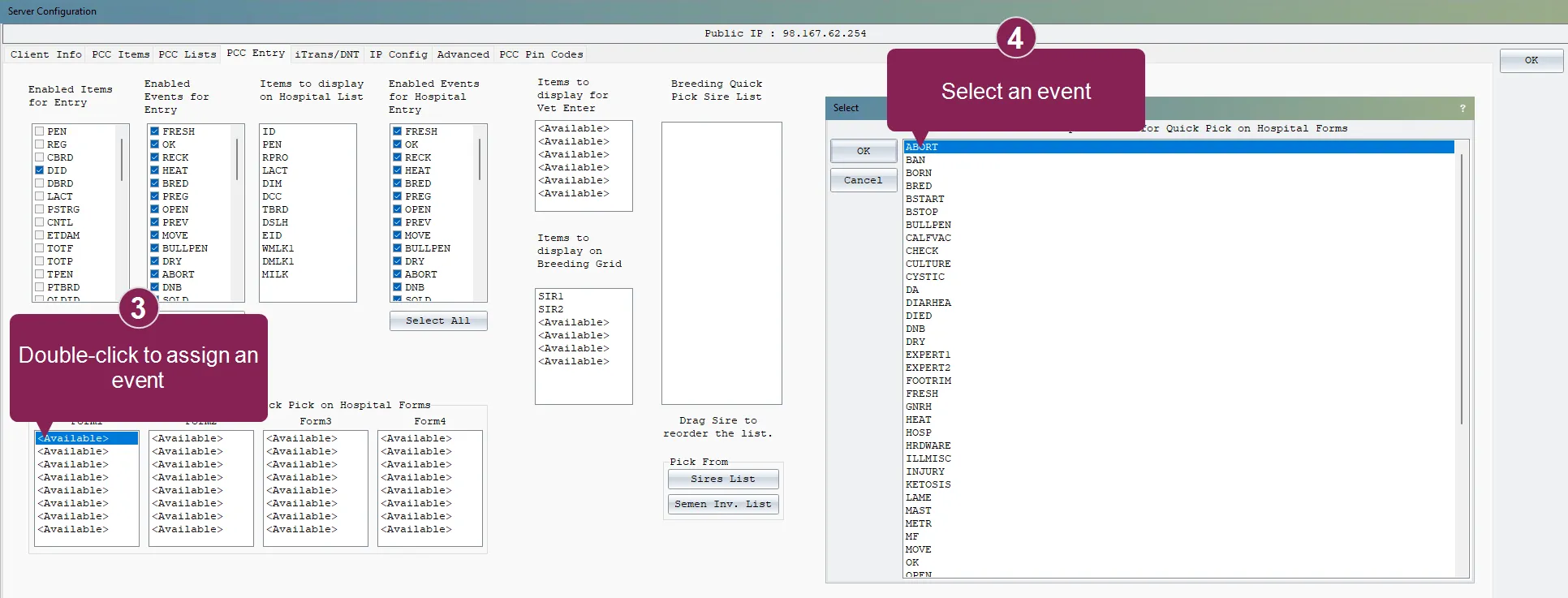
Each column corresponds to a switch that you can use in your worklist command:
- Form1:\HM1
- Form2:\HM2
- Form3:\HM3
- Form4: \HM4 To assign an event or expert batch shortcut to the \HM1 switch, go to the Form1 column and double-click <Available> to open the Select screen.
To assign an event or expert batch shortcut to the \HM1 switch, go to the Form1 column and double-click <Available> to open the Select screen.
Select your most-used event and click OK.
Repeat the steps for each shortcut you want to quick pick in hospital forms and select your shortcuts by most used to least used. You can add up to 8 shortcuts per switch.
Create hospital worklists that implement the switches (\HM1 to \HM4) you just configured:
- ZLHOSP1: SERVER ID DIM PN NOTE FOR PEN=99\HM1
- ZLHOSP2: SERVER ID DIM PN NOTE FOR PEN=99\HM2
- ZLHOSP3: SERVER ID DIM PN NOTE FOR PEN=99\HM3
- ZLHOSP4: SERVER ID DIM PN NOTE FOR PEN=99\HM4
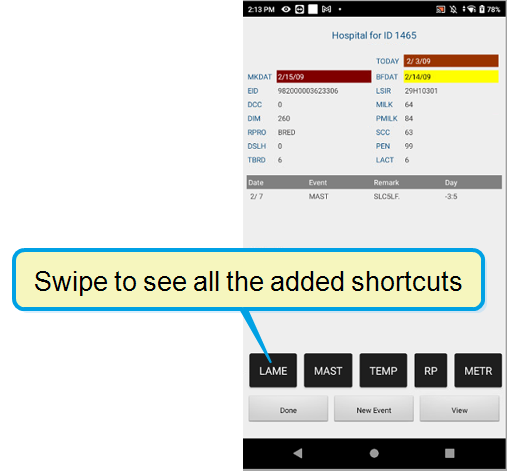
In Pocket CowCard, open a hospital worklist to see your new shortcuts at the bottom of the screen. Swipe left to right to see all shortcuts: