Manage Animals in Pocket CowCard
Collect Genomic Samples in Pocket CowCard
3 min
Question: How do I set up and use the Pocket CowCard zebra device for genomic sampling?
Answer: Use the steps below to set up your Pocket CowCard Zebra device so you can collect genomic samples:
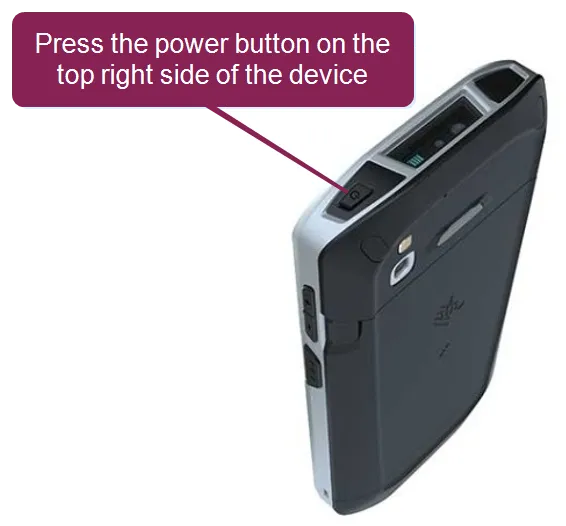
- Power on the Pocket CowCard device, the Zebra TC57, by pressing the power button at the top right side of the device.
- Tap Settings > Network & Internet > Wi-Fi.
- From the Wi-Fi screen, connect to the location's Wi-Fi network.
- Open Pocket CowCard, then tap the Settings icon at the top right of the screen.
- Tap Server Address > Add new IP.
- Enter the location's IP address and name, then tap Add new IP.
NOTE: To find the location's IP address and name, you can open DairyComp 305 and enter SERVER\3 in the command line.
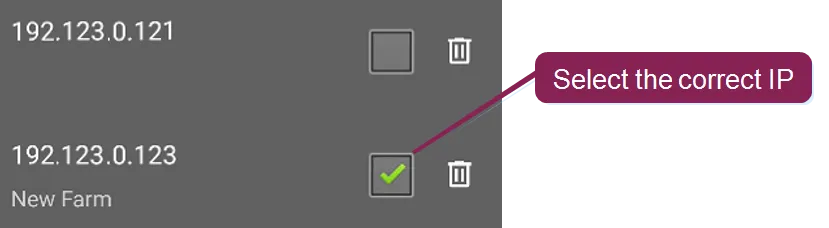
- From the list of IP addresses, check the box next to the IP address you want to use, and then tap Select new IP.
- Go to the Pocket CowCard home screen and tap Refresh herd from DairyComp.
- In DairyComp, enter ALTER\2 in the command line to open the Item Definitions list.
- Click Add [Ins] on the left side of the window and add the following items:
Name | Type | Description |
|---|---|---|
GSDAT | 18 | Genomic Sample Date |
GSAMP | 33 | Genomic Sample Number |
- After you save your changes, enter ALTER\3 in the command line to open the Commands Definitions list.
- Click Add [Ins] on the left side of the window and add the following command:
Abbreviation | Content | Title |
|---|---|---|
ZGSAMP | ENTER\Z GSDAT=SCDAT GSAMP=? | Pocket CowCard genomic sample batch entry |
- After you create your items and commands, refresh Pocket CowCard.
- Open the Batch tab, then tap Expert Batch Command.
- Tap the red locked icon
 at the top right of the screen, then tap Select a Pre-Defined Command.
- Tap ZGSAMP, the command you created in Step 3: Create Items and Commands in DC305Step 3: Create Items and Commands in DairyComp, and tap the green unlocked icon
 to save your changes.
- At the bottom right of the screen, tap Enable RFID.
- If your scanner does not automatically connect to Pocket CowCard, select the scanner from the list of devices. If your scanner does not appear on the list of devices, make sure your scanner is turned on. Pocket CowCard underlines Enable RFID in green when your scanner is connected.

- To collect an animal's genomic sample, scan the animal's RFID tag.
- When Pocket CowCard prompts you to enter the genomic sample number (GSAMP), manually enter the sample ID or scan the sample's QR or barcode.
- After you scan the animals you need, click Exit to go to the Pocket CowCard home screen.
- Tap Send Changes to DairyComp to send the sample assignments to DairyComp.