Create a Simple Batch Command in Pocket CowCard
Question: How do I create and use a Simple Batch command for Pocket CowCard?
Answer: You can use the Simple Batch feature in Pocket CowCard for Android. Use the SERVER\3 command in DairyComp to select the items that can be input:
In DairyComp, enter SERVER\3in the command line to open the Server Configuration window, and then follow the steps below to select items for entry.
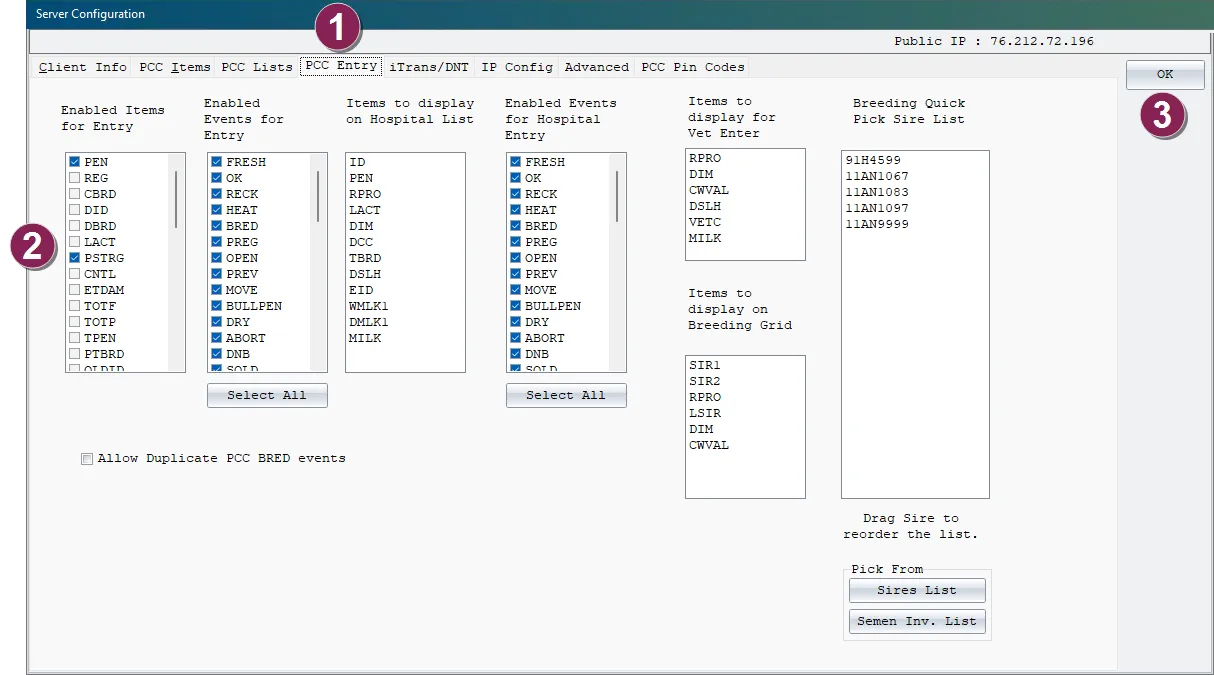
Select the Pocket CowCard Entry tab.
Select the items to enable for batch entry from Pocket CowCard.
Click OK.
In the Pocket CowCard mobile app, follow the steps below to select the items to enter in batch from Pocket CowCard.
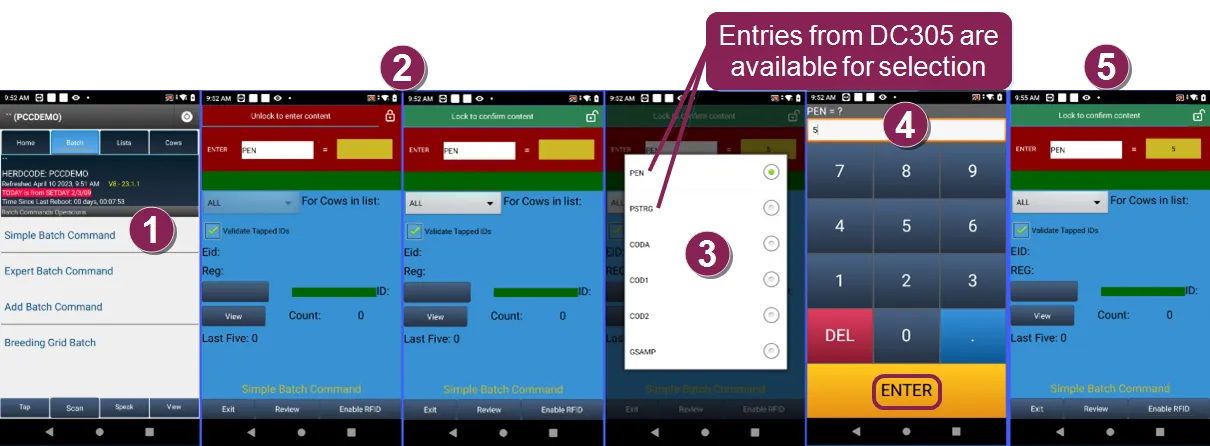
On the Batch tab in the Pocket CowCard mobile app, select Simple Batch Command.
Click the lock icon at the top right to unlock the content.
Select the items to enable for batch entry.
Enter the value for the batch item, which is the pen number in the example above, and tap ENTER.
Tap the lock icon at the top right to confirm the content.