Configure Stall Read Delay in ParlorBoss
2 min
Question: How do I improve stall read accuracy on my rotary parlor without adjusting hardware?
Answer: ParlorBoss includes a Stall Read Delay setting that applies a configurable delay (in milliseconds) between when a stall tag is scanned and when ParlorBoss registers the reading. This improves stall read accuracy by compensating for hardware timing differences, reducing the need for physical hardware calibration.
🗒️ NOTE: This feature is available in ParlorBoss version 2.8.11 and later.
Follow the steps below to configure the stall read delay.
- From ParlorBoss, select Tools > Options.
- In the Display Options section, locate the Stall Delay field.
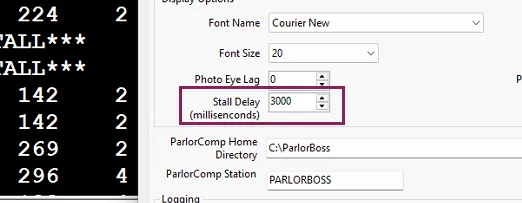
- Enter a value between 0 and 5000 milliseconds. For example, entering 3000 applies a 3-second delay between the scanner read and ParlorBoss registration.
- Select OK to save your changes.
Important Considerations
- The stall delay value persists across system restarts — you only need to set it once.
- The stall delay setting works with all supported scanners: Agrident COM, Nedap COM, and GEA MQTT.
- Adjusting this setting does not negatively impact system performance or PULSE reporting.
- If you enter a value greater than 5000, the system will warn you:
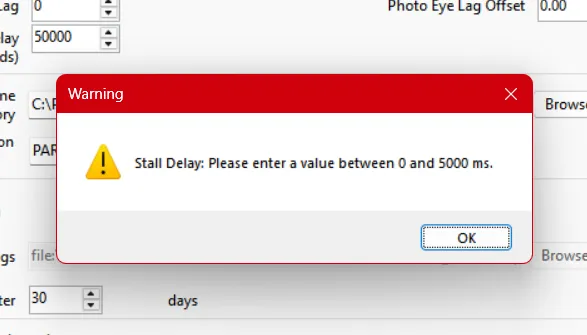
Selecting OK on the warning automatically sets the value to the maximum of 5000 ms.