Configure Auto Update in ParlorBoss
1 min
Question: How do I configure when ParlorBoss checks for software updates?
Answer: To avoid interrupting milking activities, you can configure ParlorBoss to search for software updates during specified time periods.
Follow the steps below to configure when ParlorBoss checks for updates.
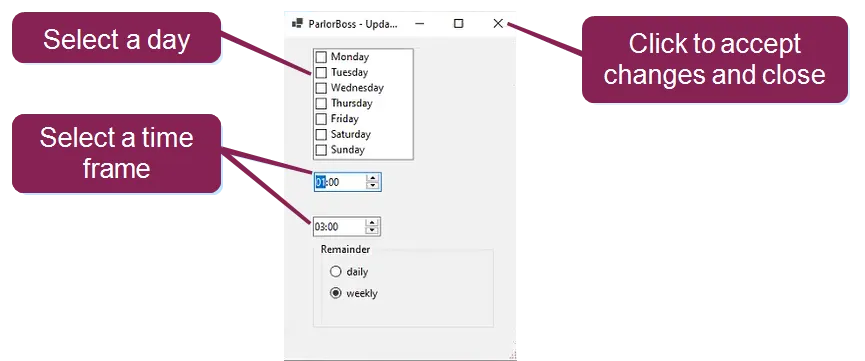
- From ParlorBoss, select Help > Autoupdate.
- Select weekly or daily from the auto update window.
If you select weekly, you must choose a day and then select a time frame. If you select daily, only the time frame options are available.
- Click the X to accept changes and close the window.
NOTE: If the time frame options are not set here, ParlorBoss checks for updates every 10 minutes.