Change Stall EID Tags in ParlorBoss
2 min
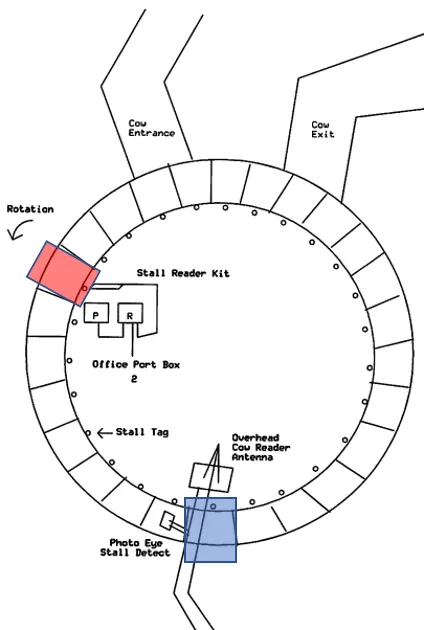
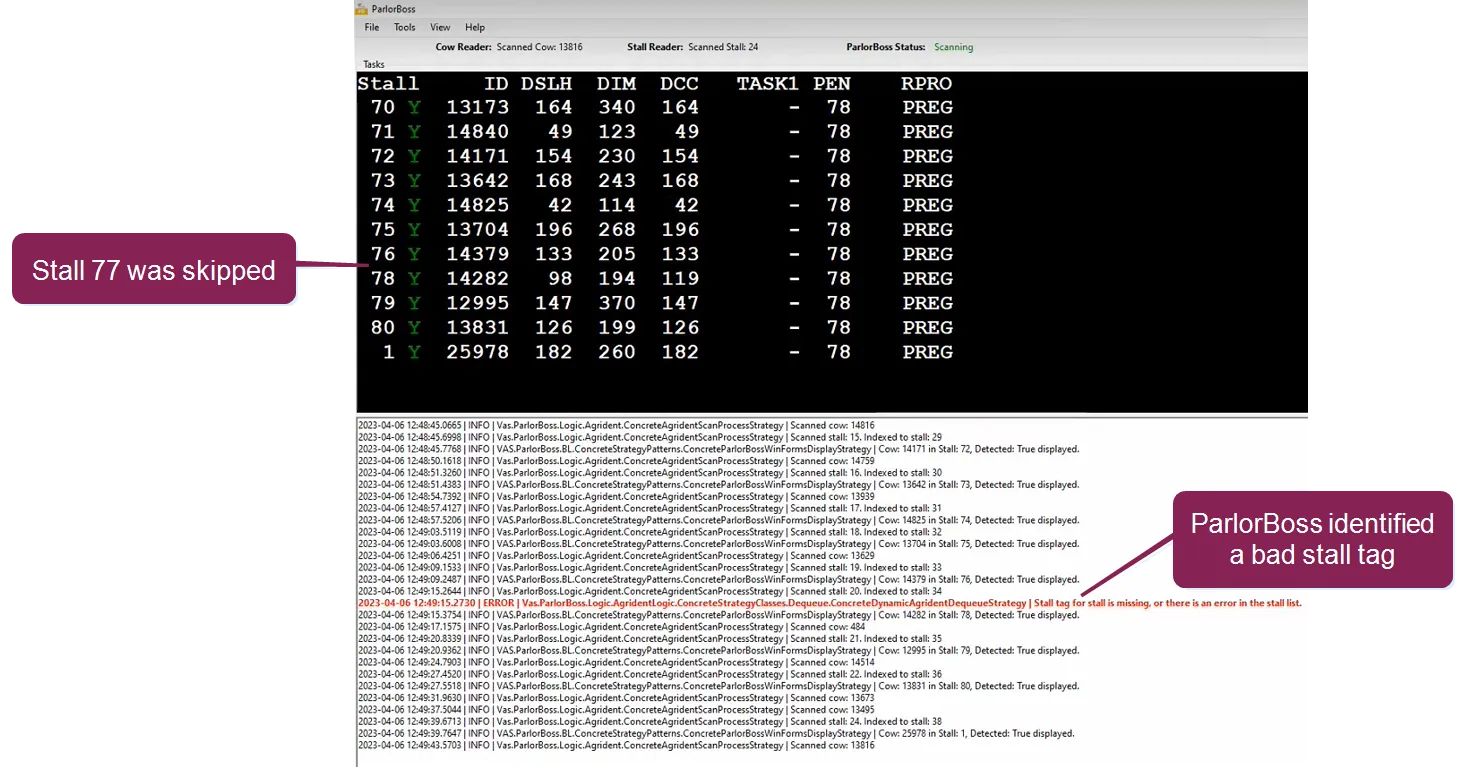
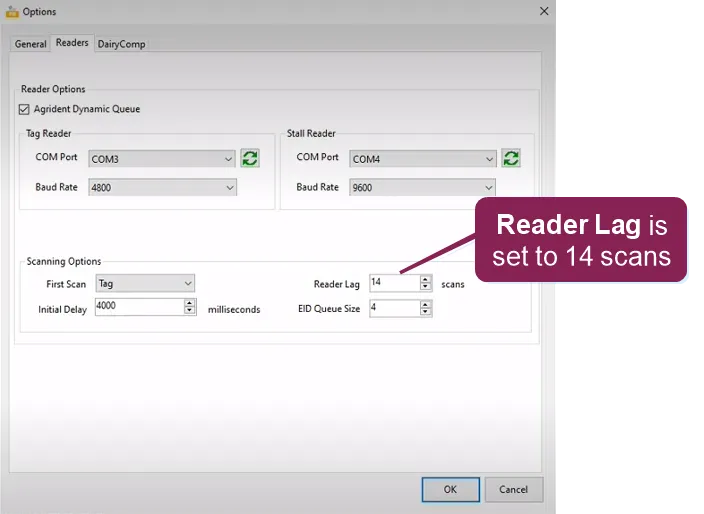
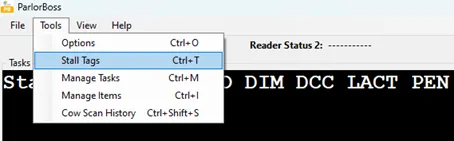
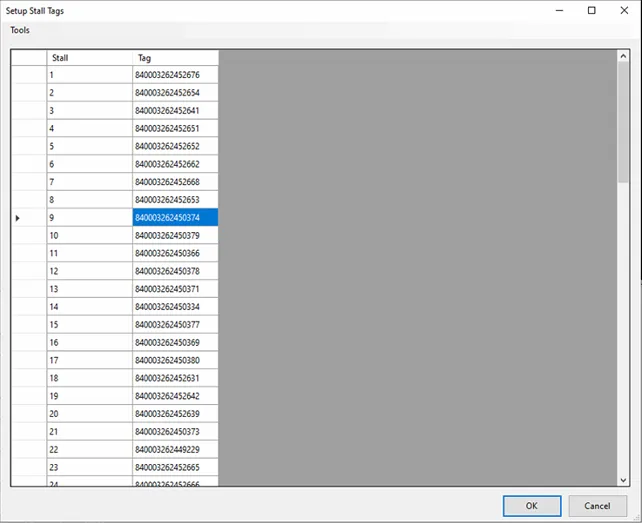
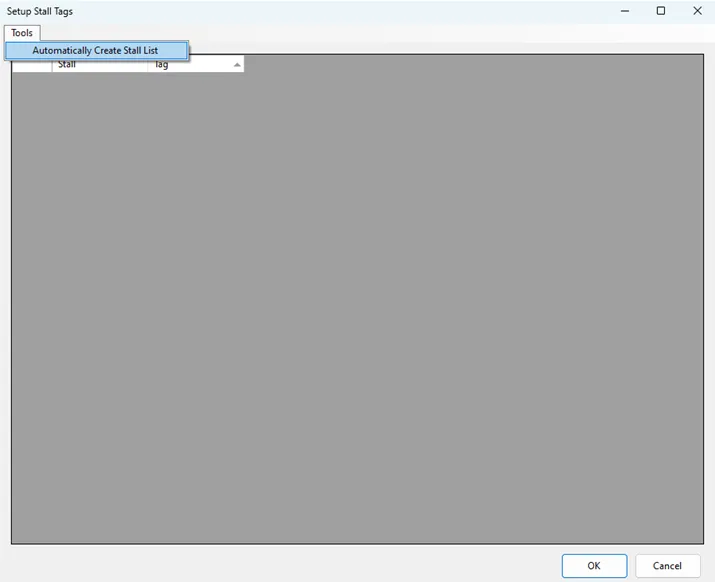
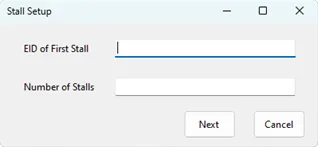
\<font color="#67854e">question\</font> how do i change an tag for a stall in ? \<font color="#67854e">answer\</font> you can replace a single stall tag or multiple stall tags using follow the steps below to find the bad stall eid tag, replace the eid on the parlor stall, and record the new eid tag number in \<font color="#f97316">important\</font> the bad stall tag will not be the stall that is missing on the display; rather, it will be the eid at the stall reader when the missing stall on the display is at the cow reader click here to learn more about identifying bad eids! note the red and blue shaded stalls in the parlor diagram below the stall reader scans the stall eid tag when the stall is in the red position, and the cow reader scans the eid on the animal's ear tag when its stall is in the blue position if a stall tag is not read when it passes by the stall reader, won't indicate that the stall tag wasn't read until the id tag for the cow in the unread stall passes by the cow reader the difference in the number of stalls between the stall tag reader by the red stall and the cow reader by the blue stall is known as reader lag if a stall tag is not displayed in when the cow reader scans the cow in the blue stall, you need to change the eid for the stall located at the reader lag distance from the cow reader (in this example, it is the red text) once the bad stall eid tag is found, you can use an rfid wand (like the awr300 docid\ ixywozwbu3wz aikye9sf or rs420) to verify that the eid tag is bad expand the information below to learn more about replacing stall tags in replace a single stall tag follow the steps below to replace a single stall tag in find the bad stall tag a note the skipped stall number from the screen b subtract your reader lag value from the skipped stall number for example, if stall 77 is skipped and your reader lag is 14, the bad tag is likely on stall 63 note to find your parlor's reader lag value, navigate to tools > options > readers > scanning options in replace the bad stall tag a remove the bad eid and install a new one for the stall b in , select tools > stall tags c double click on the eid number associated with the stall number you replaced and enter the stall's new eid number d click ok and will resume operation replace multiple stall tags if you suspect several stall tags are failing, you can replace multiple tags and then use to rescan and save the eids for each tag follow the steps below to learn how note the eid for the first stall select tools > stall tags in click the tools tab and select automatically create stall list enter the eid of first stall and the number of stalls on the parlor, and then click next click ok and begins scanning the stall tags and shows a progress bar if all tags are read after one turn of the parlor, the progress bar will say 100% complete click ok and will resume operation