View CowCards
2 min
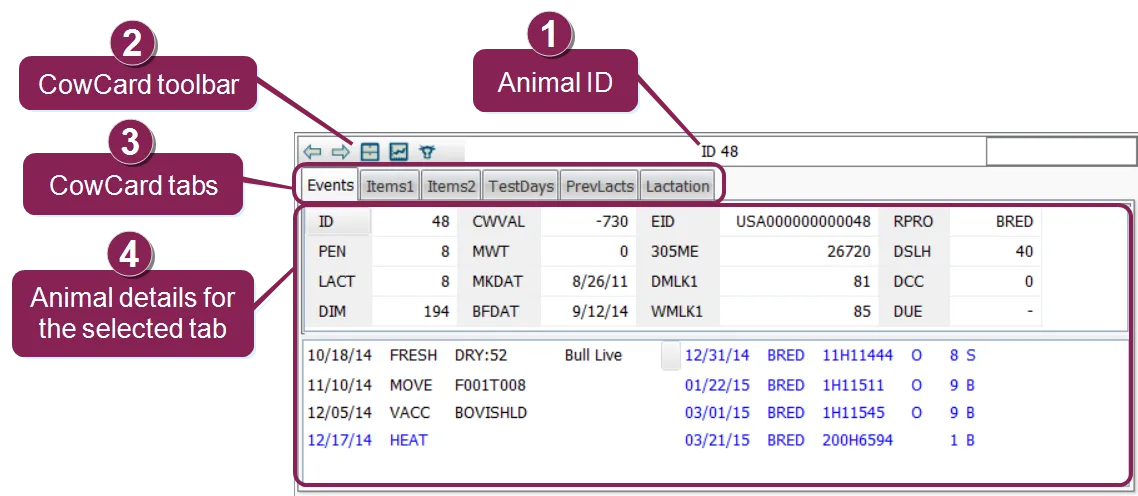
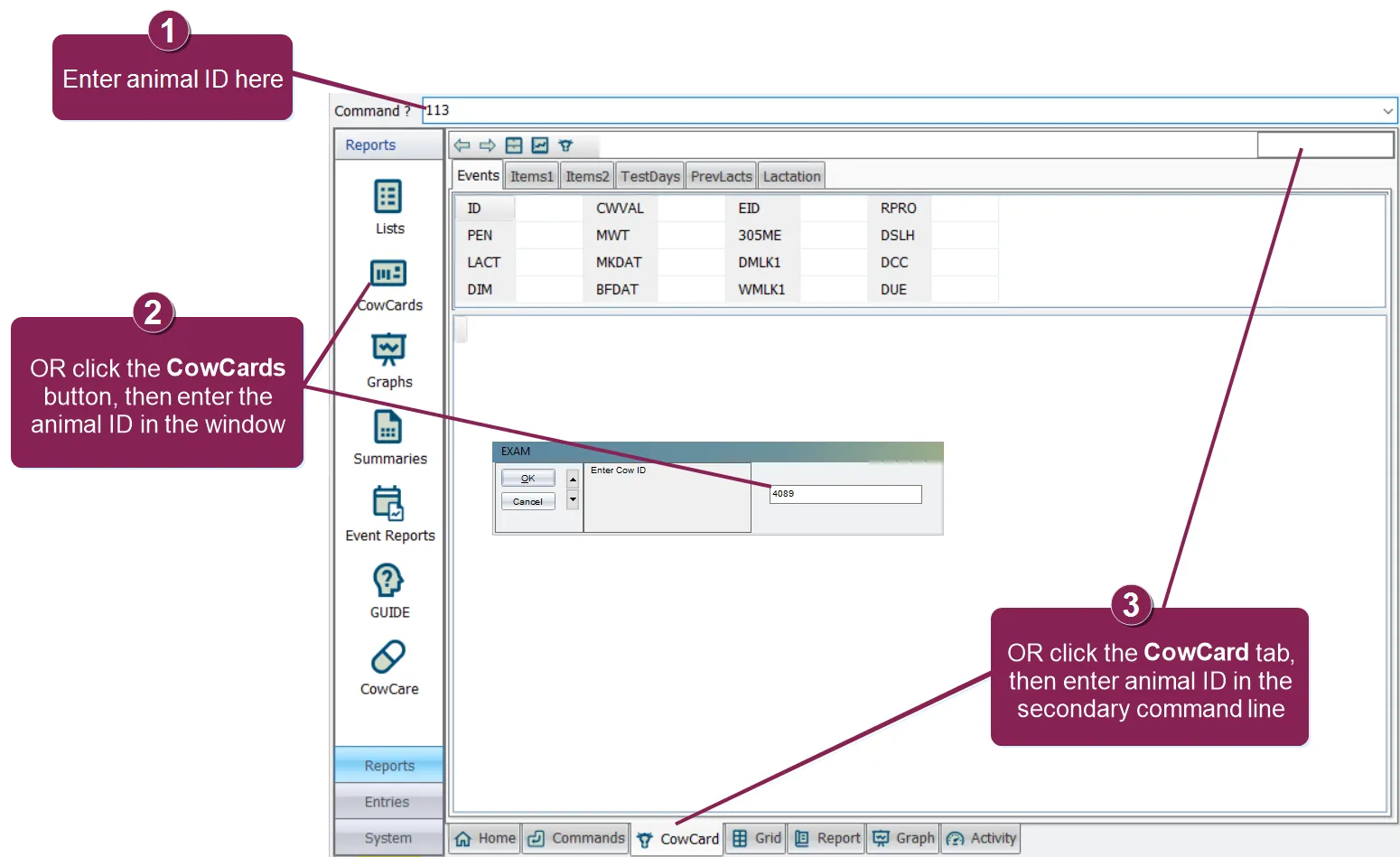
how do i open a cowcard? as illustrated below, there are several ways to open a cowcard enter the id number of the animal in the command line or click the cowcards button in the options menu on the left or click the cowcard tab toward the bottom of the window to make using cowcards much easier, there are four main features you should familiarize yourself with animal id the animal's id is displayed at the top center of the cowcard cowcard toolbar the toolbar at the top left of the cowcard allows you to perform several other cowcard‑related functions see cowcard toolbar docid 8hz04 jlecicwvtziycz6 to learn more cowcard tabs the tabs across the top of the cowcard are where you will find all details and current status for this animal ( events docid\ dffsrgo 1rwzrvbymonew , items docid od5c1wmdblyvcdln4p2 , testdays docid\ p3jj9kjdee0buqhtc 0j9 , prevlacts docid 82 ohqnbaj rs9cozmef , and lactation docid\ knm8d lkezrwvcsyc4ndc ) animal data each tab displays information that is relevant to the animal's current and historic status the items displayed on a cowcard can be edited at any time note that not every tab has an items section (such as the lactation tab) see the topics below to learn more about viewing dairycomp cowcards! events tab docid\ dffsrgo 1rwzrvbymonew items tabs docid od5c1wmdblyvcdln4p2 test days tab docid\ p3jj9kjdee0buqhtc 0j9 previous lactations tab docid 82 ohqnbaj rs9cozmef lactation tab docid\ knm8d lkezrwvcsyc4ndc dam info tab docid\ t8vztxbfhgzescdmyp7id lifetime tab docid\ nfnu3z5snxifb7l7beiqe