Actions from the CowCard Toolbar
The CowCard toolbar is located above the tabs in the upper-left corner of the CowCard. Using this toolbar, you can quickly navigate between other CowCards and view archived records, hidden animal details, or daily milk graphs:
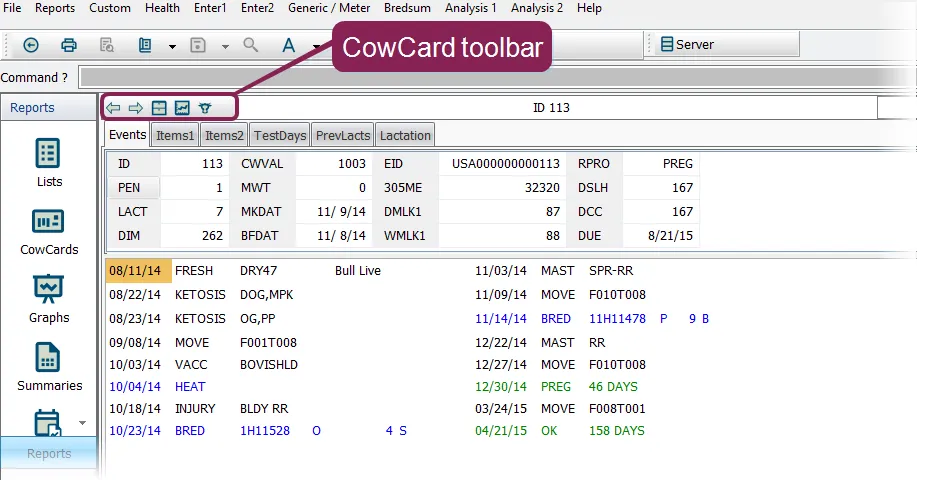
Each of the toolbar buttons is described in the table below:
Toolbar Icon | Icon Name | Description |
|---|---|---|
 | Previous/Next on list | Display the previous or next animal CowCard in the list. |
 | Previous Lactation | Not to be confused with the PrevLacts tabPrevLacts tab, this toolbar button displays historical lactation records, if any, for the animal. Click it once to display the animal's previous lactation record. Click it to display the next previous record. See View Historical RecordsView Historical Records for more information. |
 | DMGraph | For herds with daily milk information, click this button to display a graph of that information in the CowCard. See View Daily Milk GraphsView Daily Milk Graphs for more information |
 | Toggle Sire Name | Click this button to toggle how the sire name is displayed in your CowCards: Toggle Off to display the stud code. Toggle On to display the sire name. |
See the topics below to learn more about the actions you can perform from the CowCard toolbar: