Assist
6 min
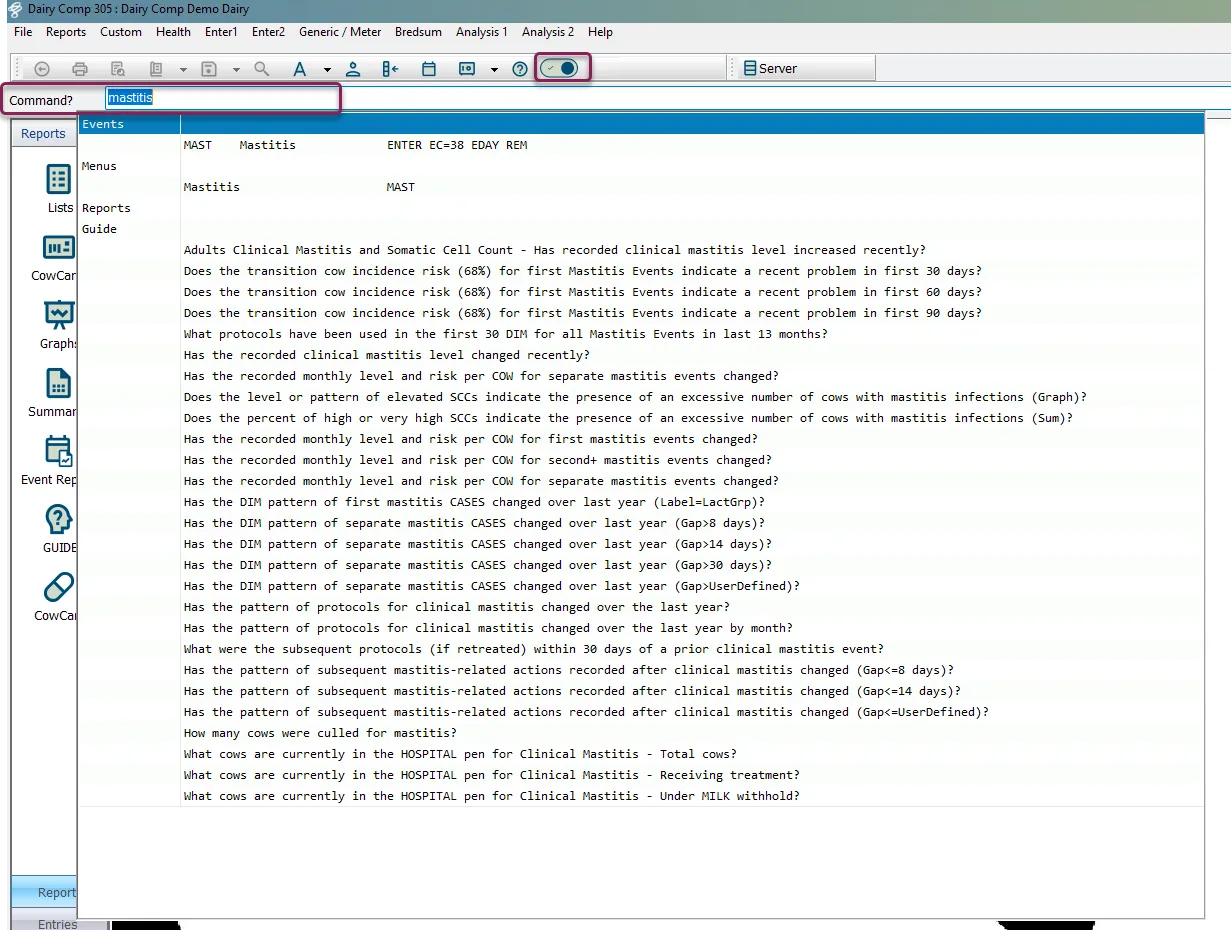
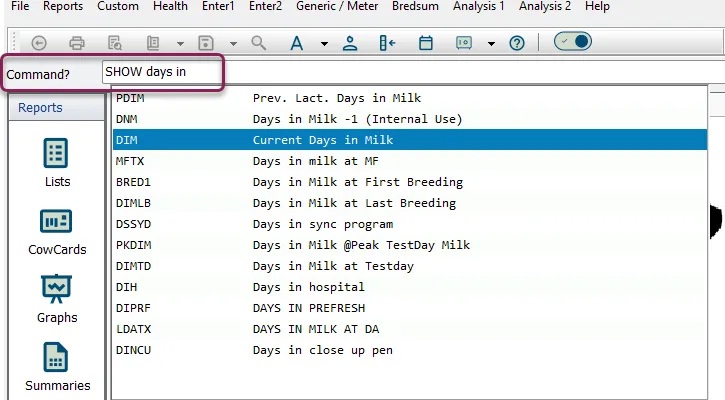
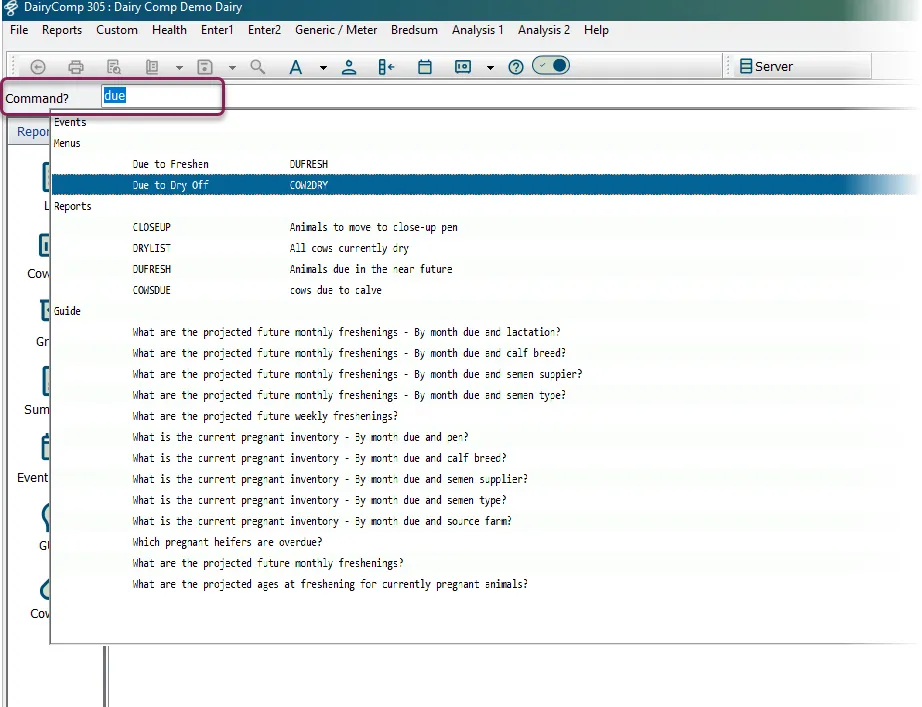
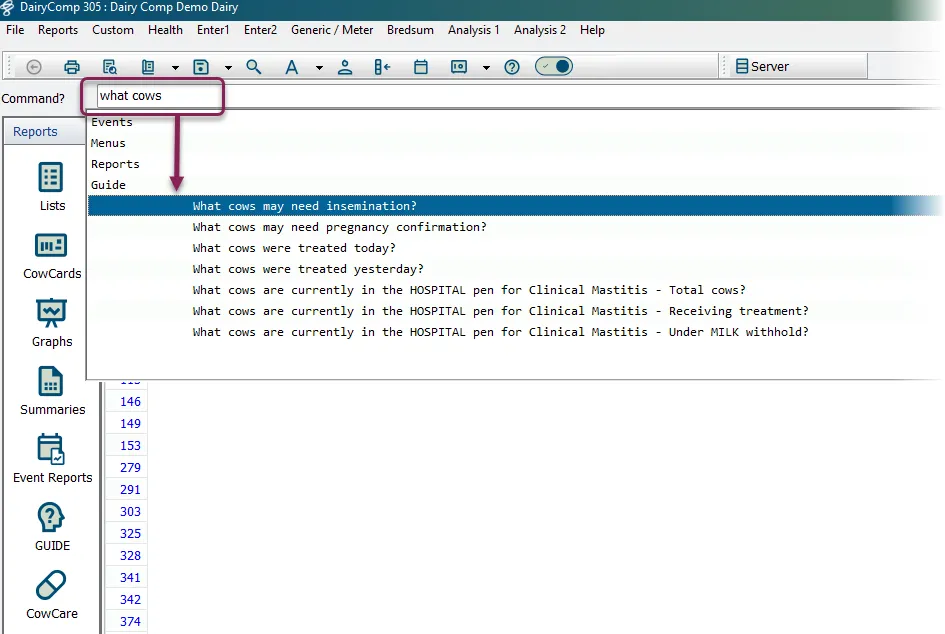
assist is an enhancement to the dairycomp command line that helps you build a command without having to remember exact component names as you type in the command line, assist will show you a list of matching items, events, reports, menu options, and questions this makes the command line easier to use by helping you find the correct command component when you only know part of the name or a common term (for example, typing mastitis instead of remembering the event name ) bridging the gap between what you think of in plain terms (like days in milk ) and the actual component names in dairycomp (like ) allowing you to select from a list of suggestions using your mouse or arrow keys, instead of typing the entire command with assist, you can still use the command line exactly as before you can ignore the suggestions and type full commands if you prefer note if you are using a dairycomp cowfile translated into a language other than english, assist will work in that language \<font color="#67854e">enable assist \</font> you can enable or disable assist at any time by clicking the assist switch on the toolbar at the top of the screen on – the command line shows suggestions as you type off – the command line works the same way it always has, without suggestions note even when assist is turned on, you can ignore the suggestions and type full commands exactly as before \<font color="#67854e">use assist in the command line \</font> once assist is enabled, type a word in the command line that relates to what you want to do a suggestion window opens below the command line containing options related to what you typed the suggestion window is divided into sections \<font color="#67854e">events\</font> shows matching event names \<font color="#67854e">menus\</font> shows matching menu options, including any that contain your search term in the title or description \<font color="#67854e">reports\</font> shows matching reports, including any that contain your search term in the description or item list \<font color="#67854e">guide\</font> shows questions that contain your search term see use the guide commands! commands! docid\ brhin5mia0vd4r3w2jmsd to learn more build commands with / assist is especially useful when you want to build a report but don’t remember the exact item names for example, suppose you want to see the days in milk for animals in your herd you might not remember that the item name is , but you know you want to (or ) days in milk note and perform similar functions, the difference being that commands will print automatically if your dairycomp has auto print enabled the example below uses the command in the command line, type days in the suggestion window opens with matching items from the list, select (days in milk) assist adds to your command so the report runs correctly this way, you can type words you remember (like “days in”) and let assist guide you to the correct item ( ) assist will continue to suggest options as you complete your command for example after typing id , assist suggests items you can include in the report after typing id , assist suggests items you can use with the condition (such as , , and so on) note when you use a condition component such as , you must include an operator (such as =, >, or <) to complete the condition for more details, see command line docid\ u nbrveqbf6nzsp1bc9e0 find events use assist to easily find an event for example, if you want to enter a mastitis event, type mastitis in the command line review assist's event suggestions and select to create the event find a menu item or report assist can help you quickly search through your dairycomp menus or reports that are not assigned to a menu drop down for example, if you want to work with due to dry off but don’t remember exactly where to find it in the menus, do the following start typing due in the command line the suggestion window displays and shows matches under events, menus, reports, and guide under menus, select due to dry off dairycomp opens that menu item for you automatically alternatively, you could select one of the reports displayed in the suggestion window based on the word you entered ( due , in this example) these reports are command abbreviations that are configurable using 3 command abbreviations find a question you don’t need to type an entire question to find it assist will match on any part of the text for example, if you want to see which cows need insemination, do the following type just the words what cow or needs insemination into the command line the suggestion window opens and shows matches under events, menus, reports, and under , select the question what cows need insemination? dairycomp immediately runs the question and shows the results related topics troubleshoot the command line docid\ ssof7vqpmqn8mhbhnwmhq