Fix Client/Server Communication Problems
1 min
Question: I'm getting a communication error when trying to connect my DairyComp client or Pocket CowCard to the DairyComp server. How can I fix this problem?
Answer: If you get a communication error when attempting to connect your DairyComp client or Pocket CowCard to the DairyComp server, try the simple steps below:
- Ensure that both the client computer/Pocket CowCard and the server computer are connected to the internet.
- Ensure that the server is installed on the main computer and that it's started.
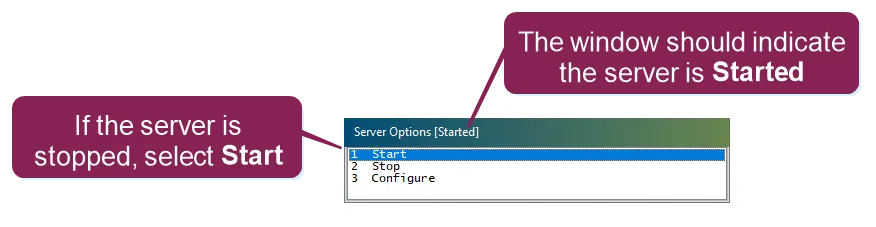
- Ensure that the IP address to which the client/Pocket CowCard system is trying to connect matches the IP address that the server computer is currently using. See Find your DairyComp IP AddressFind your DairyComp IP Address for more information about checking DairyComp IP addresses.
- Reboot both the client computer/Pocket CowCard device and the server computer and try again to establish communication between them.
If none of the steps above solve your communication issues, contact VAS Support for help.