Update DairyComp to the Latest Release
2 min
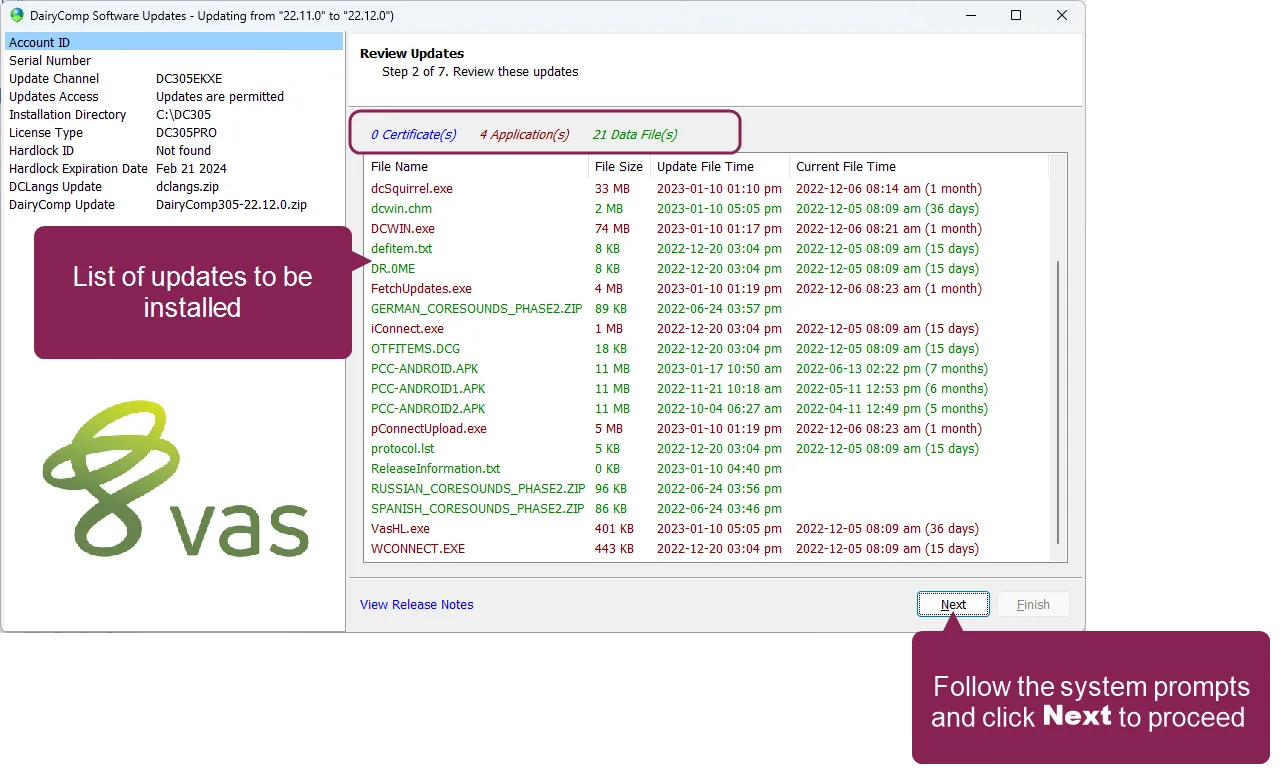
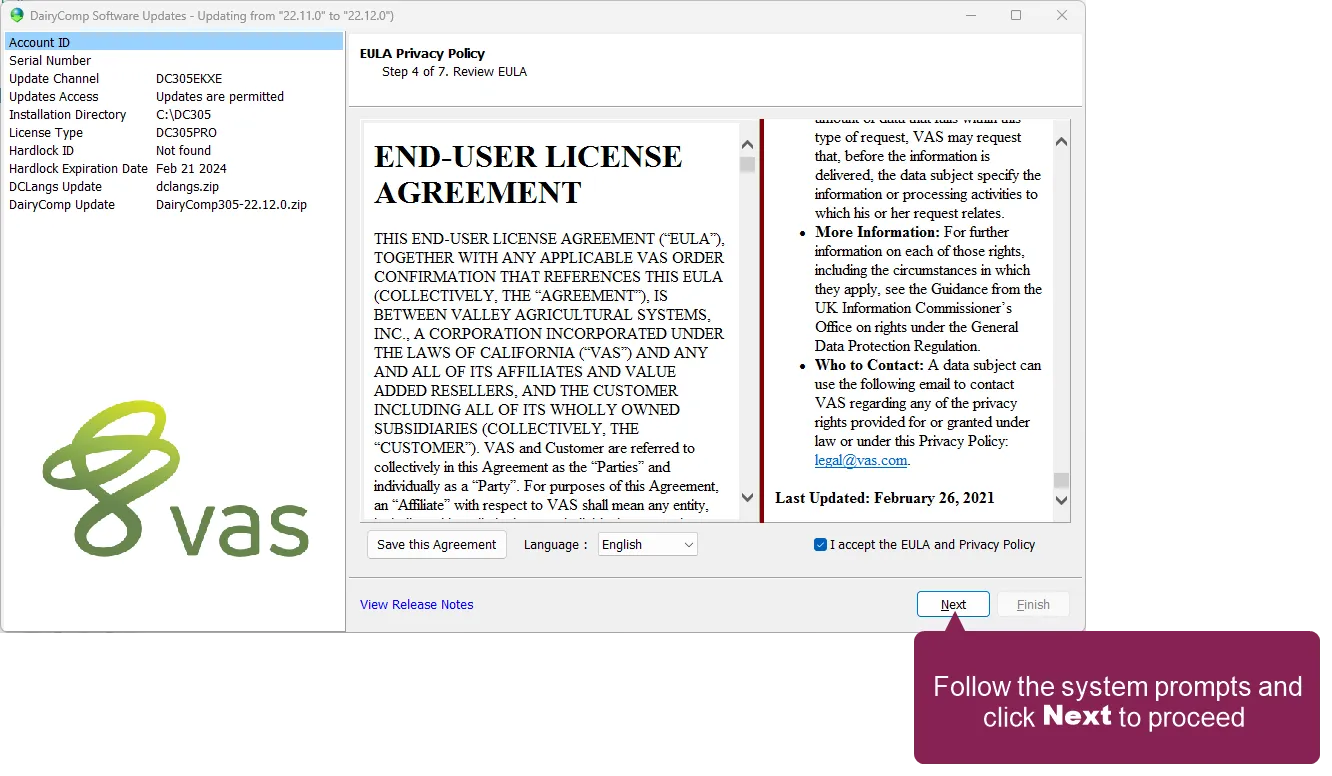
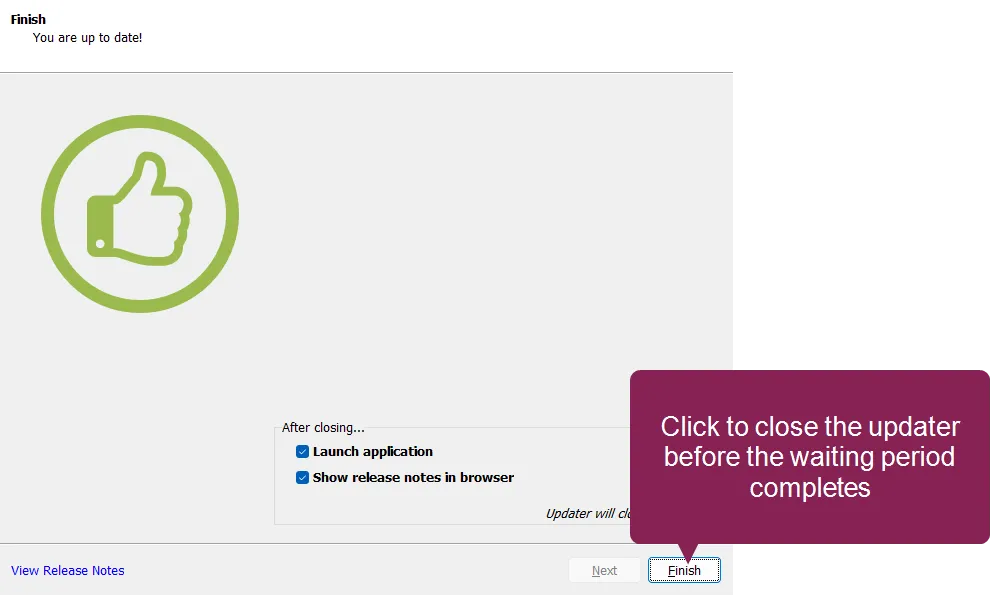
\<font color="#67854e">question\</font> there's a new version of dairycomp available how do i update to that release? \<font color="#67854e">answer\</font> you can use the dairycomp web updater to update to the latest release expand the topics below for more information on updating dairycomp to the latest release i've installed updates on dairycomp before remind me how! open dairycomp select help > check for updates from the menu bar this launches the web updater after checking for updates, it shows the available updates by category and lists all of the updates between your current version and the latest version follow the system prompts to navigate through the remaining steps of the update process this may involve accepting vas legal agreements, which is typically only required once per year or when the terms of a policy are updated when the updater finishes, it notifies you that your system is up‑to‑date after 15 seconds, the updater automatically closes and launches dairycomp or, you can click finish to immediately launch dairycomp i've never updated dairycomp show me how! if you're not familiar with the dairycomp web updater, you can watch the following video tutorial for instructions on how to check your current dairycomp version and then check for updates in the latest version note that the ui may differ between the video and your current dairycomp version i get an error message when i try to update what do i do? one of the most common reasons users encounter an error when trying to run the dairycomp updater is that the computer does not have java installed on it java must be available on the same machine as dairycomp to support installation and periodic web updates to install java, navigate to www java com http //www java com/ and follow the options to download and install java for free if you are still not able to update dairycomp after installing/updating java, please contact vas support docid\ erznbnh1ww36p9q6rnppv