ECON\IR - Projected Herd Inventory/Production
3 min
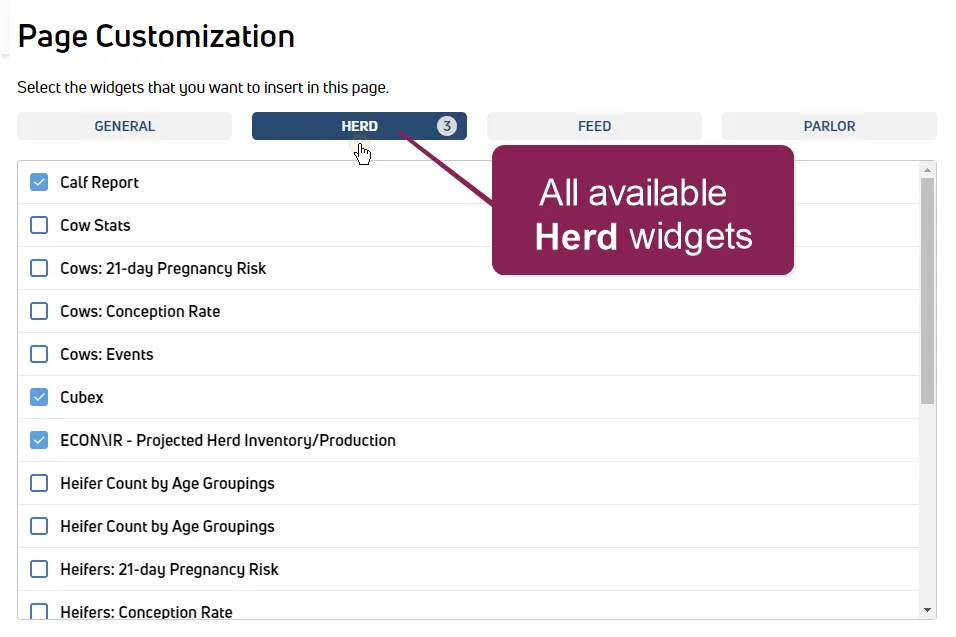
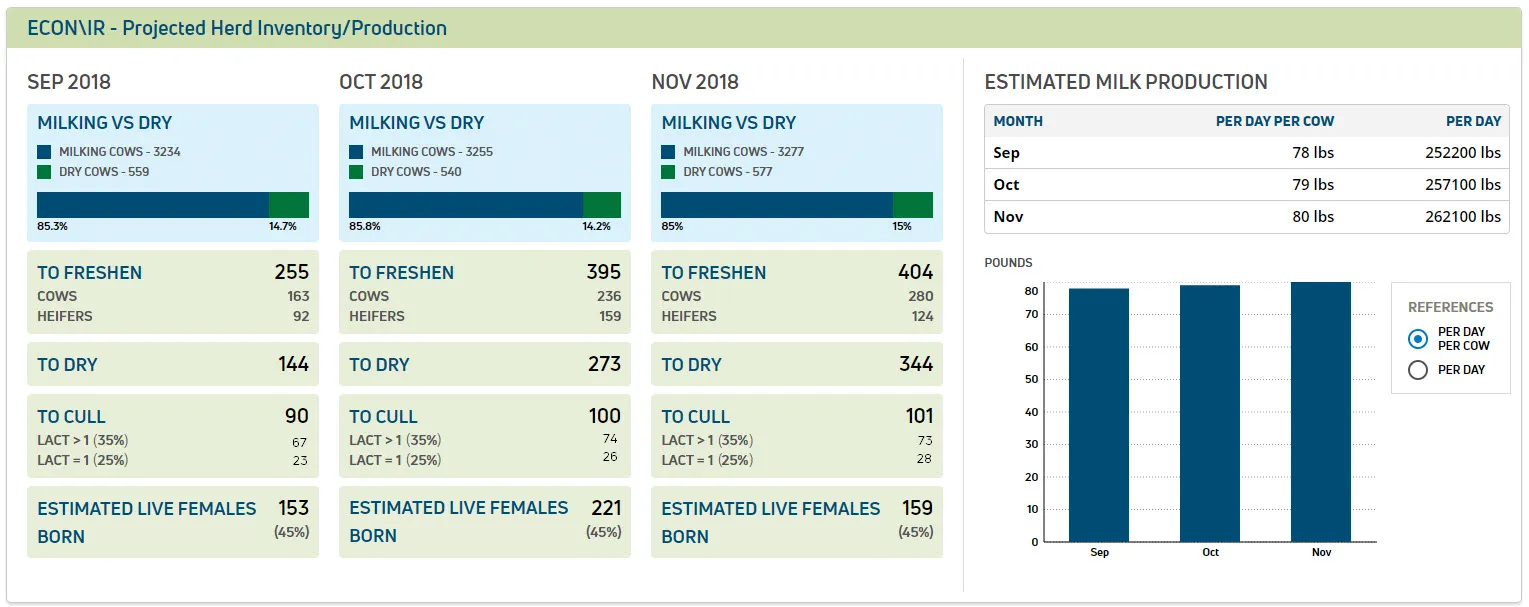
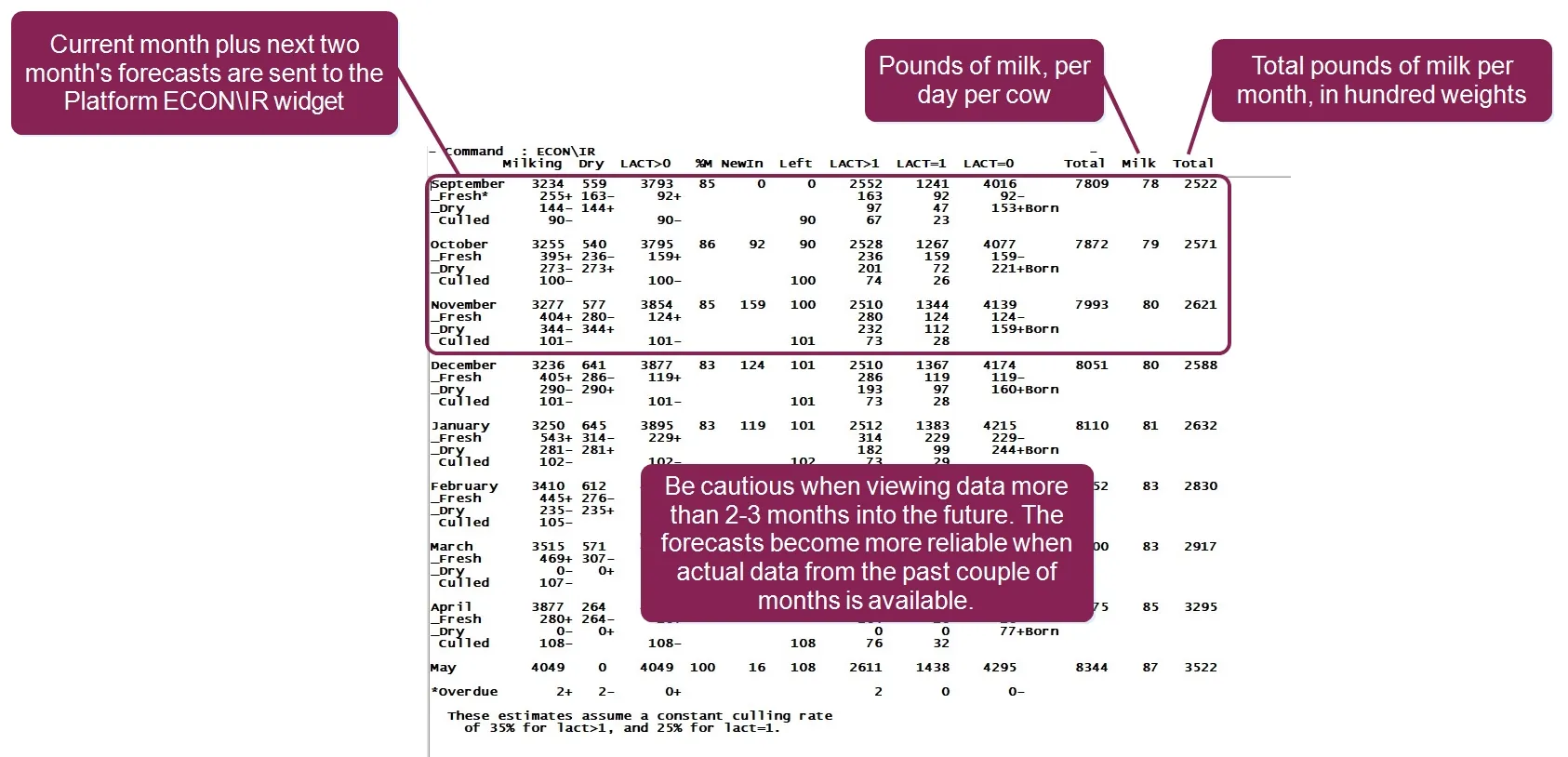
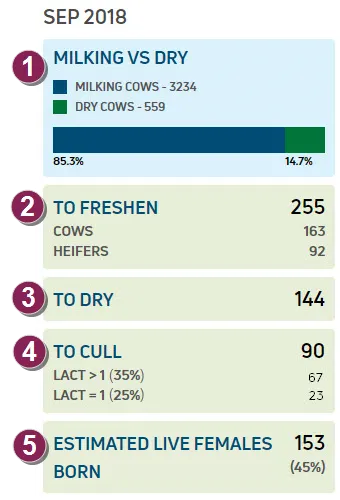
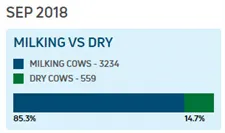
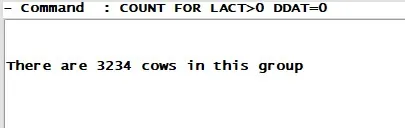
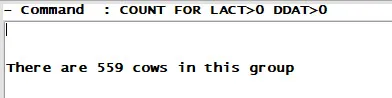
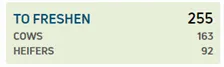
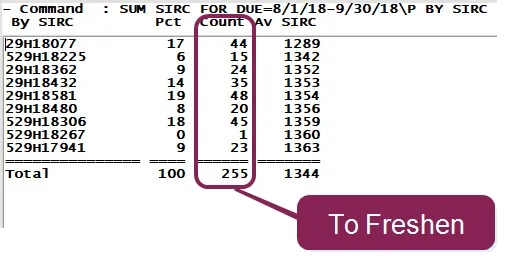
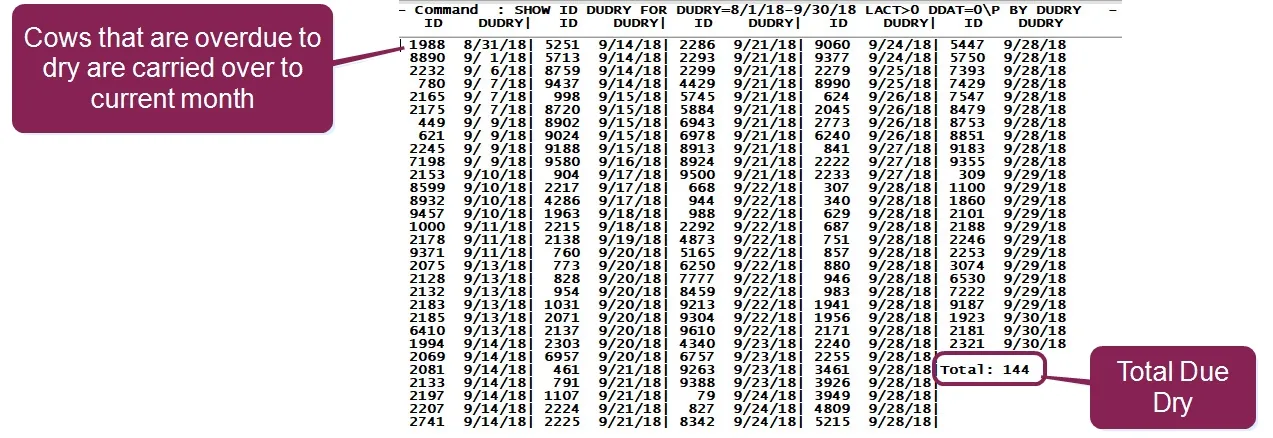
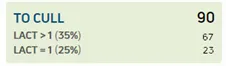
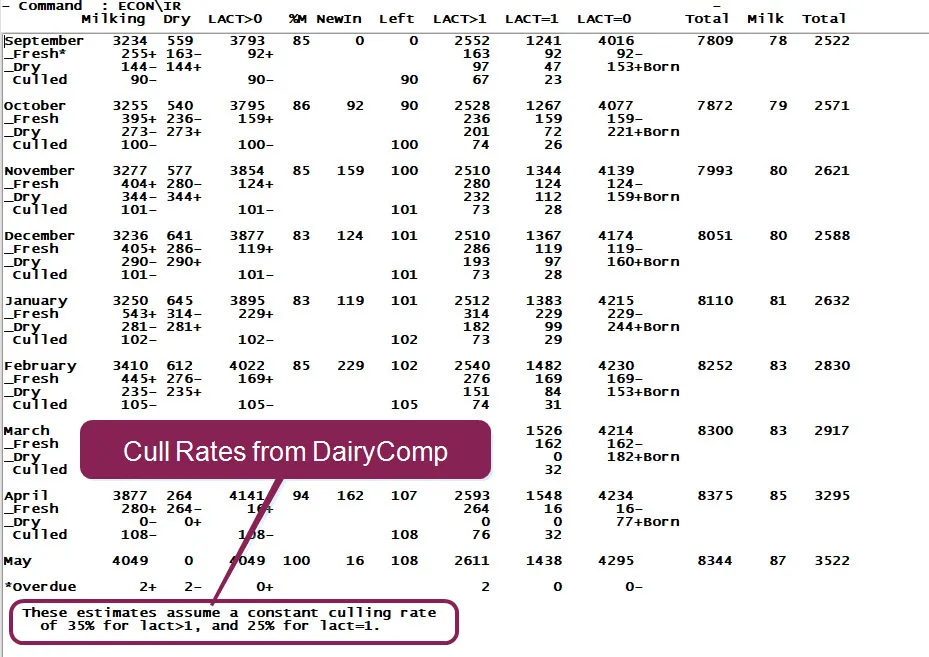
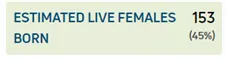
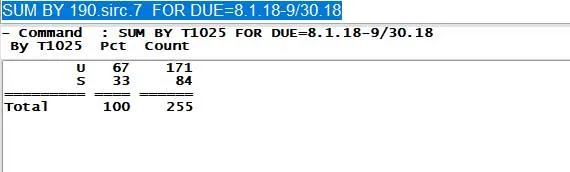
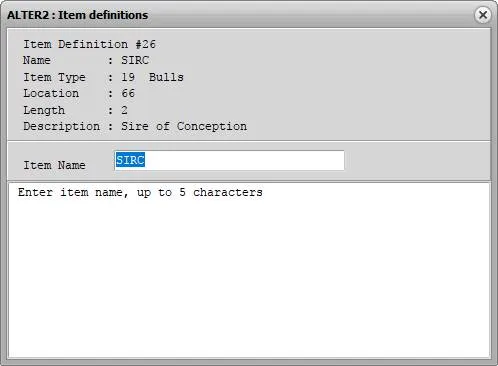
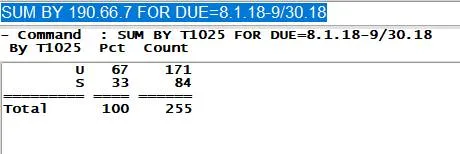
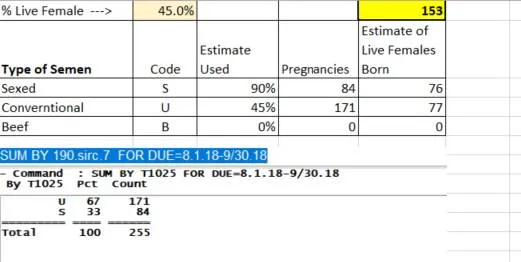
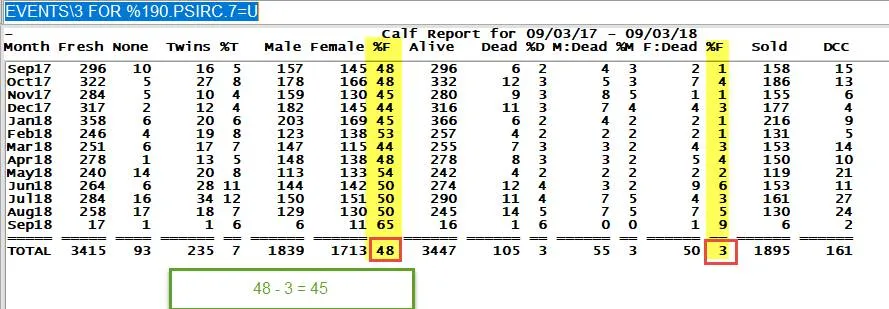
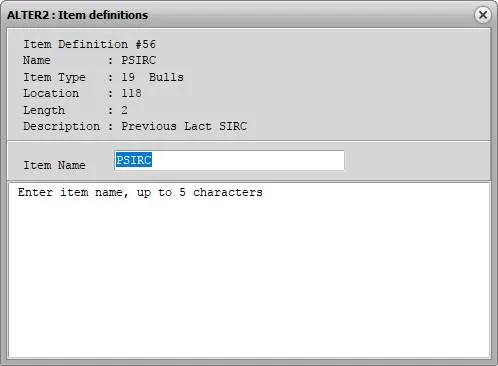
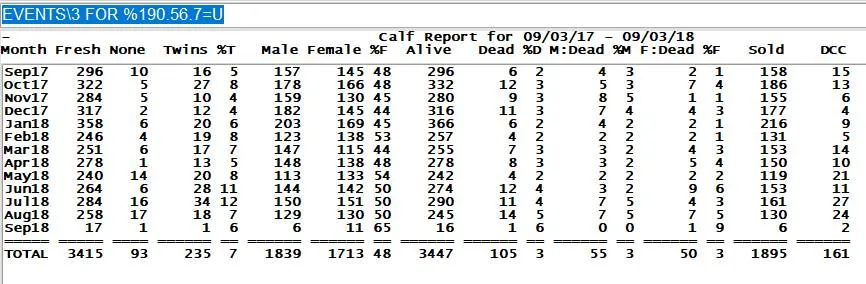
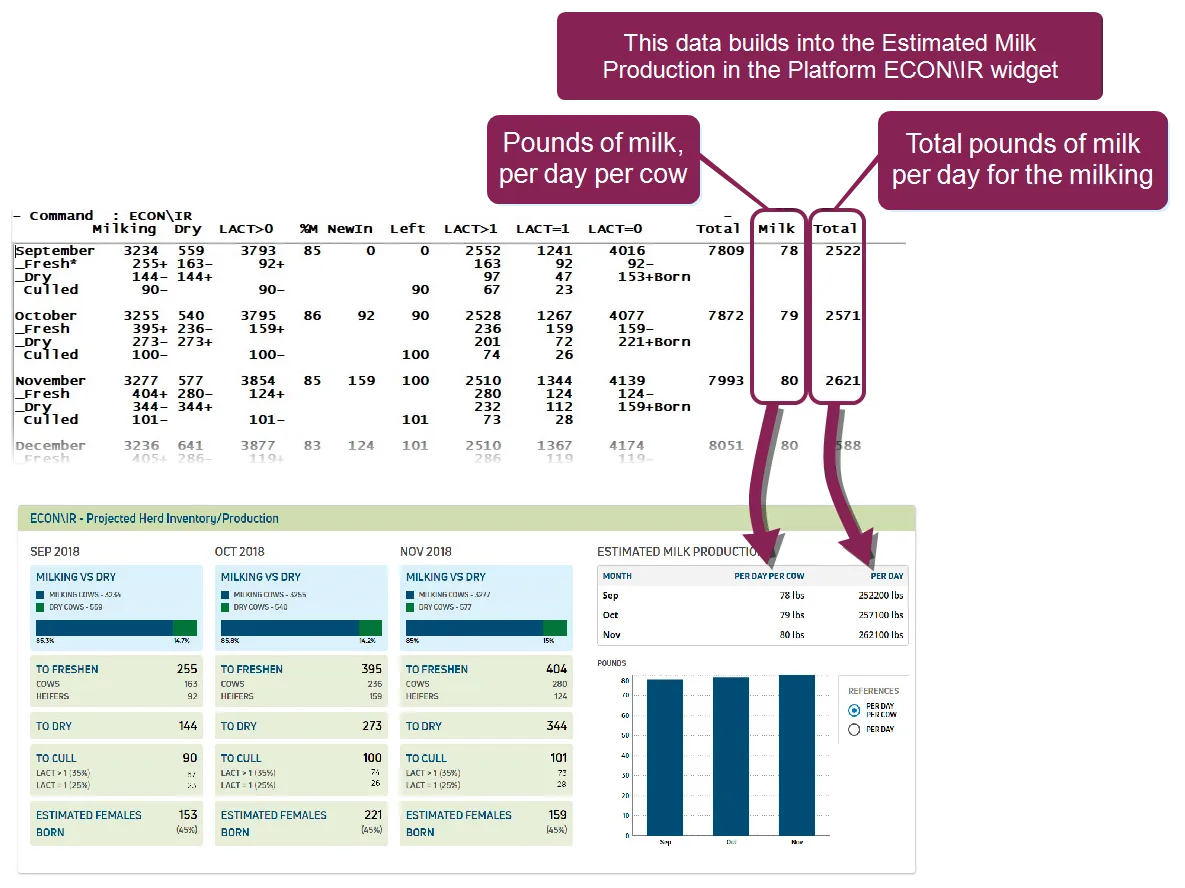
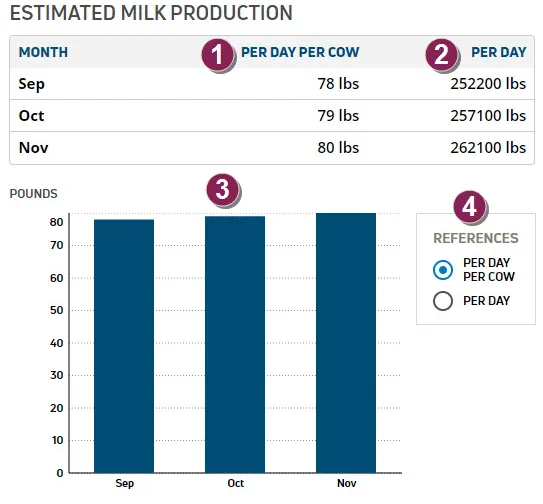
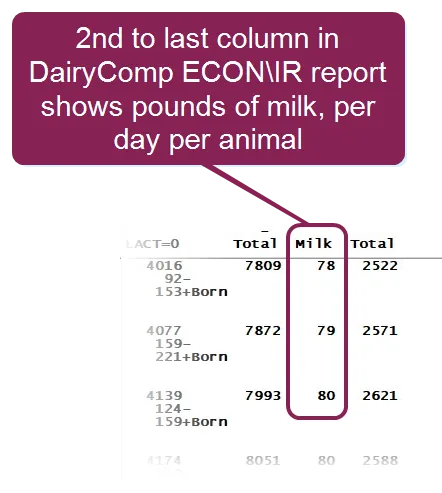
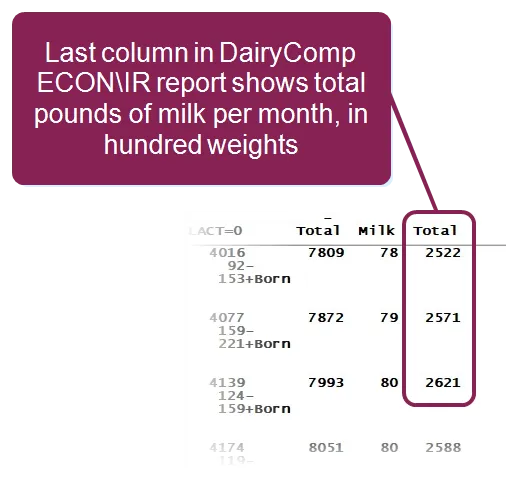
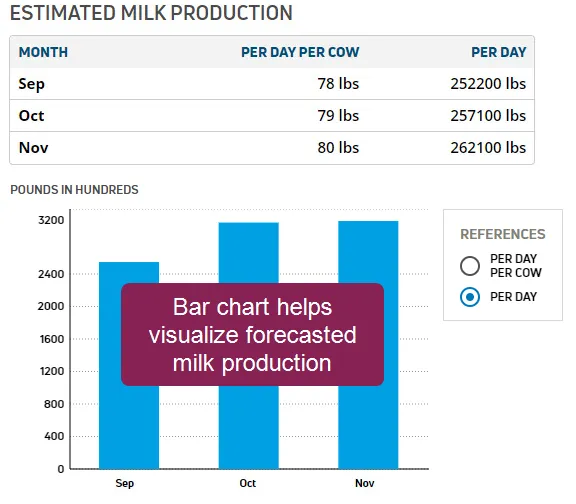
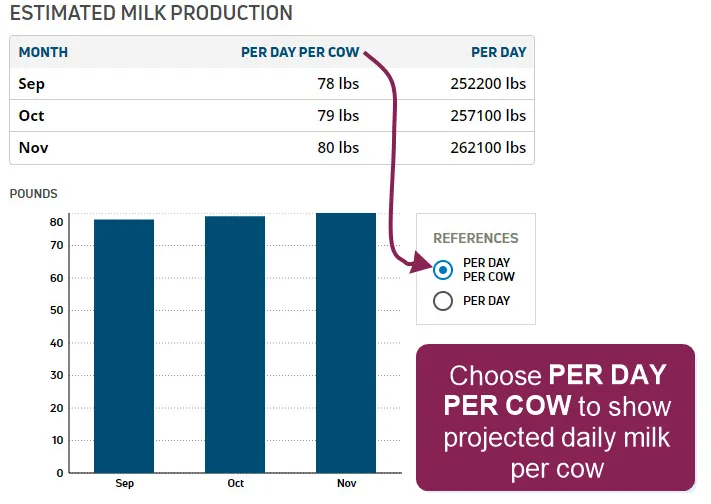
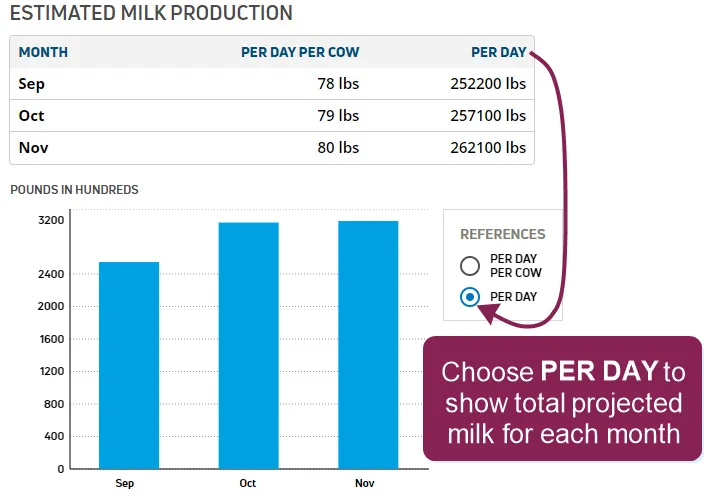
how do i add a widget to my dashboard or overview page? to add this widget to your dashboard or overview page, check the box for it under the category in the page customization docid\ cekag1ahtu0nboefhdm47 options the econ\ir projected herd inventory/production widget provides forecasts that help you plan any herd adjustments you might need to make in the current and upcoming months the data in this widget is based on milking, dry, and known pregnant animals in the cowfile as shown in the example below, it displays three month's worth of herd/inventory projections on the left side and projected milk production for those same three months on the right side the first month is the current one, followed by projections for the next two compare to the dairycomp version of the econ\ir report understanding the monthly herd forecasts the econ\ir widget displays herd forecasts for the current month plus the next two and can be viewed in each monthly forecast \<font color="#67854e">milking vs dry\</font> this section gives a quick view of your herd's percent in milk the example here shows the month of sep 2018, in which there are 3234 milking and 559 dry cows in the herd, for a total of 3793 the bar graph helps visualize the percent in milk, with the dark blue portion showing milking animals ( 85 3% ) and the green portion showing dry animals ( 14 7% ) how is this data calculated? the number of milking animals comes from the count for the total of all milking animals ( lact lactation number>0 ddat dry date=0) the number of dry animals comes from the dairycomp count for the total of all dry animals ( lact>0 ddat>0) the 85 3% of milking animals is based on the number of milking animals divided by the total (3234/3793) the same goes for the dry percentage, with 14 7% of dry animals being based on the number of dry animals divided by the total (559/3793) \<font color="#67854e">to freshen\</font> this section gives a quick check on dates, showing how many cows and heifers are predicted to calf in the corresponding month the total number to freshen is 255 in the example here, and below that, the specific number of cows ( 163 ) and heifers ( 92 ) that are expected to freshen is displayed how is this data calculated? the number of animals to freshen is calculated based on dairycomp expected due dates this number includes all forecasted due dates for the month, as well as overdue cows and heifers from the previous months so while this number attempts to be as accurate as possible, be aware that the forecasts for the next couple of months may vary once you reach the end of the current month and the actual and overdue calving numbers carry forward \<font color="#67854e">to dry \</font> this section shows how many animals are expected to go dry for the month ( 144 in the example here) this number also includes animals that were due to go dry in the past month but haven't yet how is this data calculated? the number of expected dry animals comes from the dairycomp "due dry" report the example below shows the expected dry animals from 9/1/18–9/31/18 note that the report also lists animal #1988, with an expected dry date of 8/31/18 this animal not go dry on the date expected; therefore, she is carried over into the dry count for september so while this number attempts to be as accurate as possible, be aware that the forecasts for the next couple of months may vary once you reach the end of the current month and the actual and overdue dry results carry forward \<font color="#67854e">to cull\</font> this section displays the estimated number of animals that will leave the herd (sold, died, etc ) for the given month the percentages used in these calculations are taken from the last time the econ\ir report was run in dairycomp the total number to cull is displayed as 90 in the example here and is then broken down between lactation groups 2 and above (lact>1) and the first lactation group (lact=1) this is illustrated as follows in the example above a 35% cull rate is applied for lact>1, which indicates 67 animals to cull from the first lactation group a 25% cull rate is applied for lact=1, which indicates 23 animals to cull from the first lactation group this equals 90 total animals to cull from all lactation groups how is this data calculated? when running the econ\ir report in dairycomp, you are prompted to enter cull rates for lact>1 and lact=0 the cull estimates here in pulse widget are then based on those constant culling rates that were defined in dairycomp for lact>1 and lact=1 (see example below) to calculate the number of animals to cull, this report applies the cull rates to the number of fresh animals in lact>1 and lact=0 \<font color="#67854e">estimated live females born\</font> this number shows estimated females born alive, and one qualification to keep in mind about "live females" is that they are 100% dairy breed this estimate allows you to anticipate a realistic number of live females born in the month in the example above, the estimated number of 153 females that will be born alive is based on a 45% live female birth rate the percentage used in this calculation is taken from the last time the econ\ir report was run in dairycomp how is this data calculated? when any user runs the econ\ir report in dairycomp, they are prompted to enter a live female percentage the percentage that was entered the last time the report was generated in dairycomp is then used in pulse econ\ir report to estimate the number of live females that will be born this report is not the same as checking events\3 in dairycomp that report shows your actual historical numbers — how many freshenings, how many calves born, how many were male, how many were female, etc — and should not be used as a forecasting tool as a planning tool , it's safer to use a conservative live female percentage that will not skew your estimate too high or too low along the same lines, please be aware that when identifying the sire of conception, dairycomp makes use of codes to determine the breed of the bull for the purpose of this calculation, it is important to note that if your dairy uses other names for your bulls rather than using naab codes, dairycomp will consider them to be conventional bulls, with a 50/50 likelihood of the calf being female this would have no effect on the calculation if, for instance, the bull is a holstein; the 45% rate would still be realistic however, if a named bull is an angus, dairycomp will still apply your defined live female percentage, even though you know that the likelihood of a female birth is 0% the following examples illustrate how dairycomp reaches the estimate above of 153 live females born sample dairycomp queries for estimating live females born the following examples illustrate sample queries you can run in dairycomp to manually estimate live females born events\3 for %190 56 7=u or events\3 for %190 7=u tips for forecasting females born alive by looking at their sires listed as sirc naab codes are the only way to be accurate when forecasting live females born if the code is u (conventional), then econ\ir will use your user‑defined value for live female percent, in this example 45% understanding the estimated milk production the estimated milk production in pulse econ\ir widget is based upon dairycomp's ability to project milk production for each animal and simulate the entire lactation this allows it to pull the expected weight based on each distinct month the example below explains the estimated milk production data that is shown in the econ\ir widget \<font color="#67854e">per day per cow\</font> this column shows the forecasted average pounds of milk generated in one day by each animal how is this data calculated? this data is mapped from the milk column of the dairycomp econ\ir report it is calculated by taking the total number of animals in lactation and divides it by the number of days in the corresponding month \<font color="#67854e">per day \</font> this column shows the forecasted total pounds of milk for all animals for the whole month how is this data calculated? this data is mapped from the last column of the dairycomp econ\ir report it is calculated by taking the total number of animals in lactation and divides it by the number of days in the corresponding month \<font color="#67854e">milk production chart\</font> the bar chart provides a visual representation of your forecasted milk production for 3 months you can easily toggle the data in the chart by clicking the options under the references menu to the right of the chart how is this data calculated? this data is mapped directly from the average daily and total monthly forecasts the last column of the dairycomp econ\ir report it is calculated by taking the total number of animals in lactation and divides it by the number of days in the corresponding month \<font color="#67854e">toggle chart data\</font> on the right side of the chart, click the options under the references menu to toggle the data displayed in the chart per day per cow chart shows projected daily milk per animal per day chart shows projected total milk for each month important it's important to note that this report presents a snapshot at the current point in time you will find that the numbers are updated with the passing of each day, as more actual herd activity is recorded the projections in this report are based entirely upon the inventory and pregnancy information that is in your dairycomp 305 cowfile, including heifers therefore, if heifers are not in the cowfile or their pregnancy status is not declared, the report will not be accurate when cross‑checking data in dairycomp 305, it's important to use a "system date" as the last day the cowfile was updated this ensures that the econ\ir report always runs from the last time information was put into the cowfile if you apply a "set day" in the past date or future, the report results will not be accurate related topics dashboard docid\ wxu7mpruzhzyoanw2bcfw customize dashboards docid\ cekag1ahtu0nboefhdm47