Use the Enhanced Vet Form in Pocket CowCard
Question: How do I enable the Pocket CowCard enhanced VET FORM capabilities?
Answer: Follow the steps below to get started with enhanced VET FORM entry.
In the Pocket CowCard mobile app, open the Settings menu and check the Use faster workflow for Vet Entry box.
You can then go to your Vet List, tap an animal, and then tap on Events.
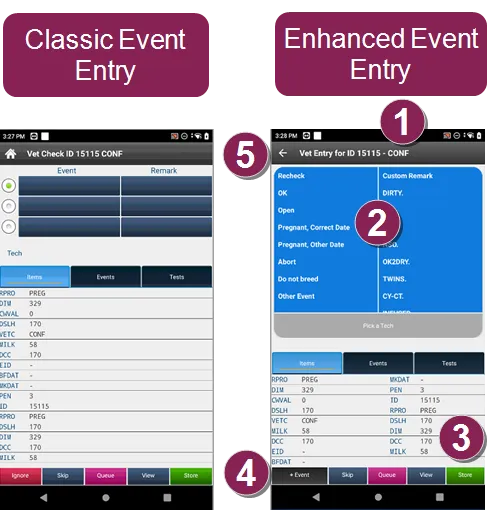
Vet Check Reason: The reason for the vet check is displayed next to the Cow ID.
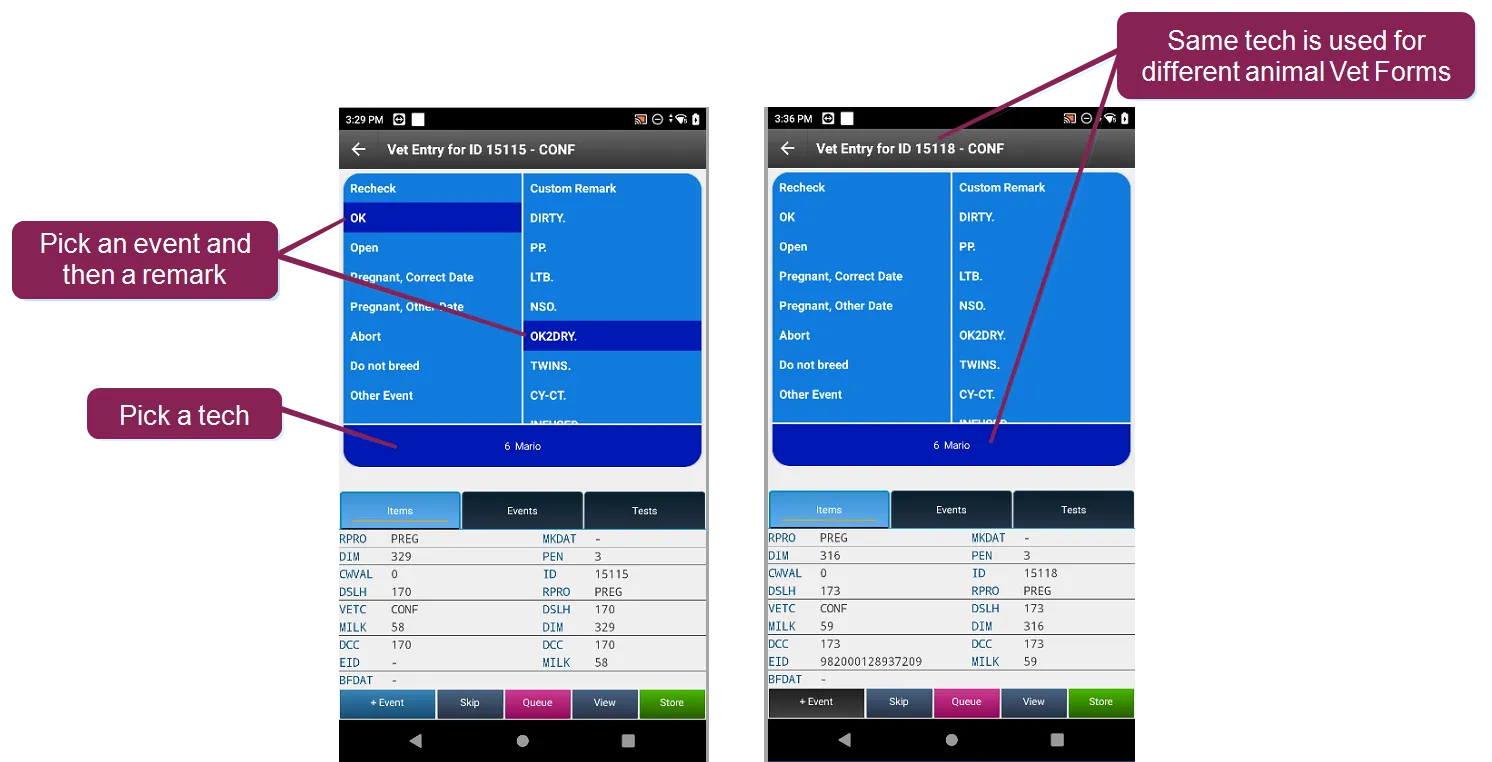
Event and Remark: Tap to pick an event and then set a remark. An event must be selected before setting a remark or a tech.
Store: Tap to store the events and remarks.
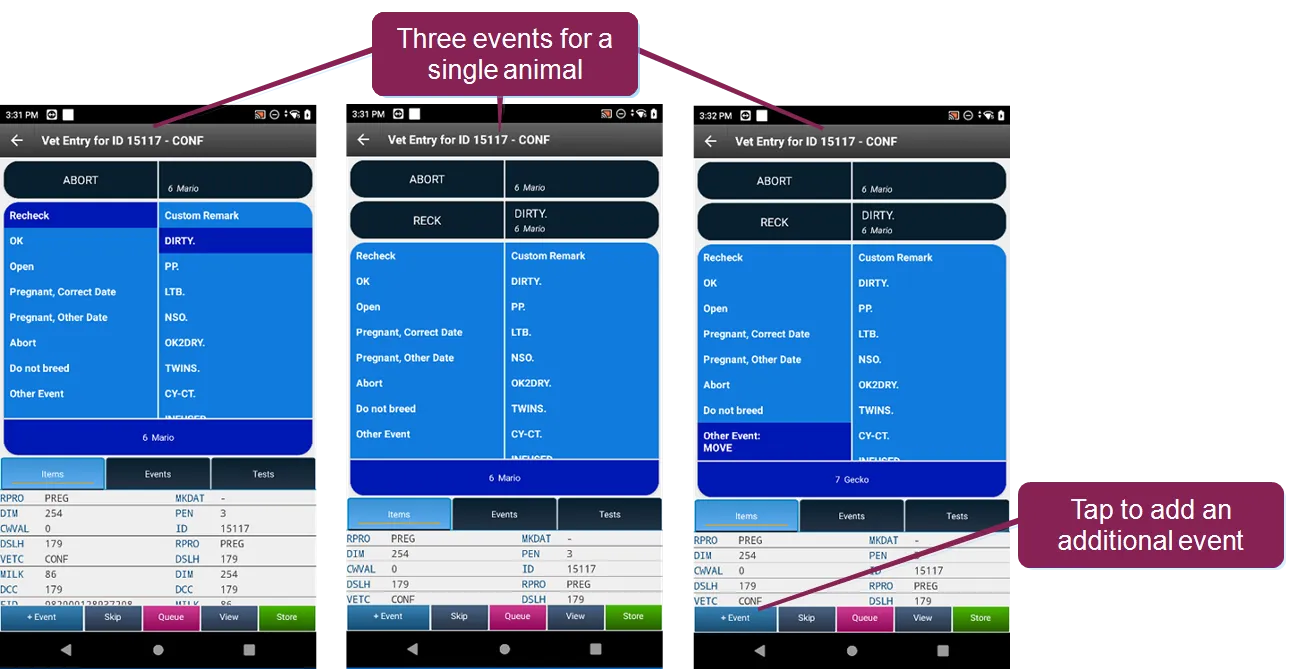
+Event: Tap to add a second or third event to an existing entry.
Ignore: Tap the Back button to ignore and cancel the entry.
For faster input, Pocket CowCard stores the previous technician used. VAS recommends using the same Event Tech team for the most common Vet Form events.
By default, you can add three events to single animal. Tap +Event to add additional events to the same animal.
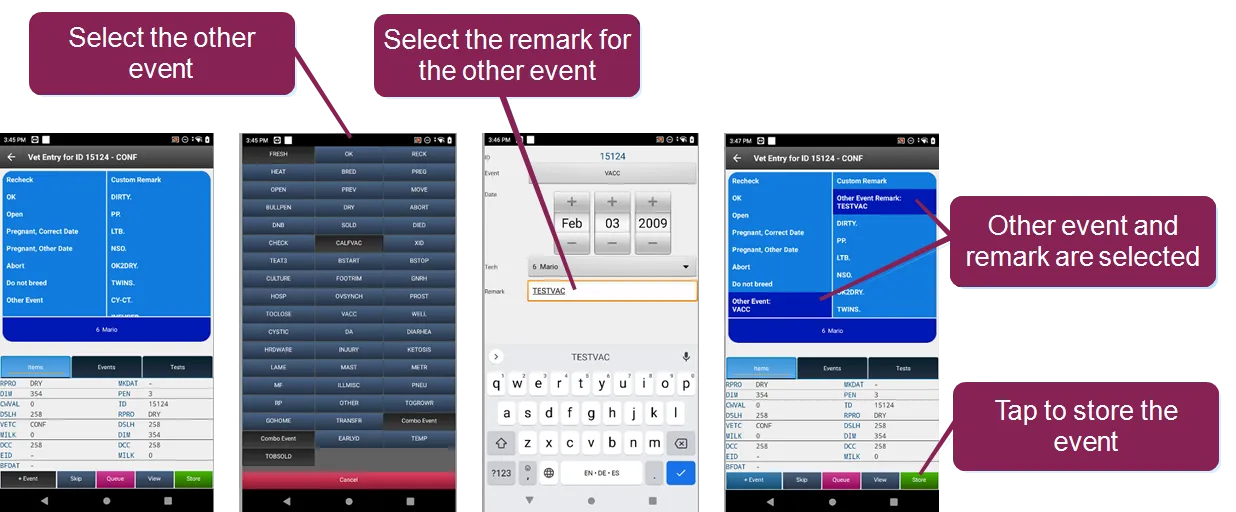
Pocket CowCard now supports all other events. Command abbreviation content is not available, but we do support protocols that move to a given pen.