Restore an Animal Record
3 min
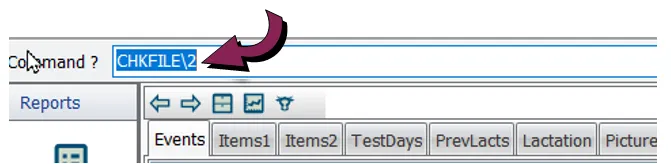
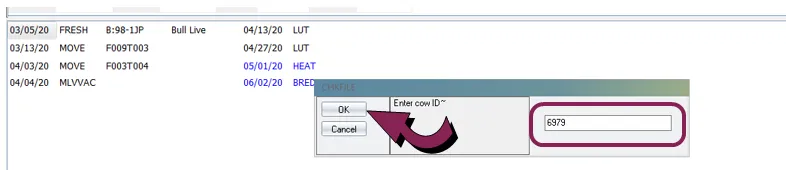
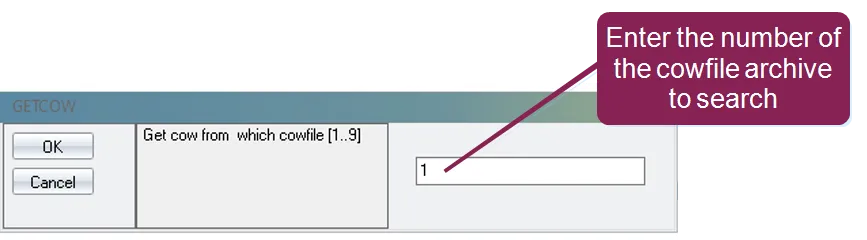
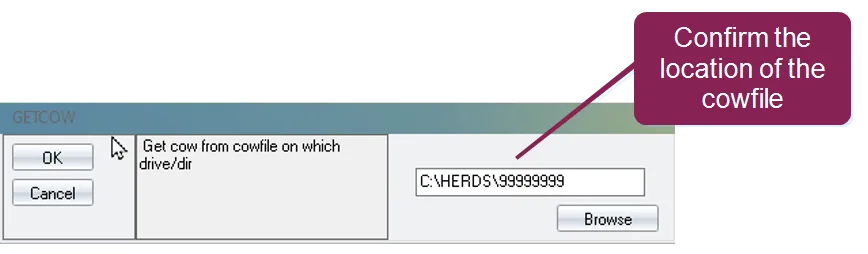
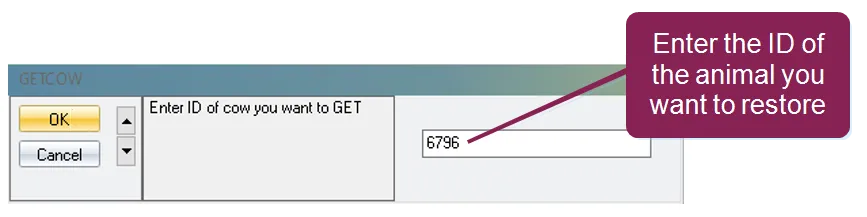
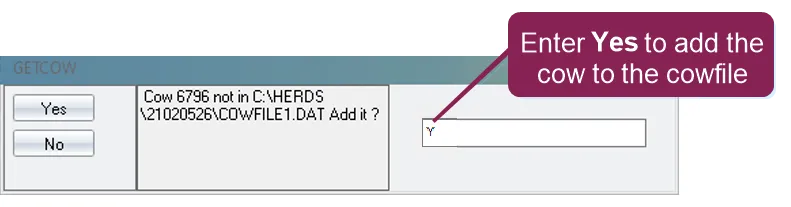
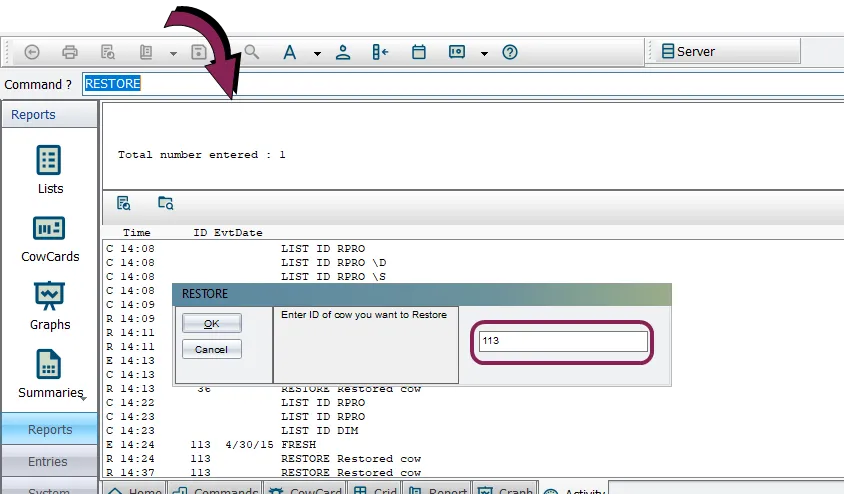
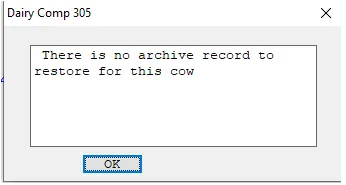
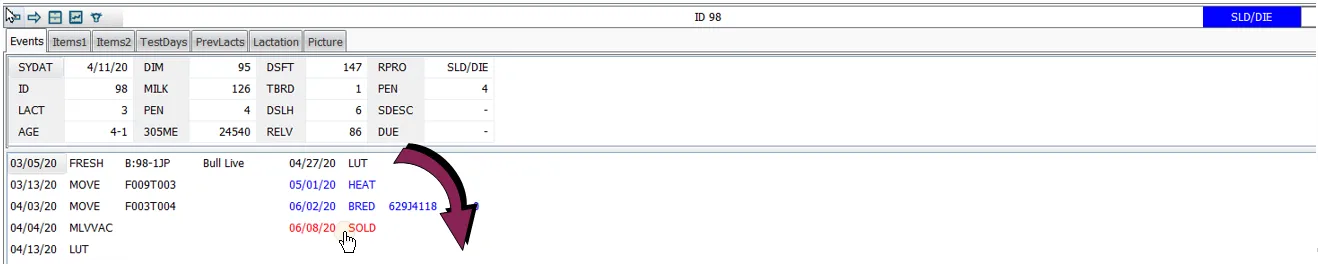
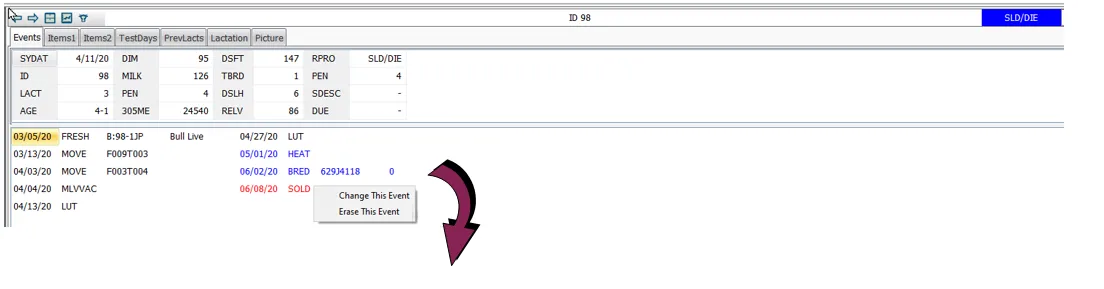
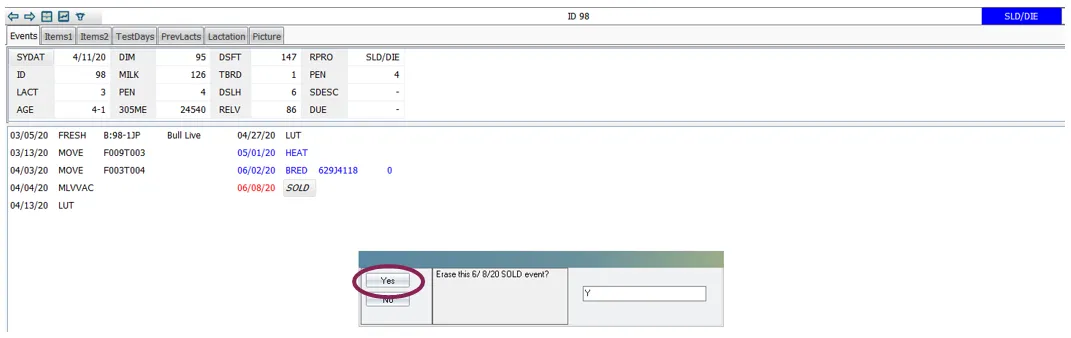
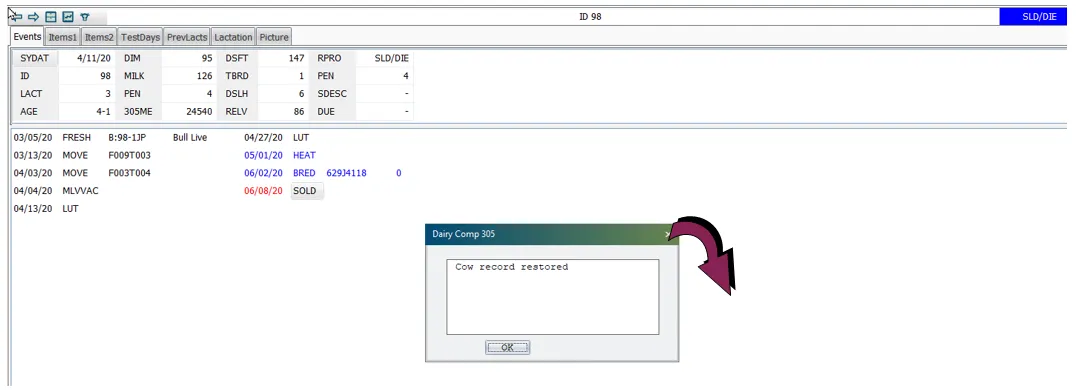
\<font color="#67854e"> question \</font> i have mistakenly marked an animal as sold or died how can i bring the animal back to its previous status? \<font color="#67854e"> answer \</font> an animal that has previously been marked as sold or died can be returned to its previous status in dairycomp by restoring its animal record note for information about removing a mistakenly added fresh event, see fix a fresh event docid\ vpzqqzy3nvq5h8ygr3kwo you need the animal's id number to proceed, so if you need to look it up, enter a list id command with an appropriate switch to find it for example, use list id rpro \d in the command line to view a list of sold and dead animals see command line docid\ u nbrveqbf6nzsp1bc9e0 to learn more tip still can't find the animal you're looking for? it may have been moved to the archive file click here for instructions on locating archived animals in the command line, enter chkfile\2 and press enter the chkfile command will be used to tell you if the animal you're looking for is in the archive file in the chkfile pop‑up, enter the id number of the animal you're looking for and click ok if the animal you're searching for has been archived, the system displays the following window in this example, the animal is listed multiple times because its cowfile is archived every time its lactation (lact) status changes also, note the number in the file name of the cowfile this is the number of the cowfile in the example above, all of the cowfiles listed for the lactations contain the number 1 (i e , cowfile 1 arc) to restore the animal's record from the archive file, enter getcow in the command line in the getcow pop‑up, confirm the cowfile number and click ok most of the time, you'll keep the default value of 1 for this field, depending on the number of the cowfile archive that displayed when you entered the chkfile\2 command above if you need to use a different cowfile, replace the 1 with the proper cowfile number confirm the location of the cowfile and click ok in the next pop‑up, select 3 arc for the source cowfile type and press enter in the next pop‑up, enter the id number of the animal you want to bring back into your cowfile from the archive and click ok click yes to confirm the system then prompts you for another animal to retrieve from the archive file if you want to retrieve another animal, enter its id and repeat the steps above if you don't have any more animals to add to the cowfile, click cancel once you have the animal's id, you can restore its animal record to do so, enter restore in the command line, and then enter the id of the animal record you want restored if the system locates the animal and can restore its record, the recent sold or died event will no longer appear on the animal's cowcard what if dairycomp doesn't find an archive record for the animal? when you erase a sold or died event, dairycomp attempts to restore the animal's status from its archive record, since the archive record provides the best representation of the animal at the time the event occurred whether or not an archive record is available for the animal depends on the settings of the cleanup command for your dairycomp if there is no archive record available to restore for the animal, dairycomp displays the following message when you erase the event in this case, click ok the sold or died event will still be removed and the animal's repro status will be set to the correct state erasing an event from a cowcard another way to restore an animal record after mistakenly marking it as sold or died is to erase the event directly from the animal's cowcard note this method erasure method works for any type of dairycomp event, not just sold or died events in the command line, enter the id number for the animal to display its details hover your mouse over the event you want to remove and right click to display the following menu options change this event erase this event click erase this event and then click yes in the confirmation message if dairycomp locates an archive record for the animal, it displays the following message to confirm that the animal's record has been restored once you click ok to close this message, the cowcard will no longer indicate the sold or died event for the animal