Edit a Combo Event for a Vet List
3 min
IMPORTANT: Only advanced DairyComp users should use the ALTER command to edit system settings. We highly recommend reviewing the cautions in ALTER OverviewALTER Overview before proceeding.
Follow the steps below to edit the events to include in a combo event for a vet list:
- In the command line, enter ALTER\9 to view your user-defined events. The ALTER9 : Events window opens, showing all event types configured for DairyComp.
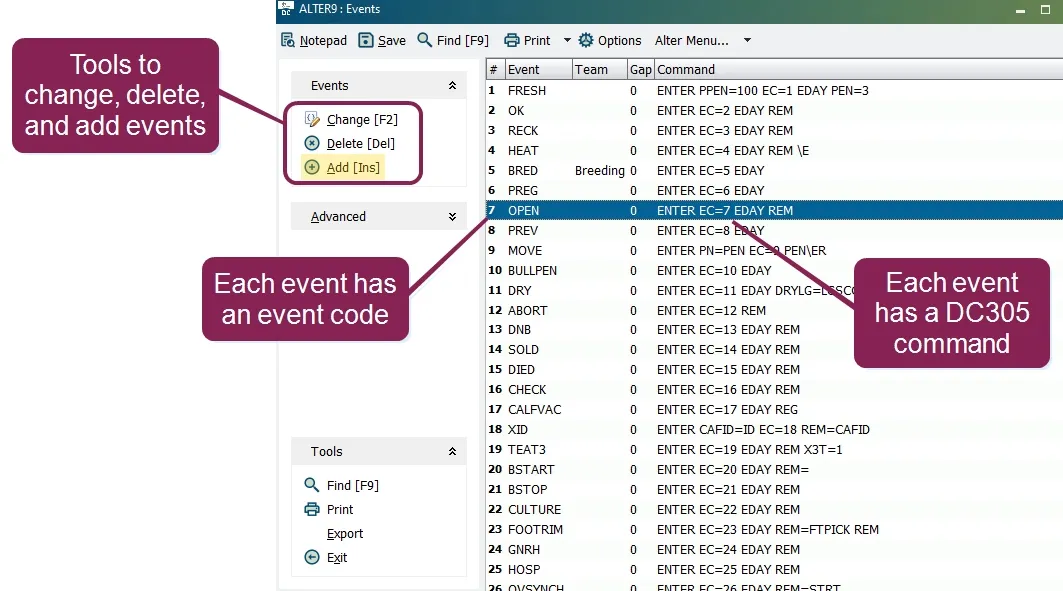
- Open the vet check combination event. In the example below, the name of the vet check combination event is COMBO56.
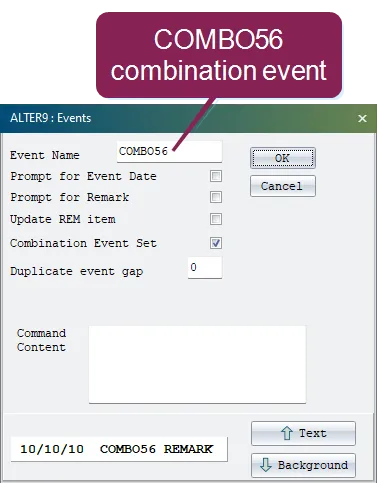
NOTE: If your dairy does not already have a vet check combination event, see Create a Combo EventCreate a Combo Event.
- Click OK to view the event types that can be combined for the vet check event. The Select Events window opens, showing all the event types for the vet check.
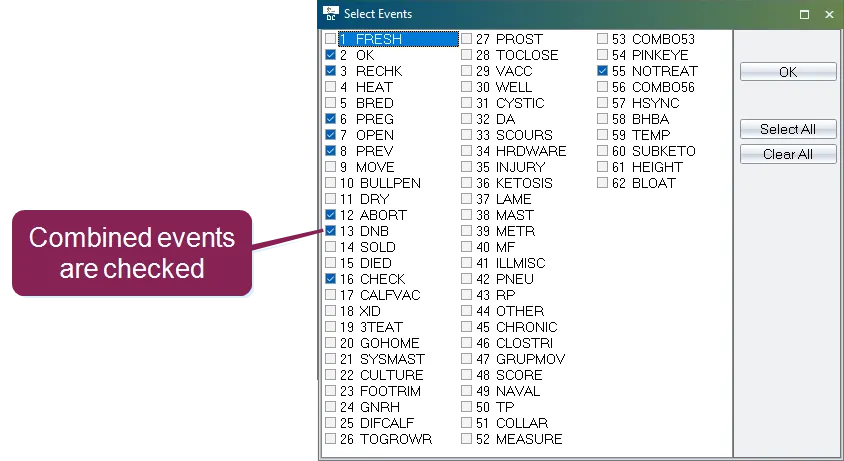
Event types currently combined for the vet list event are checked.
- Select the events you want to add to your vet list.
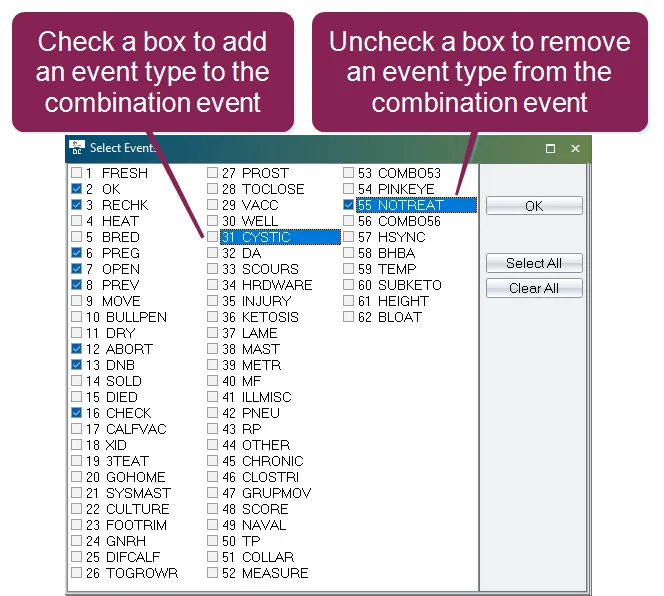
Check the box next to an event type to add it to the vet list. Uncheck the box next to an event type to remove it from the vet list.
- Click OK to save.
Generate your vet list again to see the changes. See Generate Vet ListsGenerate Vet Lists for more information.