Alter13: Premise Table
3 min
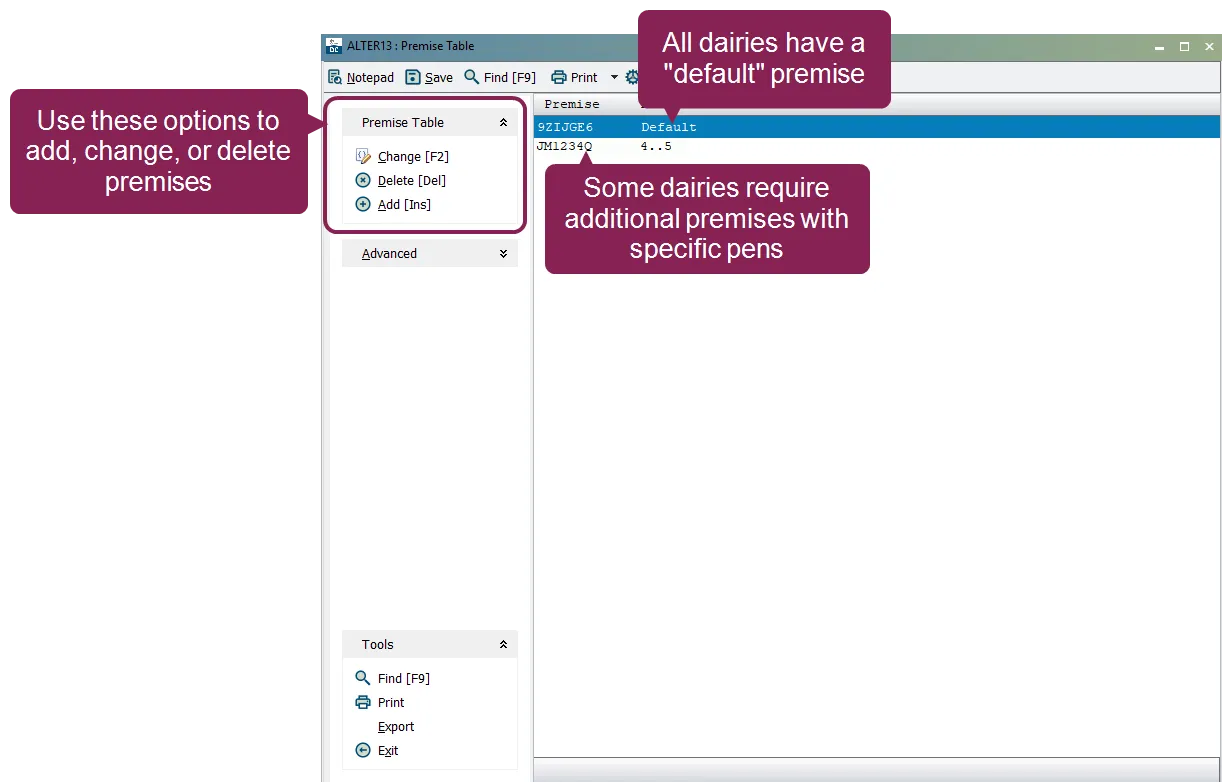
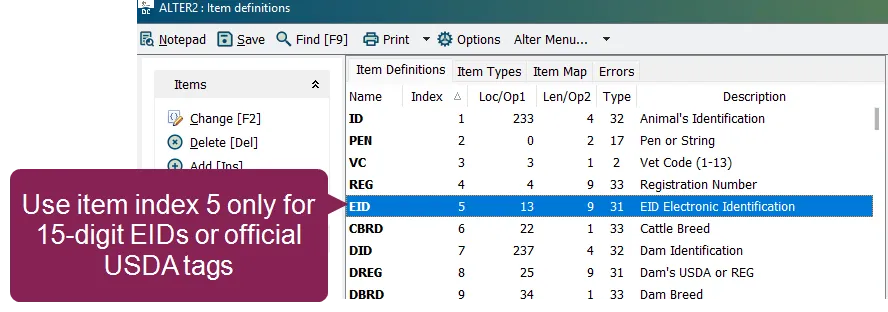
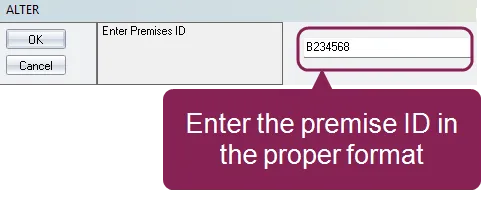
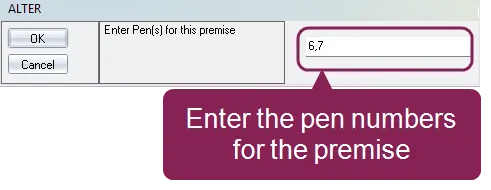
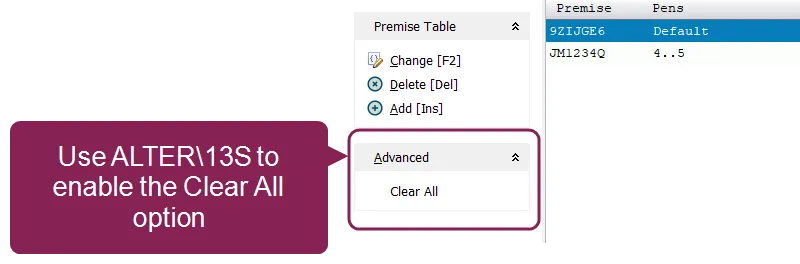
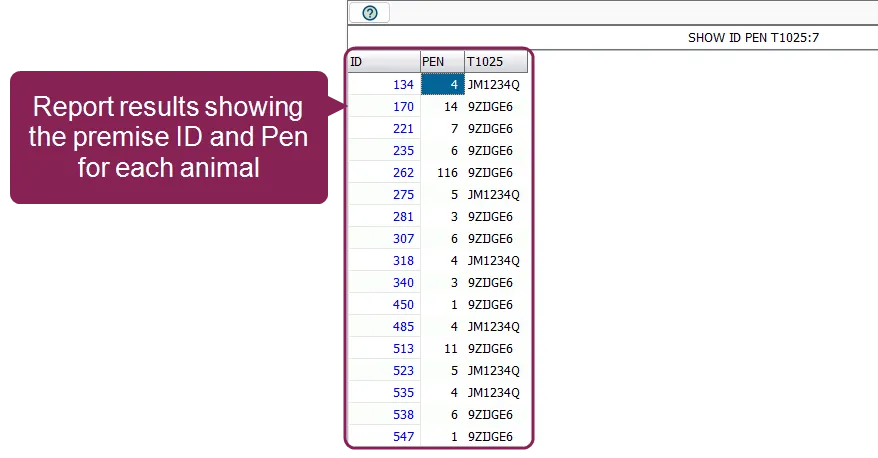
the alter13 premise table option in dairycomp allows you to manage physical location identifiers (premise ids) for your dairy this table is a critical component of national traceability programs, linking physical addresses to pens within your herd the primary purpose of this program is to maintain a database that allows for rapid traceback of animals in the event of a disease concern, such as bovine spongiform encephalopathy (bse) by identifying where an animal is (and has been), the system ensures the safety of the food supply to open the premise table window, enter alter\13 or type alter and choose \[d] define premises table from the menu expand the sections below to learn more understanding premises and pens a dairy will have at least one premise, known as the default premise while many dairies only use one premise id, larger operations with distinct units (such as a heifer ranch or dry cow barn at a different address) may require multiple premise ids dairycomp manages these locations by linking pens to premise ids default premise any animal that is not assigned to a secondary premise is considered to be in the default location premise changes when an animal is moved to a new pen, the system checks this table if the new pen is linked to a different premise id, dairycomp triggers a move event or traceability location change best practices for traceability to ensure your premises data is accurate for government or industry reporting maintain animal ids (item index 5) premise identification only works if the animal’s unique id is correct it is highly recommended to use item index 5 only for 15 digit eids or official usda tags national databases use this id alongside your premise id to track an animal's lifetime movement see alter2 item definitions docid\ elh0 fj ktf5ihc3rhfig for more information about using dairycomp items automatic movement tracking you don't need to manually report a location change within dairycomp when you move an animal to a new pen (using the enter command), dairycomp automatically checks if that pen belongs to a different premise id if it does, dairycomp flags a physical movement event for your traceability reports set up or change a premise use the change or add options to manage your premise ids if the table is empty, the system immediately prompts you for a default premise id setting up a premise is a two step process step 1 enter the premise id when adding or changing a premise id, you must enter the id in a specific format in the us, a premise id must be a seven character alphanumeric string the seventh character is a mathematically calculated "checksum" of the first six important if dairycomp repeatedly asks you to "re enter premises id" after you click ok , it is rejecting the id because it failed the validation check this is not a software error; it means the id is either the wrong length (must be 7 characters) or the internal checksum does not match ensure you are entering the id exactly as it appears on your official state or federal registration papers step 2 assign pens once a valid premise id is accepted, dairycomp automatically prompts you to enter the associated pens (this step is skipped for the default premise, as it automatically covers all pens not assigned elsewhere ) when the prompt appears, define pens for that premise id using the following formatting separate individual pens with commas (e g , 2, 4, 6) define a range of pens using ellipses (e g , 20 25) after you click ok , the premise id and its linked pens appear in the premise table delete a premise use the delete option to remove a premise id from the table once deleted, any pens previously assigned to that id revert to the default premise advanced options if you need to wipe the existing table and start over, use the command alter\13s this switch enables a clear all option within the window important it is recommended to contact vas support docid\ erznbnh1ww36p9q6rnppv before clearing the premise table to ensure traceability data is not lost while premises are not stored as a standard animal item, you can display an animal's current premise in a report using a type 67 item for example, the command show id pen %67 1 1 7 displays the animal's id, pen, and the full 7 character premise id note when the report generates, the column header will display as t1025 this is the internal system name for the premise id data the 7 at the end of the command ensures that the full 7 character id is visible in the report