Troubleshoot Start-Up Errors
2 min
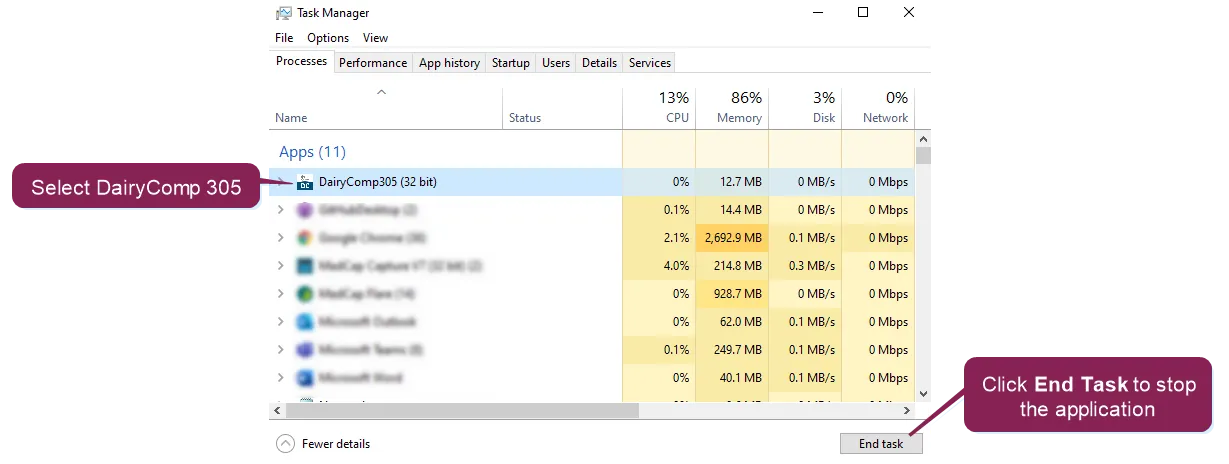
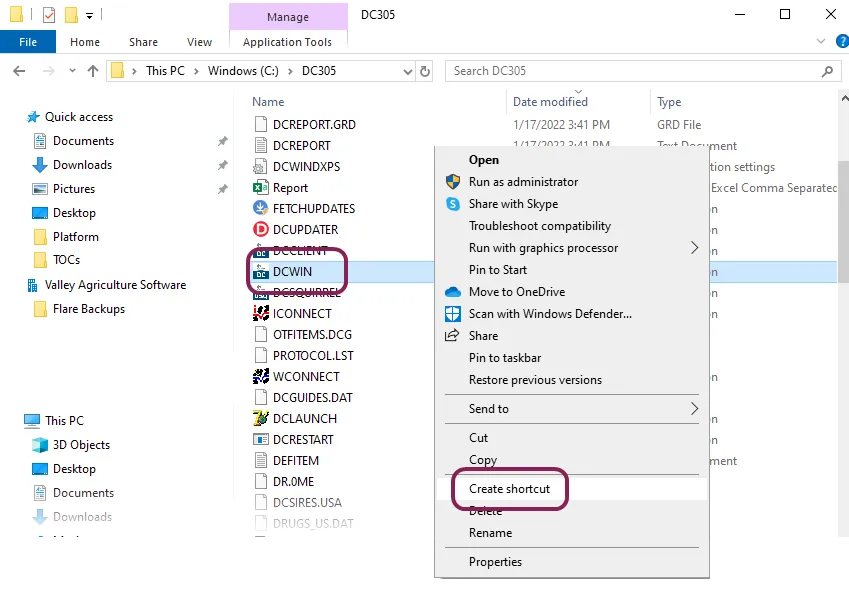
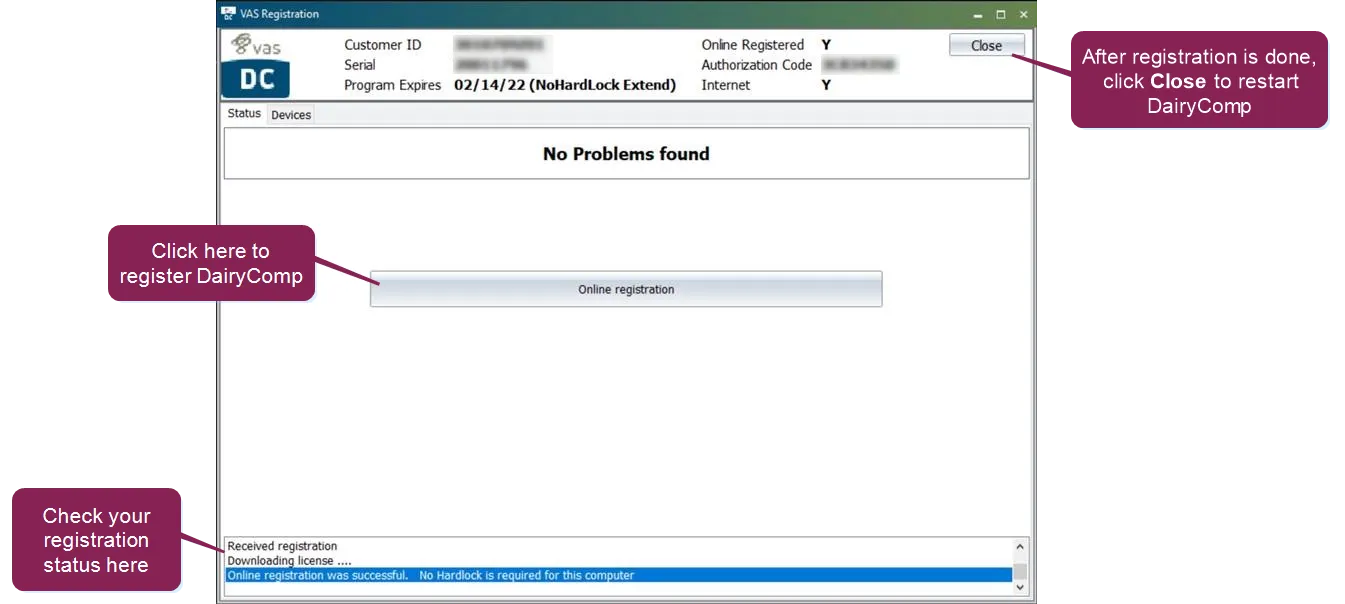
\<font color="#67854e"> question \</font> i'm having trouble opening/starting dairycomp what should i do? \<font color="#67854e"> answer \</font> expand the topics below for more information on the start up issue you're experiencing my dairycomp application is frozen if dairycomp is not responding to your keyboard entries or mouse clicks, follow the steps below open the task manager on your computer the easiest way to open the task manager is to press ctrl + alt + delete on your keyboard and then select task manager in the task manager, choose dairycomp305 under the list of running applications, then click the end task button restart dairycomp by double clicking the dairycomp icon on your desktop if the problem continues, please contact vas support docid\ erznbnh1ww36p9q6rnppv the dairycomp application icon is missing from my desktop if the dairycomp application icon is missing from your desktop, follow the steps below to add it on your computer, open the windows file explorer and select your (c ) drive in the dairycomp folder, right click the dcwin application file (i e , dcwin exe, then click the create shortcut option note if you use the dairycomp client program, right click the dcclient application file instead an error message says to contact support contact vas support docid\ erznbnh1ww36p9q6rnppv whenever you need further assistance i need to register my computer with dairycomp if you see a screen asking you to register your computer, click the online registration button if the window displays the confirmation message, click close and dairycomp will automatically open see install dc305 on a new computer docid\ klyuajxjhk6pcdc6tsmxj to learn more about registering dairycomp on a computer if you need additional help registering your computer, contact vas support docid\ erznbnh1ww36p9q6rnppv