Define Custom Events in DairyComp
Question: How do I add a new type of event to my DairyComp system?
Answer: DairyComp allows you to add additional, user-defined event types to the system via the ALTER command. Events that you create yourself are called custom events. To learn how to add them to your system, follow the steps below:
- In the command line, enter ALTER to open the Alter options window, and then select option 9, user-defined events.
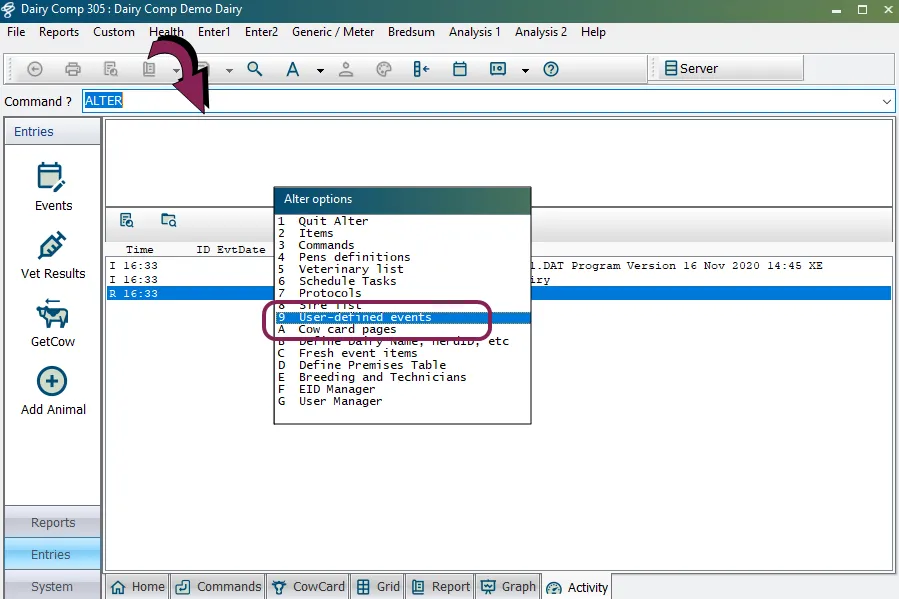
TIP: Alternatively, you can select FILE > Alter options from the DairyComp menu to open the Alter options window.
The ALTER9 : Events window opens, showing all event types configured for DairyComp.
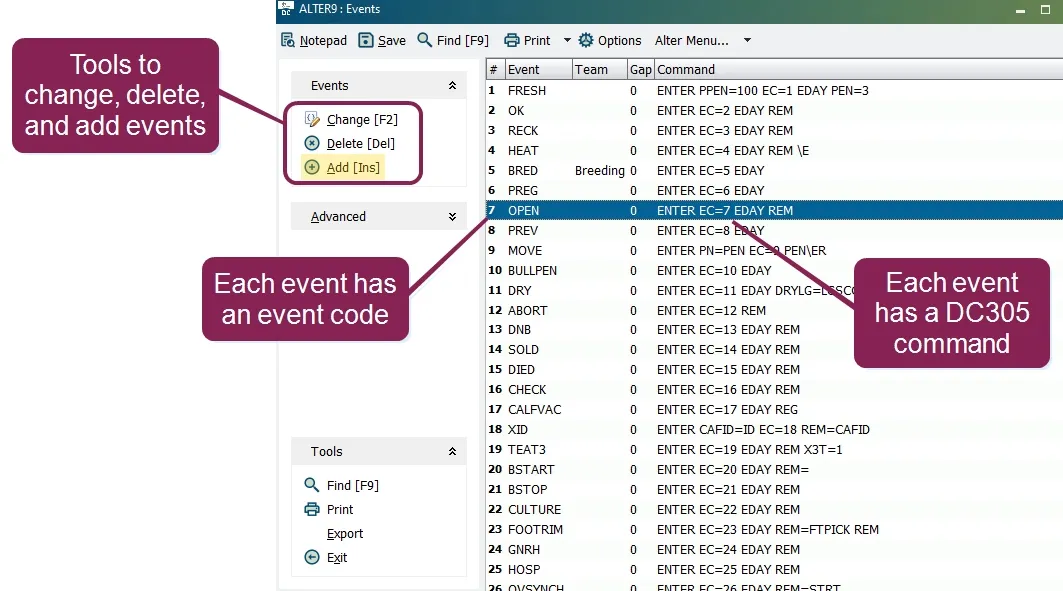
Each event has a number (called an event code) and a DairyComp command associated with it. You can change or delete existing events or add new events from the Events window.
- Click Add [Ins] to add a new event, and then enter the details for the event in the pop-up window. The system automatically assigns the next available event code to your new event. In the example below, you can see that the event code is 50.
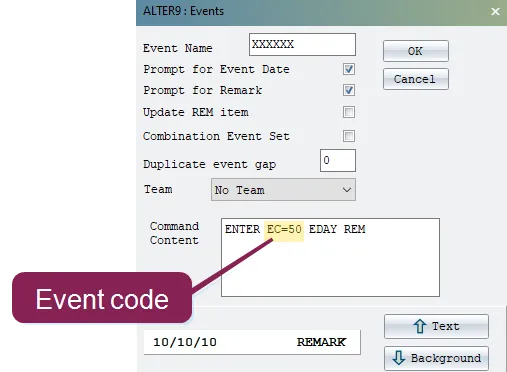
NOTE: DairyComp event numbers 1-18 cannot be reassigned since they are reserved as"sacred" event types. If you have no remaining slots for new event types, contact VAS Support.
Follow the guidelines below to learn more about adding event details:
- Prompt for Event Date: Check this box to require a user to enter a date when adding the event to a CowCard.
- Prompt for Remark: Check this box to require a user to enter a remark when adding the event to a CowCard.
- Combination Event Set: Check this box to create an event that is a combination of existing event types. Once you confirm this selection, you'll be presented with a window of event types to combine.
- Command Content: Shows the text for the command associated with the event, including its event code. Note that checking the various boxes in this window alters the command text. See Command LineCommand Line to learn more.
- Once you've entered the information for the event, click OK to save it. Your new event is ready to use! The system will now display it in the Event window.