Customize Items in CowCards
2 min
Question: How do I add a new item on a DairyComp CowCard?
Answer: Follow the steps below to add a new item on a DairyComp CowCard:
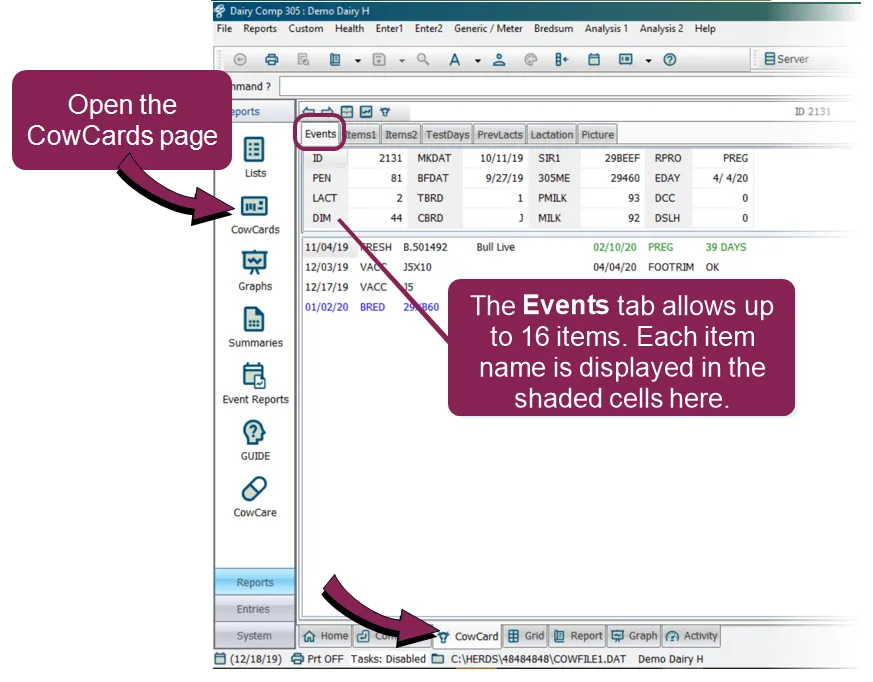
- Navigate to the CowCards page. From this page, you can make changes on the Events, Items 1, and Items 2 tabs. Typically, these pages contain information grouped by category (for example, identification, reproduction, production, and genomics); therefore, they are customizable by the user. The Events tab allows 16 items to be displayed.
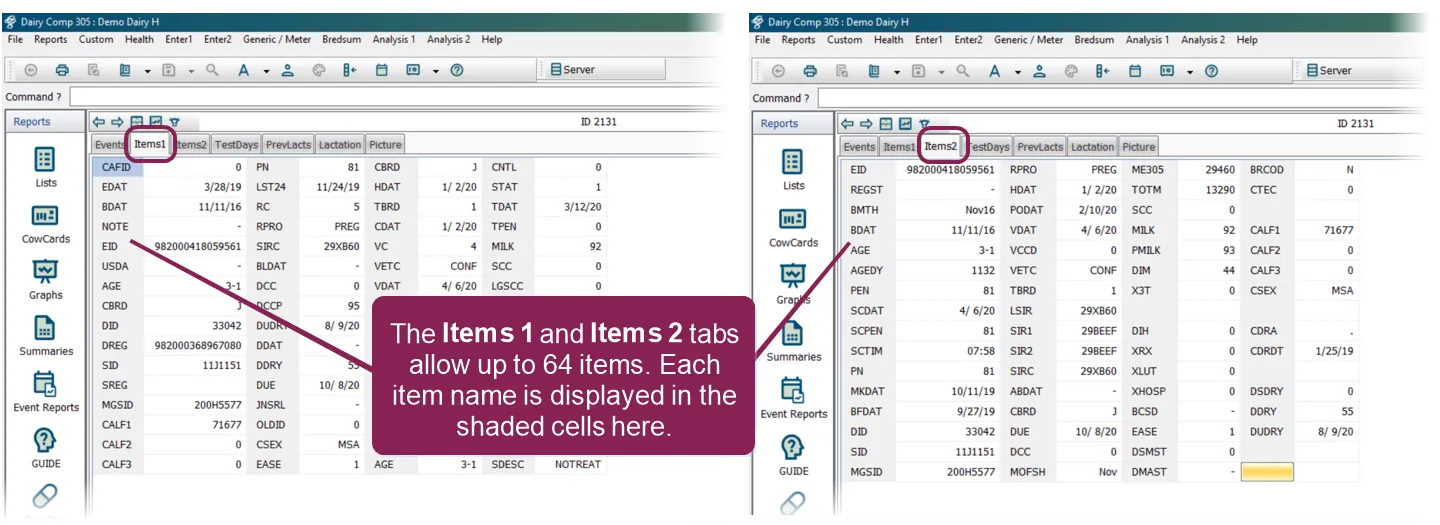
The Items 1 and Items 2 tabs can display up to 64 different items each.
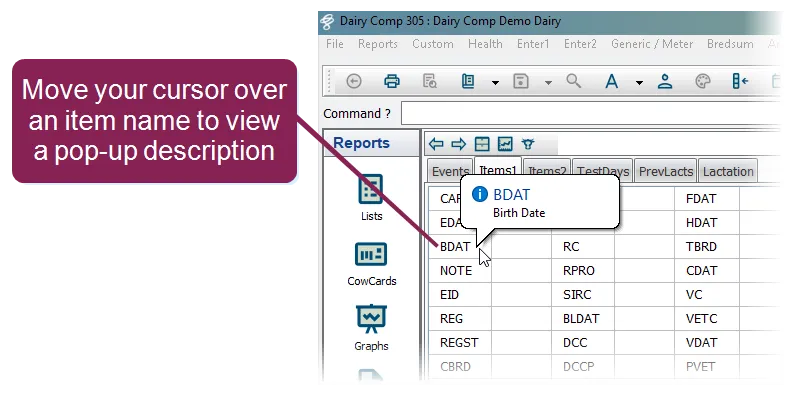
- If you move your cursor directly over an item, a pop‑up description is displayed.
- To add, change, or remove an item, right‑click on an item name or a blank cell and select one of the following options:
- Add/Change Item on Page
- Remove Item from Page
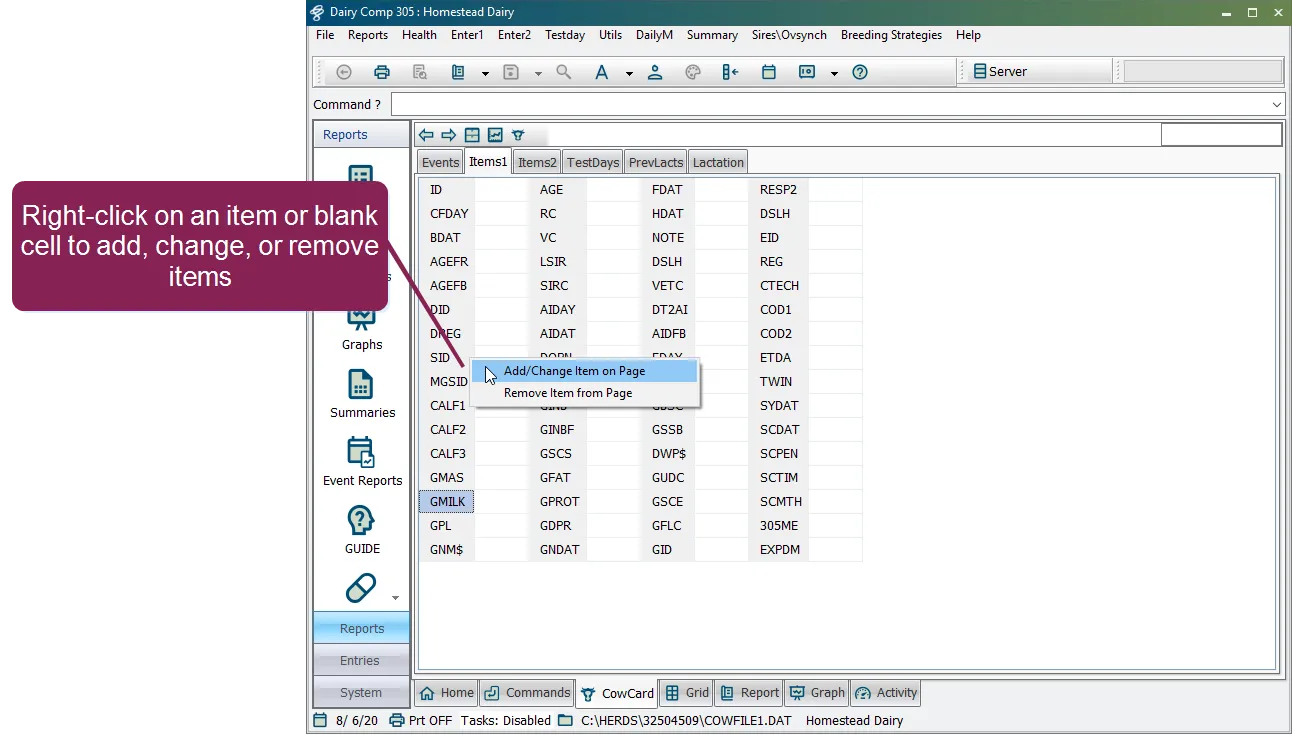
IMPORTANT: If you right‑click on an item name, the new item you select will replace the one you right‑clicked on. If you want to add rather than replace an item, be sure to click on a blank cell before you right‑click.
- Type in an item name or scroll down the list to find the item you want to add or change.
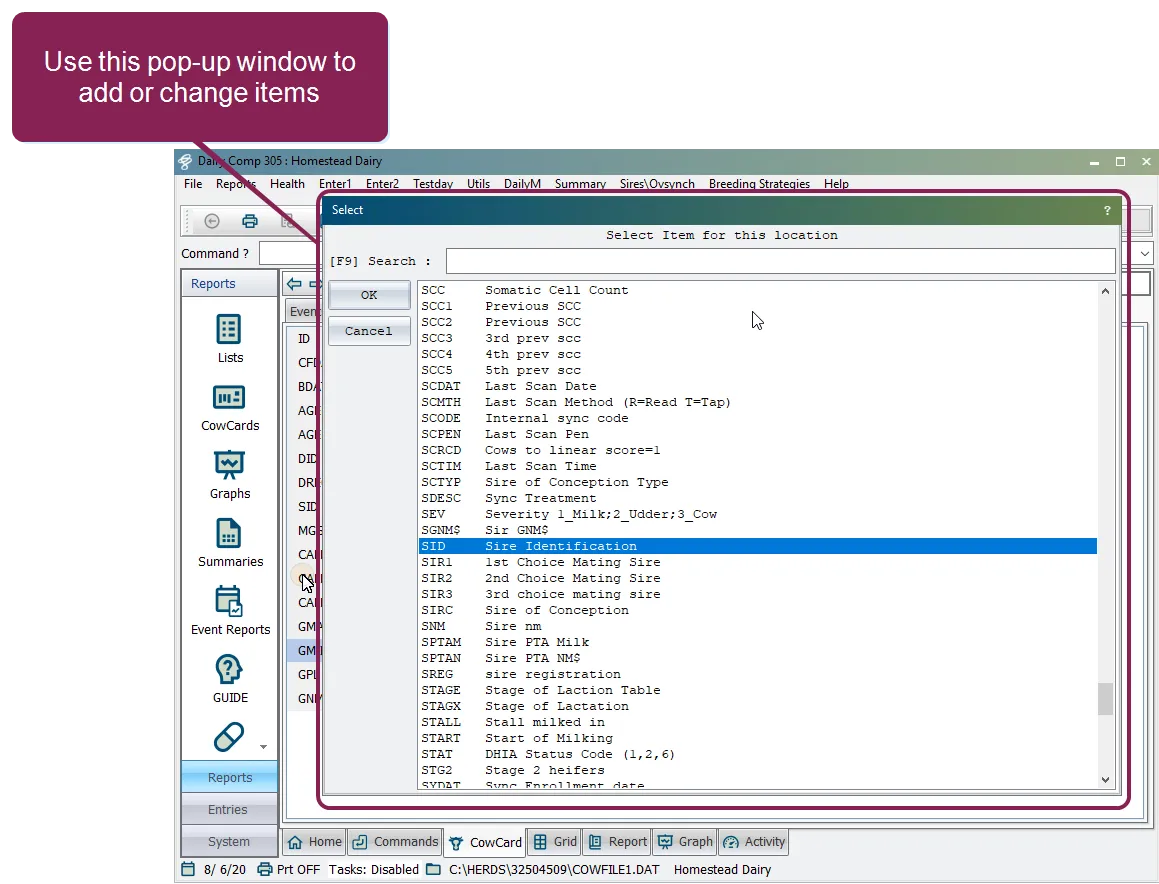
- Click on the item and then click OK to add or change it in the list.