Tips for Navigating and Locating CowCards
2 min
Review the tips below when navigating and locating CowCards:
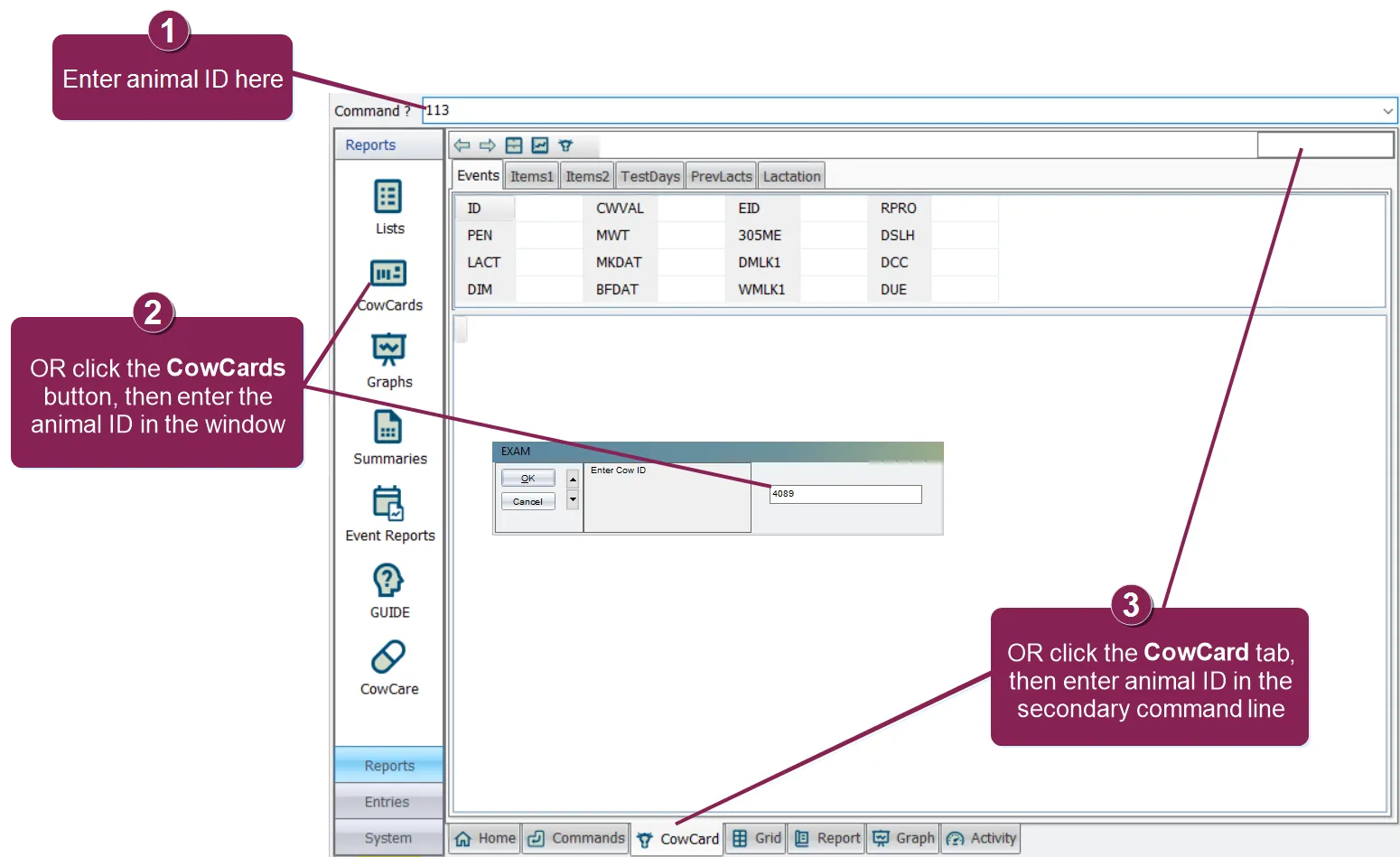
- There are 3 simple ways to open a CowCard. Click below to learn more:
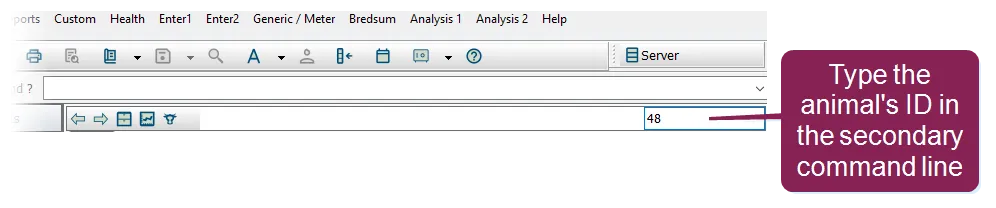
- To quickly navigate to a different CowCard, type the second animal's ID number in the secondary command line near the top-right of the window. For example, if you're on the Events tab for an animal with an ID of 3, typing 48 into the secondary command line displays the Events tab for the animal whose ID is 48.
- For a less refined search, you can use the plus (+) and minus (-) keys on your keyboard to move forward and backward through the current list of animals.
- To move backward or forward through the tabs, enter B or F in the secondary command line.
- Enter the switch character (\) plus a tab number in the secondary command line to go directly to that CowCard tab. For example, \3 opens the Items2 tab.
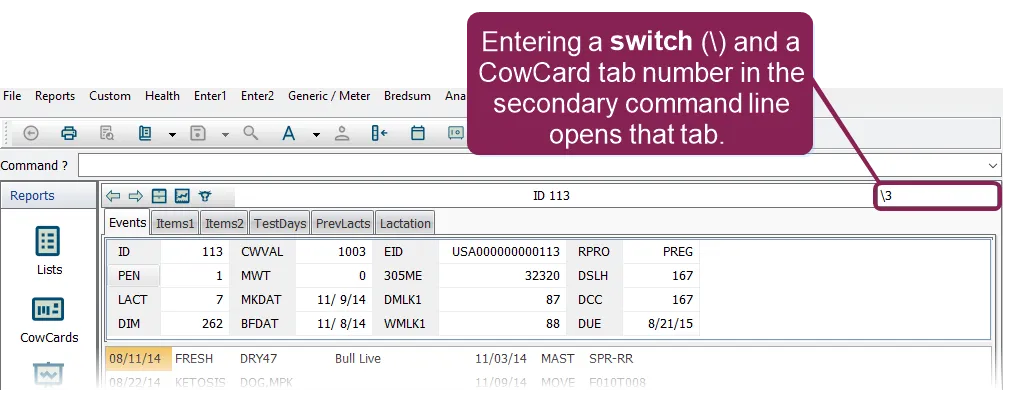
- You can even combine an animal ID with a switch and page number to go directly to that tab on an animal's CowCard. For example, 302\4 takes you to the CowCard for animal ID 302 and opens the TestDays tab.