Check the DairyComp and PULSE Connection
Question: How do I check the connection status between DairyComp and VAS PULSE Platform in DairyComp?
Answer: In DairyComp, click the Alert button to check the connection status between DairyComp and PULSE.
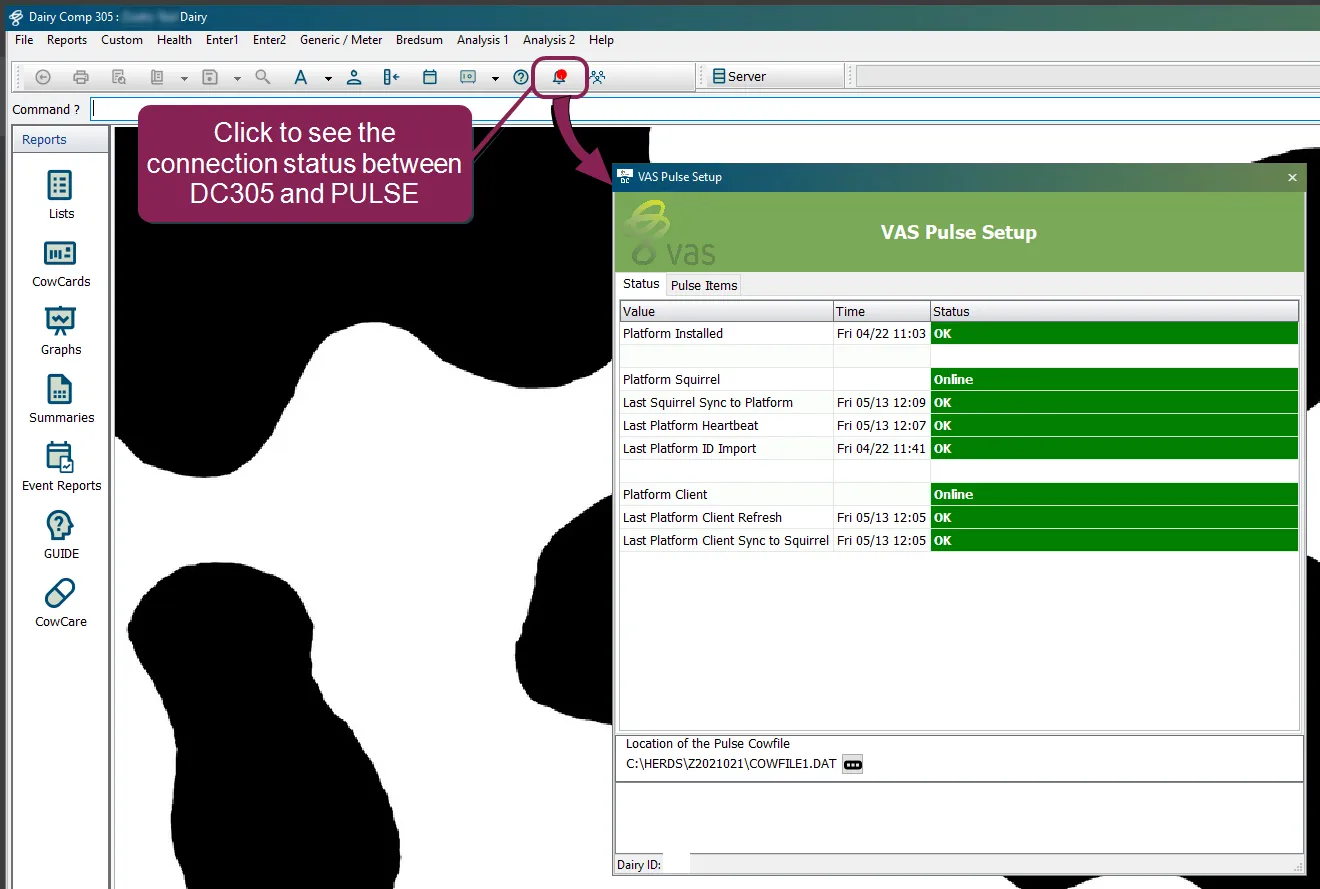
NOTE: DairyComp only displays the Alert button when the system has new information for you. If the Alert button isn't visible in DairyComp, your connection status has not changed and DairyComp and PULSE are still communicating.
Expand the guidelines below to learn more about troubleshooting connection errors between DairyComp and PULSE in DairyComp:
Follow the steps below if DairyComp and PULSE are not connecting:
- Make sure that DairyComp is up-to-date. In DairyComp, select Help > Check for Updates from the menu bar to check if DairyComp needs software updates. To update your DairyComp software, follow the steps in Update DairyComp to the Latest Release in the DairyComp online help.
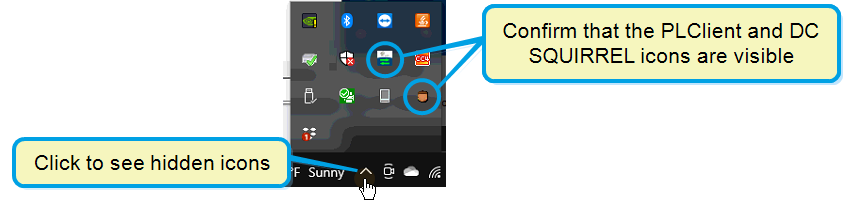
- When you open DairyComp, make sure that DC SQUIRREL and PLCLIENT also open. If the programs don't start running automatically when you open DairyComp, restart DairyComp. To quickly identify whether DC SQUIRREL and PLCLIENT have opened, click the Show hidden icons button on your Windows taskbar and make sure the program icons are displayed.
- Enter new data into DairyComp. Sometimes, DairyComp and PULSE will not communicate if you don't enter new data on a daily basis.
If the connection errors continue, contact VAS Support.
NOTE: To troubleshoot connection errors using PULSE, see Integration Status in the VAS PULSE Platform online help.