Animals Freshened by Date
0 min
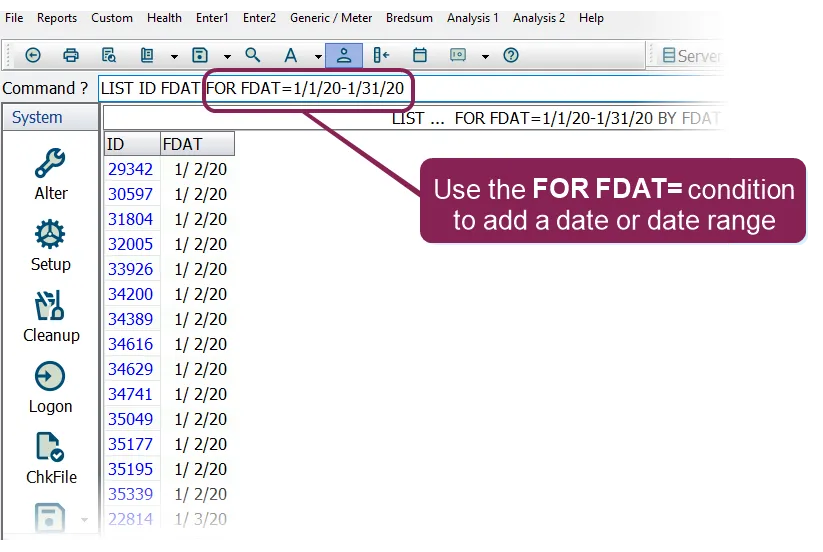
In the command line, enter a LIST or SHOW command to build a report with the items you want in the report, just as you normally would. But this time, add a FOR FDAT= condition that specifies the date (or date range) for the freshened animals. For example:
LIST ID FDAT FOR FDAT=1/1/20-1/31/20
In this simple example, we're requesting a report that shows the ID and freshened date (FDAT) of animals that freshened in January, 2020.
To view freshened animals for a single date, just use the applicable date instead of a range:
LIST ID FDAT FOR FDAT=1/15/20