View Parlor Data and Build Reports
2 min
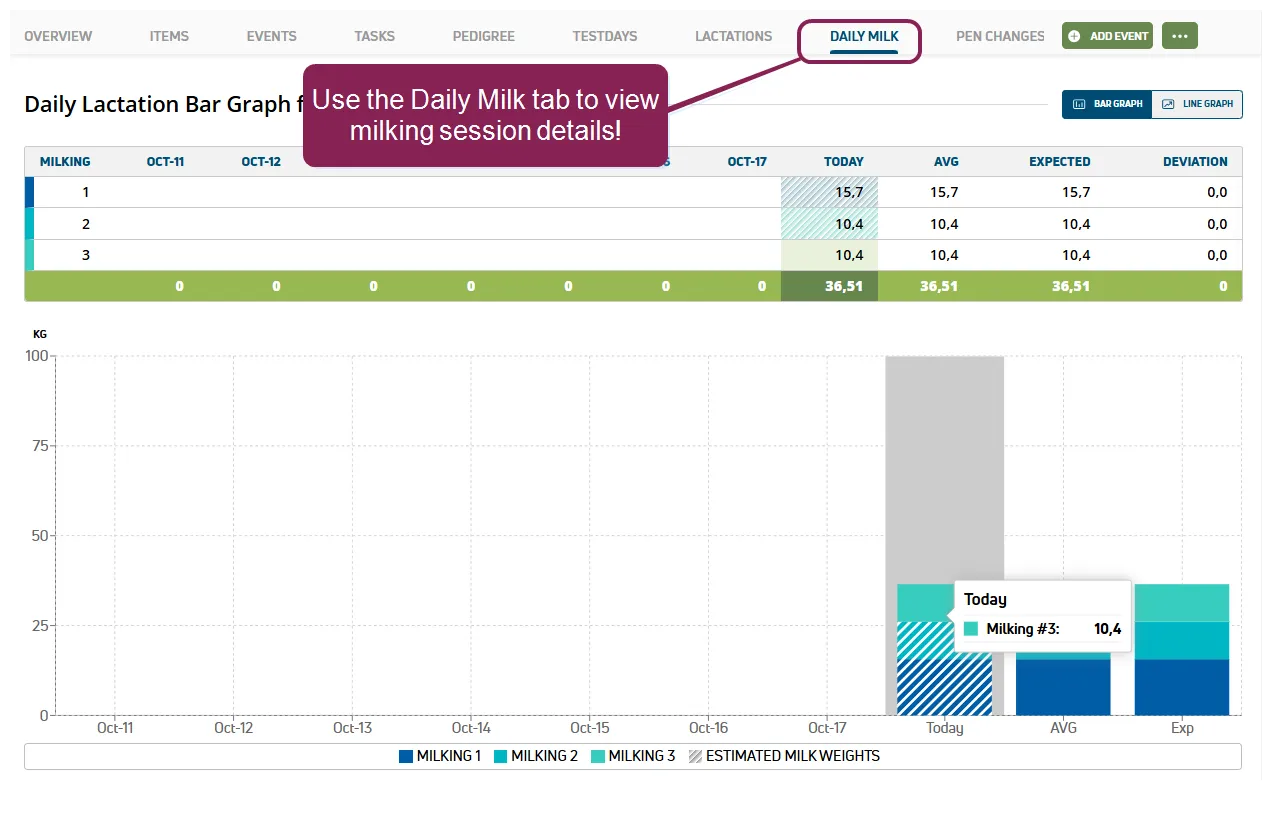
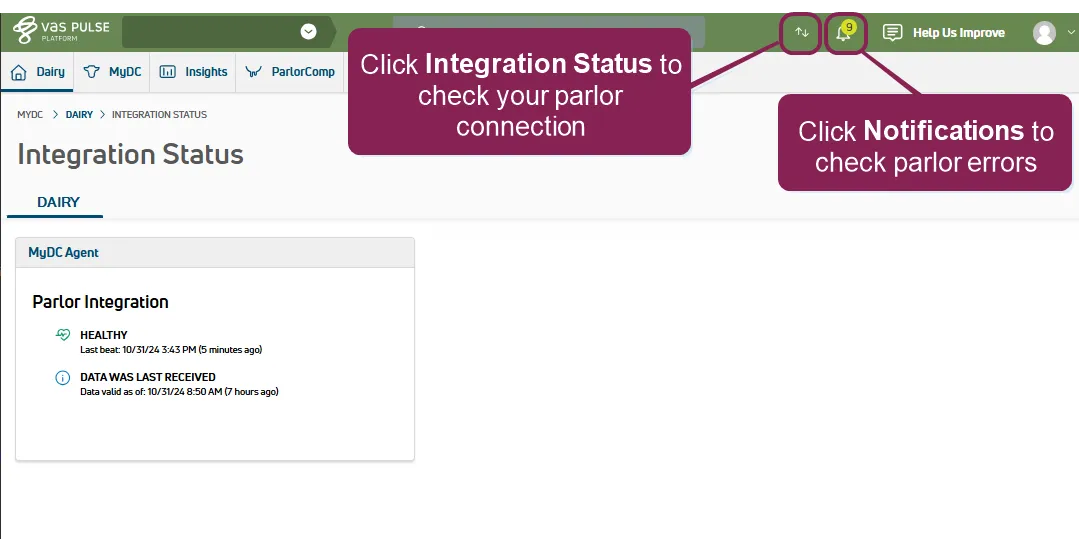
after you connect your parlor, milking shifts and parlor data are available in pulse from the cowcard, and you can create reports to track and analyze your parlor data expand the sections below to learn more view daily milk on the cowcard use the daily milk tab on the cowcard to view milking shift details for your animals see daily milk docid\ brnvh5krikj 89rcnmdr2 to learn more about analyzing daily and weekly milking data view parlor items after your parlor system is integrated, the following pulse items populate with data from your parlor system m1 today’s milk weight at shift 1 m2 today’s milk weight at shift 2 m3 today’s milk weight at shift 3 m4 today’s milk weight at shift 4 dmlk1 current daily milk total wmlk1 weekly milk average expdm expected daily milk weight exdev expected daily milk deviation percent mdev daily milk deviation from expected wmdev weekly milk deviation percent ppen pen animal was identified in at last milking mcode milking code, 1 20 click here to view all possible mcodes 1 ok 2 cow is dry 3 id not read 4 pedometer 5 reattach 6 no milk 7 manual id 8 entered twice 9 no attach 10 no letdown 11 suspect weight 12 cow is sold/died 13 cow is not milking 14 weight tossed 15 manual mode 16 cow not found 17 early falloff 18 late rehang 19 manual detach 20 no duration build parlor reports parlor reporting can be completed using pulse report/worklist builder docid\ i7vcqxla9mwqwnm o exz and the parlor items listed above see the sample reports below daily milk summary sum m1 m2 m3 dmlk1 by pen for lact>0 rc<6 milking code summary sum by mcode missing eid tag list id eid dim wmlk1 for dim>6 wmlk1=0 fdat>0 ddat=0 note if your parlor uses an identifier other than , be sure to use the correct identifier to build your report cow milked in wrong pen show id pen ppen for ppen<>pen note additional parlor insights and analysis tools are planned for a future pulse release stay tuned! check parlor integration status & troubleshoot errors you can quickly check on the connection status of your parlor integration by clicking on the integration status icon at the top right of the page in pulse see integration status docid 8 ccknxcbfd26y06xrtub to learn more about the integration status page and the indicators used you can also use the notifications docid\ ht6afgaeuovriqitn1yqa area at the top right of the page in pulse to check for errors use the guidelines below for troubleshooting potential errors \<font color="#67854e">cow not found\</font> make sure the animal was correctly added to and has a valid parlor identifier assigned see add animals docid\ nnagpjyyn55imimzwgqvk to learn more about adding one or more animals to pulse \<font color="#67854e">other errors\</font> contact us docid 4ghs 95g97ps fckkm8su for help addressing other errors could not load milk failed to send data to pulse unable to fetch animal data from pulse