Add Test Day Data
Question: How do I add test day data (such as milk weight) into DairyComp?
Answer: Test day data is information that is collected about milk samples from your dairy on a specific date. The most common way to add test day data to DairyComp is to use the RECEIVE command, which allows you to load your data from either a DHI based file from the VAS iLoop or from a specific, formatted test day file.
Expand the topics below to learn more about each option:
Your DairyComp system should have been configured to work with the correct DHI system when it was installed or last updated. In this case, enter RECEIVE in the command line to connect to the VAS iLoop. DairyComp will automatically use your internet connection to log into iLoop, locate the most recent DNL file, download it to your C:\DairyComp folder, and then import those results.
You can also use the RECEIVE option on your DairyComp menu (usually located under the TESTDAY or a DHI-named section of the menu).
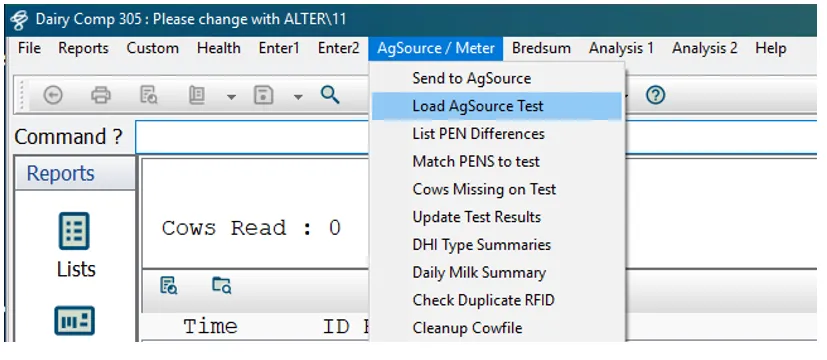
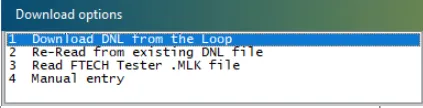
Using this menu option will either use the same RECEIVE procedure described above, or take you to an additional menu where you can select the Download DNL from the Loop option.
Once the test day results are loaded and the CowCard for every animal has been updated with the new test day data, the activity tab will show that the RECEIVE has been completed, along with a count of animals read from the herdcode.DNL file and the test date of that file.
You should verify that the date of the DNL file matches the most current test date. If the latest test date has not yet been processed and pushed to VAS iLoop, DairyComp will see the last DNL file and reload that file, so checking the test date is important to know if the most current test loaded. If the current test date is old, wait for 1-2 days and then try to load the test date information again.
If your DHI system is unable to upload your test day information to VAS iLoop in a DNL formatted file, they will most likely email that DNL file to you directly. In this case you will need to save that attached file from your email into the C:\DairyComp folder (or to another folder on your computer where DairyComp can locate it).
Once you've downloaded the file, enter RECEIVE\Q in the command line to show a list of download options, and then choose Re-Read from existing DNL file.
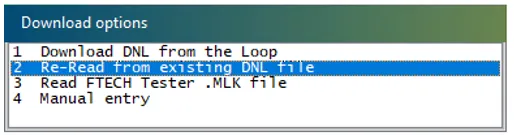
DairyComp will read the DNL file from the location you specify and import the results. Be sure to confirm the test date shown in the activity tab to verify that the correct test was loaded. If it's the wrong file, make sure you directed DairyComp to load the correct file or request a new file from your DHI system.
If your dairy performs milk testing through a DHI system that doesn't use DNL files but instead sends test day data in a CSV formatted file, you will need to save the file you receive from them into the C:\DairyComp folder (or another folder that DairyComp can access).
In order to load the test day data from a CSV file, the RECEIVE command must contain the items in the same order they appear in the file. If the ID field is the first column in the file, then ID does not need to be part of the RECEIVE command. If ID is not the first column in the file, then ID must to be included in the RECEIVE command.
Let's look at an example:
If our test day file contains items in this order: ID/MILK/% FAT/% PROTEIN/SCC, then our RECEIVE command will look like this:
RECEIVE MILK PCTF PCTP SCC \GIR
This command will prompt you for the following information:
- The percent of the total represented by these weights.
- The location and name of the file to load.
- The test date of these values.
NOTE: Use the \R switch in your command if the milk weights are rounded to the nearest whole number. Remove the \R switch if the milk weights contain a decimal place for all weights.
If the file you're trying to load is in a different format or you have any other issues, please contact VAS Support for assistance.
To check the source of your test day data, enter STATUS in the command line. The Status window shows the last date on which data was received and the currently configured source of that data.
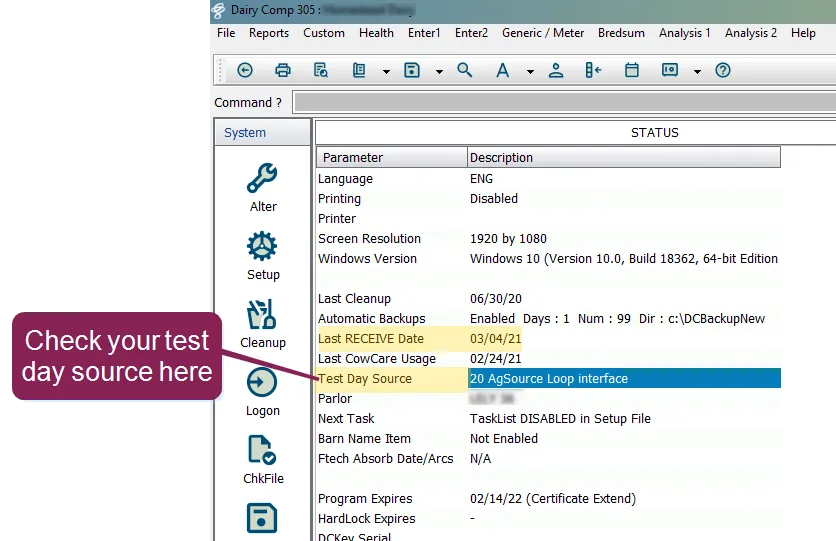
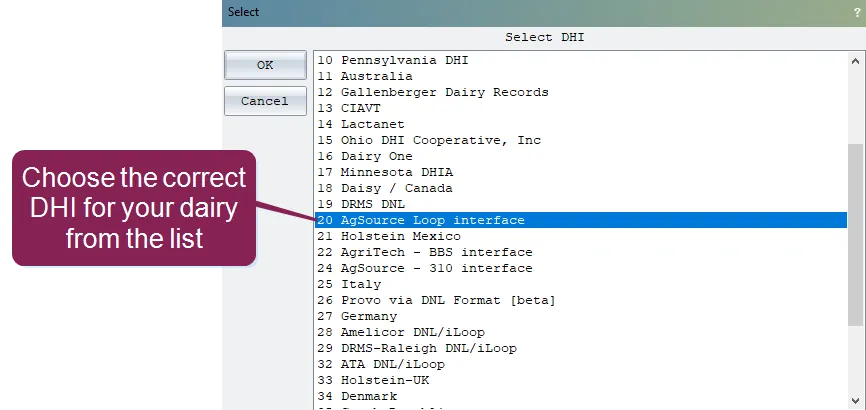
To change the source of your test day data, enter CONVERT in the command line, then choose option 6, Select Different DHI to open the Select DHI window.
To check your VAS iLoop settings, enter CONNECT in the command line, then click List Available Files to what the files that are currently available.
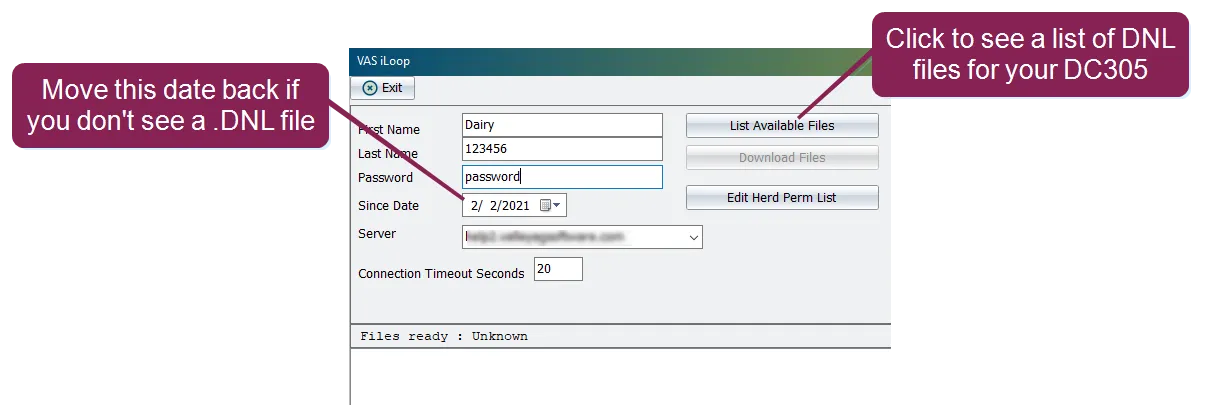
If no herdcode.DNL file is listed, use the Since Date field to move the date back several days to a week and then check for the file again.
Test Day data is collected by your dairy's DHI (Dairy Herd Improvement) processing center. The date of this collection is commonly known as the "test day." Test Day data includes such things as milk weight, fat percentage, and somatic cell count (SCC), and is displayed on the Testdays tab of each CowCard.
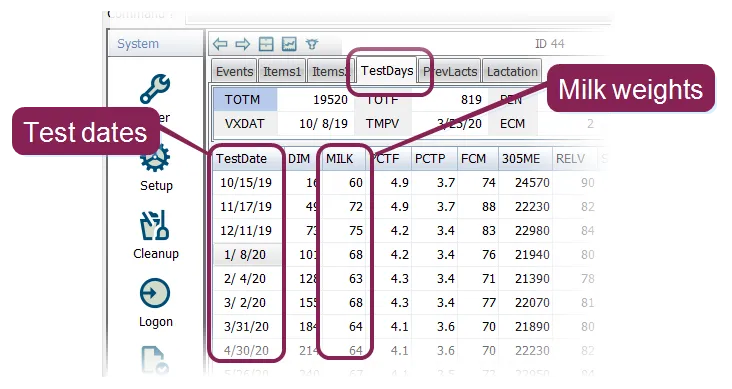
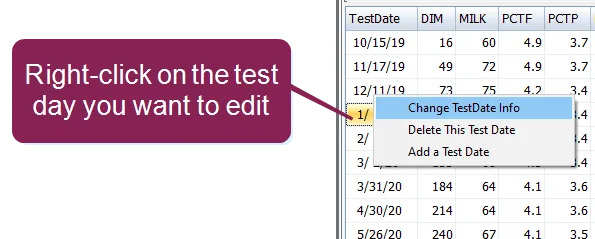
Right-clicking on a specific test date allows you to change the data for the test date, delete the test date, or add a new test date.