Enter Result Codes and Remarks
2 min
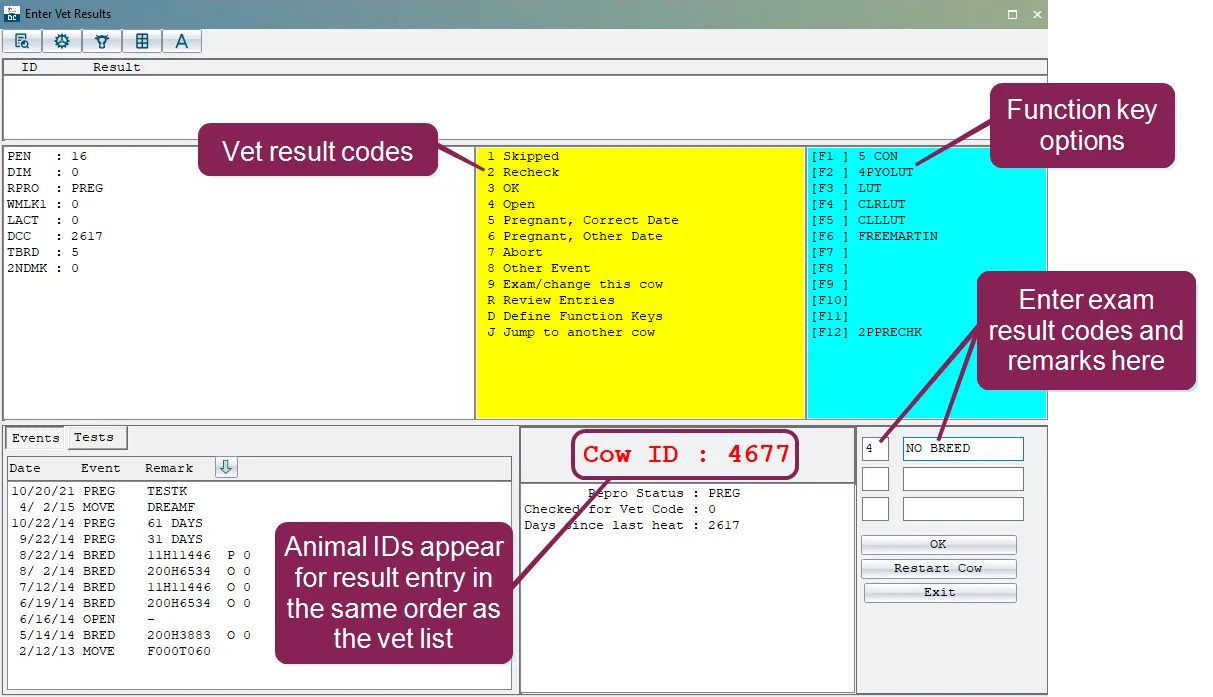
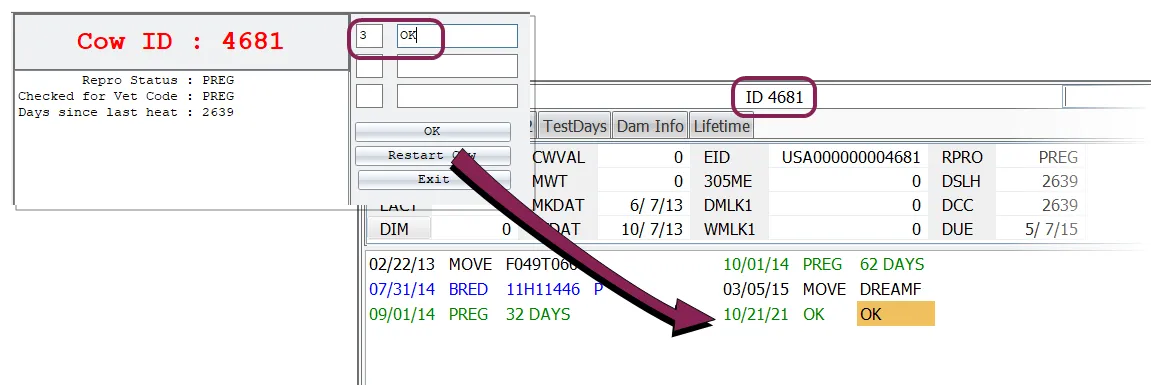
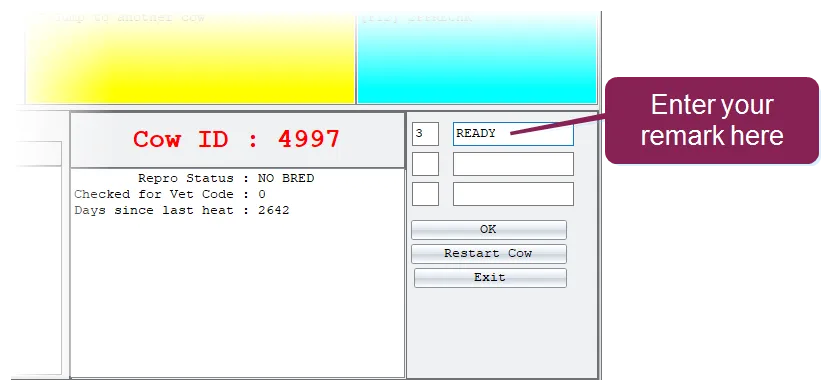
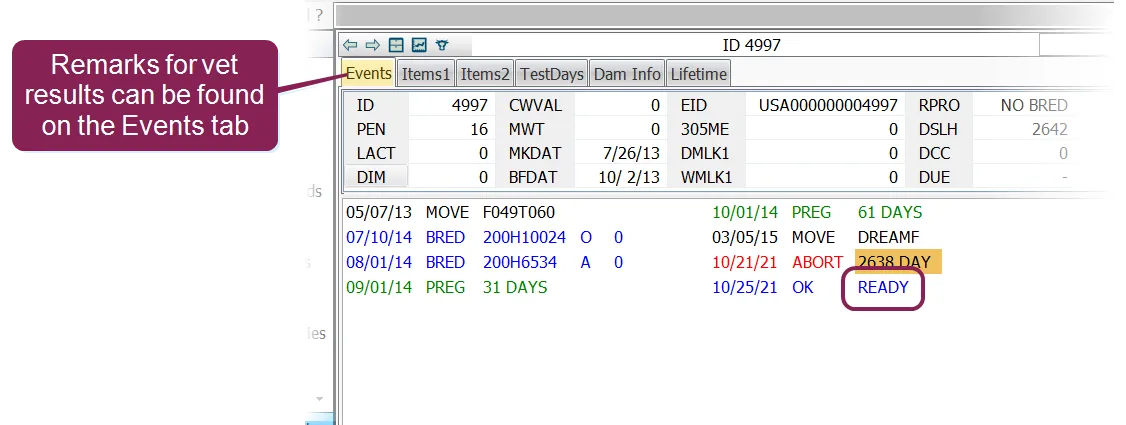
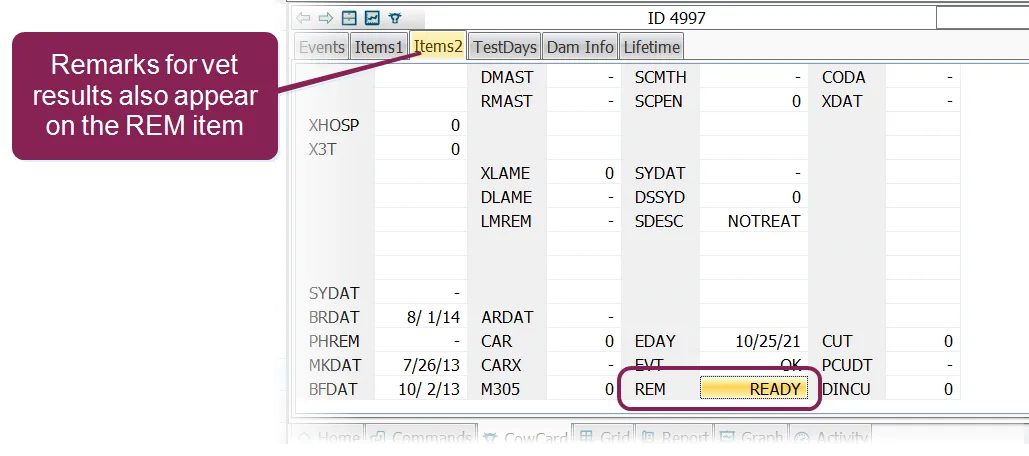
vet exam results are entered in the enter vet results window when you execute the venter command from here you'll enter the result code for the exam, along with a brief remark results are entered in this window for one animal at a time, in the order that the animals appear in the vet list so, if the ids for the first three animals on your vet list are id numbers 45, 102, and 307, then the venter command will ask you to enter vet exam results for animals 45, 102, 307, and so on \<font color="#f97316">important\</font> be prepared to enter vet exam results promptly after the vet exam is completed delays in entering the results could cause the venter command to present the animals in a different order from that of the vet list see why is the entry routine for animals in the wrong order? docid\ dbf7ar2sbngsyey3ohcju for more information the yellow section of the window shows the code numbers for the different vet check results that can be entered for example, enter a 3 for ok, 4 for open, and so on when you enter a result, that event is set in that animal's record vet entry options the following table lists the main vet entry options and their resulting reproductive code and vet code changes \<font color="#f3f4f6">number\</font> \<font color="#f3f4f6">name\</font> \<font color="#f3f4f6">description\</font> 1 skipped animal was not examined the reproductive code and vet code will remain unchanged essentially, dairycomp leaves the animal record "flagged" so it's automatically included in the next vet list for the next veterinary visit 2 recheck animal to be rechecked next time the reproductive code and vet code will remain unchanged how is this option used? 3 ok animal marked "ok to breed" or "normal" or "still pregnant," depending on its prior status vet code is changed to 0 reproductive code is changed to 3 (if it was 2) how is this option used? 4 open animal open at pregnancy examination reproductive code is reset from bred to open vet code is reset to 0 5 pregnant, correct date animal is pregnant to recorded breeding date reproductive code is changed from bred to preg vet code is reset to 0 6 pregnant, previous date same as in #5, but with additional prompts for correct breeding , breeding date entry, or days carried calf note that this is the option used when the vet records a "days carried calf" (for example, "cow is 50 days pregnant") it is the same as entering a prev event, which gives you the option of entering a days carried calf, an actual breeding date, or selecting from a list of breeding dates 7 abort animal has aborted if the animal has been rebred recently, the reproductive parameter changes from preg to bred if the animal has not been rebred, the reproductive parameter is changed from preg to open you might also consider resetting the reproductive status to fresh (not ready to breed) if a problem exists the vet parameter is reset to 0 8 other event allows you to pick from a list of additional events not listed in the main window some events may need to have details reset manually (such as reproductive code or vet code) use of this option is recommended only for recording reproductive disease events and treatments see enter other events to learn more 9 exam/change cow enter a 9 to go directly to the animal's cowcard from there you can enter additional data or go to the next animal exam remarks when you enter a vet results code, you can also enter a 12 character comment to describe the result the remark that you enter for a vet result can be seen in two places on the animal's cowcard on the events tab, following the most recent event in the example below, the most recent event was ok, and the remark added was ready on an items tab, beside the rem item in this case, the rem item is on the tab called items2 note the bred event does not accept remark entries because its rem space is used for sire ids, breeding codes, and technician codes be careful not to confuse entering an event remark with the entry of the event itself for example, if the vet examines a fresh animal and discovers it has cystic ovaries, you would enter a 2 for the exam results (to have the animal rechecked) but you might also enter for the remark that does not mean that you have added a event for the animal the remark is merely for descriptive purposes